Participant
March 29, 2024
Question

2D viewport UV changed

  • March 29, 2024
  • 1 reply
  • 163 views

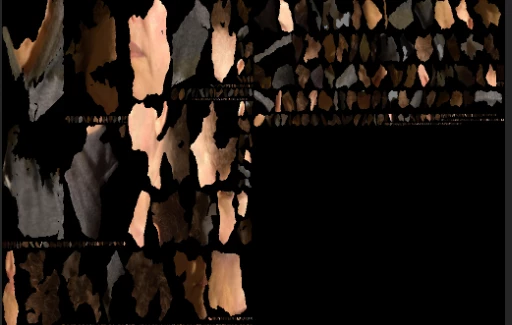
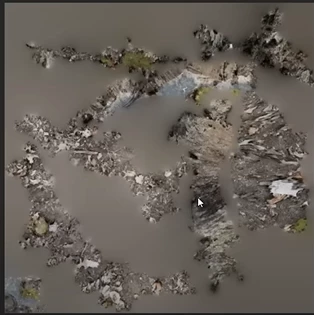
Hi! I have been using substance 3D Sampler for Photogrammetry, and at the beginning the 2D view of the UV texture mesh used to appear like the first image attached below. This foggy and organic look. However, it changed to this fragmented UV mesh at the second image attached. I was doing a personal projected with those types of UV meshs, Is there any way to change it back to how it was?


Thanks!


This topic has been closed for replies.

1 reply

Ares Hovhannesyan
Community Expert
Community Expert
March 29, 2024

Is this 3D/2D screenshot views as you see in Sampler after applying your material on plane object?

Participant
March 30, 2024

Hey! Thanks for the reply!
I think I didn´t apply to anything, I am new to this area, so I usually just open the model. I don´t really know how to do anything else ahaha.
I was following the same steps from a Adobe video of Basic 3D Capture.

Ares Hovhannesyan
Community Expert
Community Expert
March 31, 2024

Ok. Therefore, on the left side of screenshot you have 3D Material applied on plane object (it looks like that) and UV Map on the right.  Please also start with Substance 3D Sampler | Substance 3D Sampler (adobe.com) for better understanding app.