


I can pan the object only, so the middle mouse button just rotates the object and doesn't center the material sphere in the view. The sphere with my b2m material is pinned to the top right corner of the viewport. I'm on macOS Catalina 10.15.7 and I just installed substance sampler today.
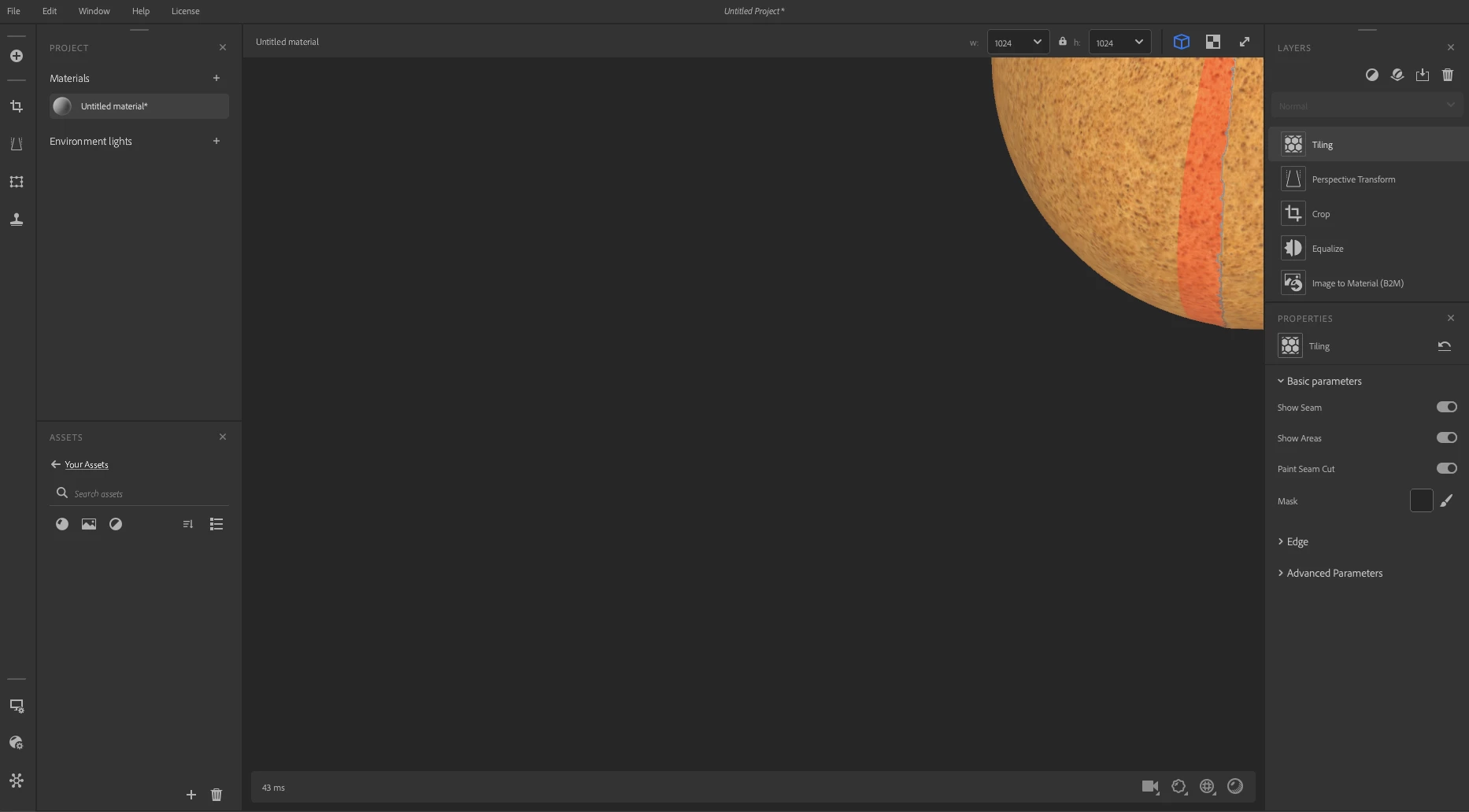
This issue resolved itself by restarting the process and creating a new file. I would send the log as it happened a few times in a row with new projects but as I can't replicate the issue I can't create a log to send. If it happens again I"ll share that with the community. Thanks!
Facing the same issue now. Installed today. Restarted program multiple times and created new project files and is stuck with the material in the corner of the viewport
For me, the issue was resolved by switching which monitor i'm trying to utilize on a two monitor setup. Unplug one of the monitors and see if that changes anything..
This issue resolved itself by restarting the process and creating a new file. I would send the log as it happened a few times in a row with new projects but as I can't replicate the issue I can't create a log to send. If it happens again I"ll share that with the community. Thanks!
Has there been a solution to this as I am currently having issues now. I just installed it today to have a chance to play with it. I have closed the program and started a new file with no changes. As well as restarted my computer. whe I press "F" to focus it oes tot he corner instead of centering.