Participating Frequently
August 2, 2023
Answered

Decal help

  • August 2, 2023
  • 1 reply
  • 395 views

Hi, i am trying to add a decal like in the documentation but having a hard time working out what to do. I have changed the decal to opacity and used an image, but the image just looks like a square cube. Any advice for a complete newbie, please? I have a imple base layer and a decal layer on top/.


https://helpx.adobe.com/substance-3d-sampler/filters/generators/decal.html


Thanks

This topic has been closed for replies.
Correct answer LoryAline

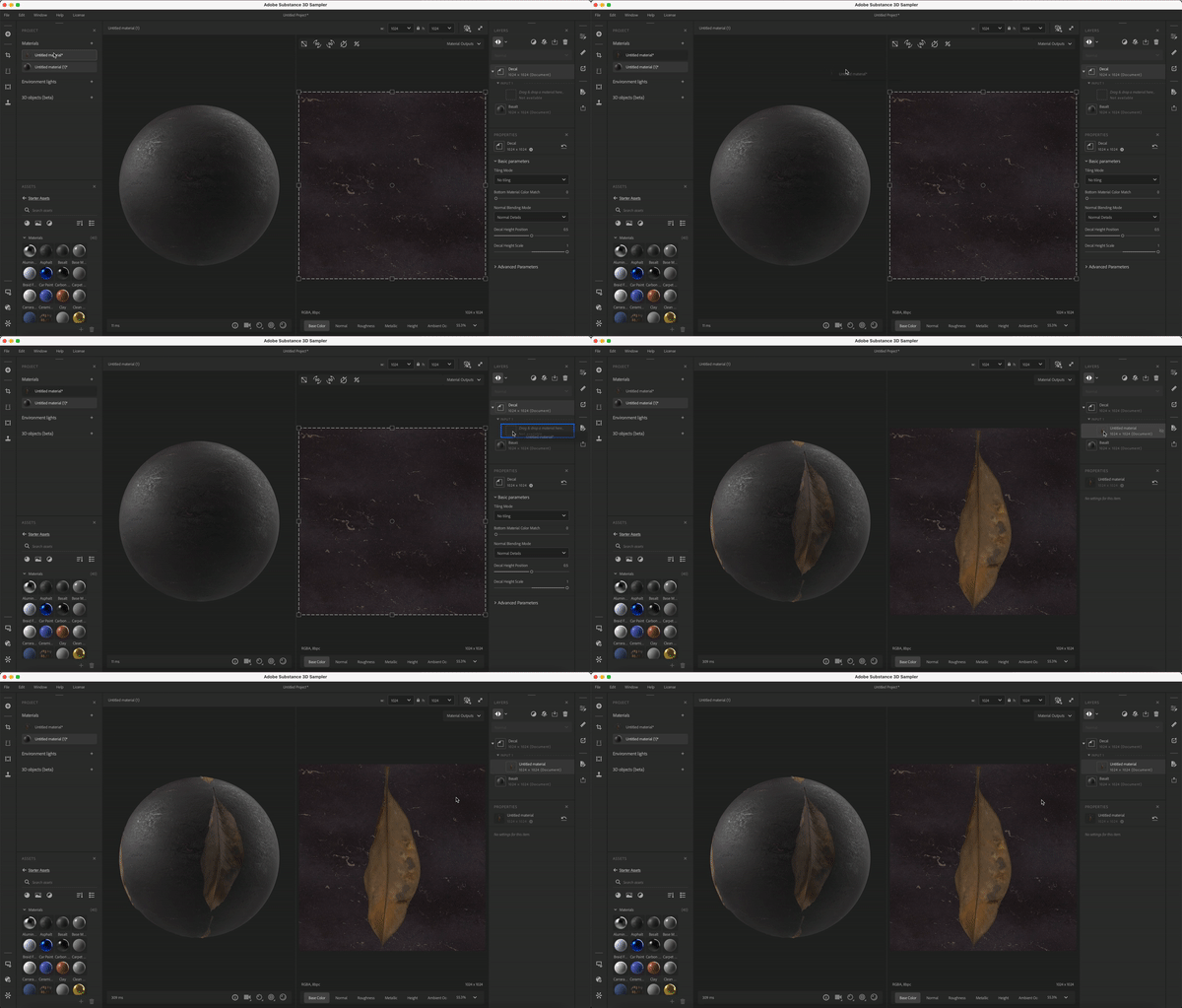
From your Project panel you can drag and drop your decal material to your Decal filter input: 

1 reply

Ares Hovhannesyan
Community Expert
Community Expert
August 2, 2023

In documentation you can see that you need to have a Decal Material. Here is capture from export panel. You need to export Decal Material than import it into decal Filter.


LoryAline
Community Manager
LoryAlineCommunity ManagerCorrect answer
Community Manager
August 3, 2023

From your Project panel you can drag and drop your decal material to your Decal filter input: