Participant
March 20, 2023
Answered

how to import materials from my assets into my Sampler

  • March 20, 2023
  • 1 reply
  • 537 views

Hi, I try to import materials from my assets into my Sampler. I copied SBSARs on the folder "C:\Program Files\Adobe\Adobe Substance 3D Sampler\Resources\assets\StarterAssets". I closed and opened Substance Sampler but I don't see them on the list of materials anyway. What do I do in a wrong way? Thanks

This topic has been closed for replies.
Correct answer Ares Hovhannesyan

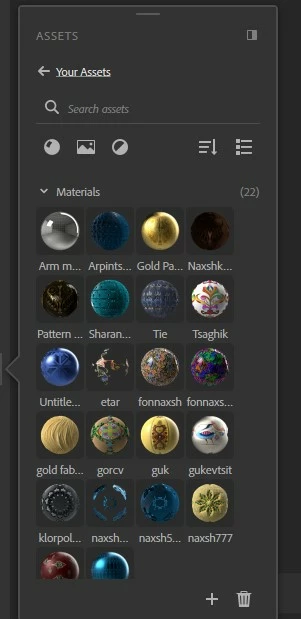
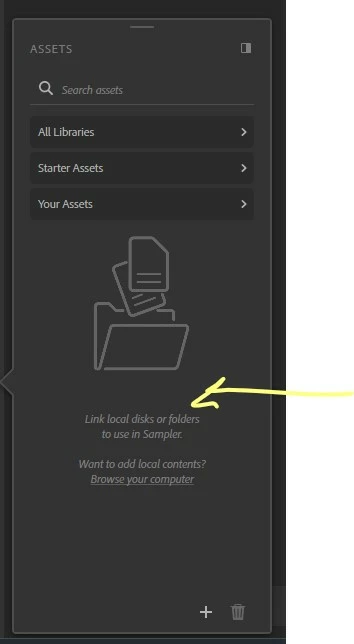
You can add you folder by clicking on folder icon or "+" button. In second image you can see my library assets in "Your Assets" folder. You don't need to copy past them in root folder in "C:\Program Files\Adobe\Adobe Substance 3D Sampler\Resources\assets\StarterAssets".

1 reply

Participant
March 20, 2023

Why?


Ares Hovhannesyan
Community Expert
Ares HovhannesyanCommunity ExpertCorrect answer
Community Expert
March 20, 2023

You can add you folder by clicking on folder icon or "+" button. In second image you can see my library assets in "Your Assets" folder. You don't need to copy past them in root folder in "C:\Program Files\Adobe\Adobe Substance 3D Sampler\Resources\assets\StarterAssets".

Participant
March 20, 2023

Thanks:)