


Participant
January 27, 2023
Answered

How to Import my own custom mesh (size ratio x by y)

  • January 27, 2023
  • 1 reply
  • 743 views

How do I import my own mesh? the default meshes come with ratio Width 1 by Height 1.

I work with different ratios and when I use th edefault meshes, the texture/material is streched and ugly, I actually can't see what I'm doing because of that, I have no idea what the result will look like.

This topic has been closed for replies.
Correct answer LoryAline

Hi!
We can't import custom meshes in Sampler, here's a thread on the forum with a workaround:
https://community.adobe.com/t5/substance-3d-sampler-discussions/import-custom-mesh-in-3d-viwer/m-p/12411688#M248

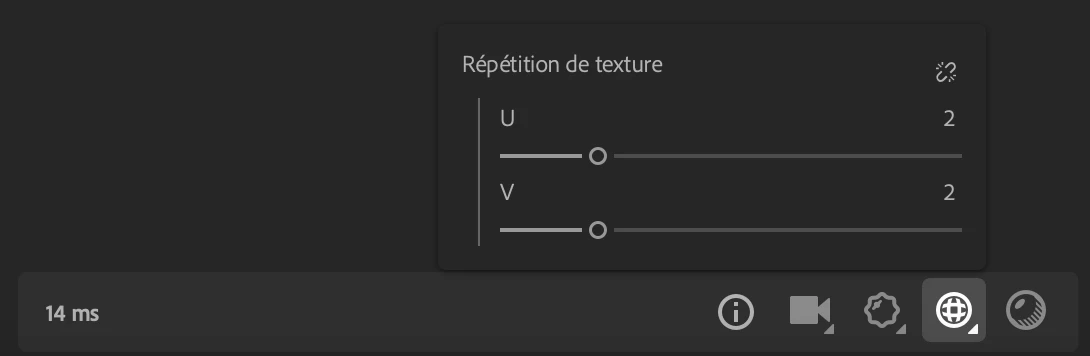
You can also use the tiling to avoid the stretching :


Regards.

1 reply

LoryAline
Community Manager
LoryAlineCommunity ManagerCorrect answer
Community Manager
January 27, 2023

Hi!
We can't import custom meshes in Sampler, here's a thread on the forum with a workaround:
https://community.adobe.com/t5/substance-3d-sampler-discussions/import-custom-mesh-in-3d-viwer/m-p/12411688#M248

You can also use the tiling to avoid the stretching :


Regards.