


Answered

LoryAlineCorrect answer
Community Manager
March 21, 2023
Hi,
To increase de details you need to work a great resolution, the higher you'll be the better quality you'll have.
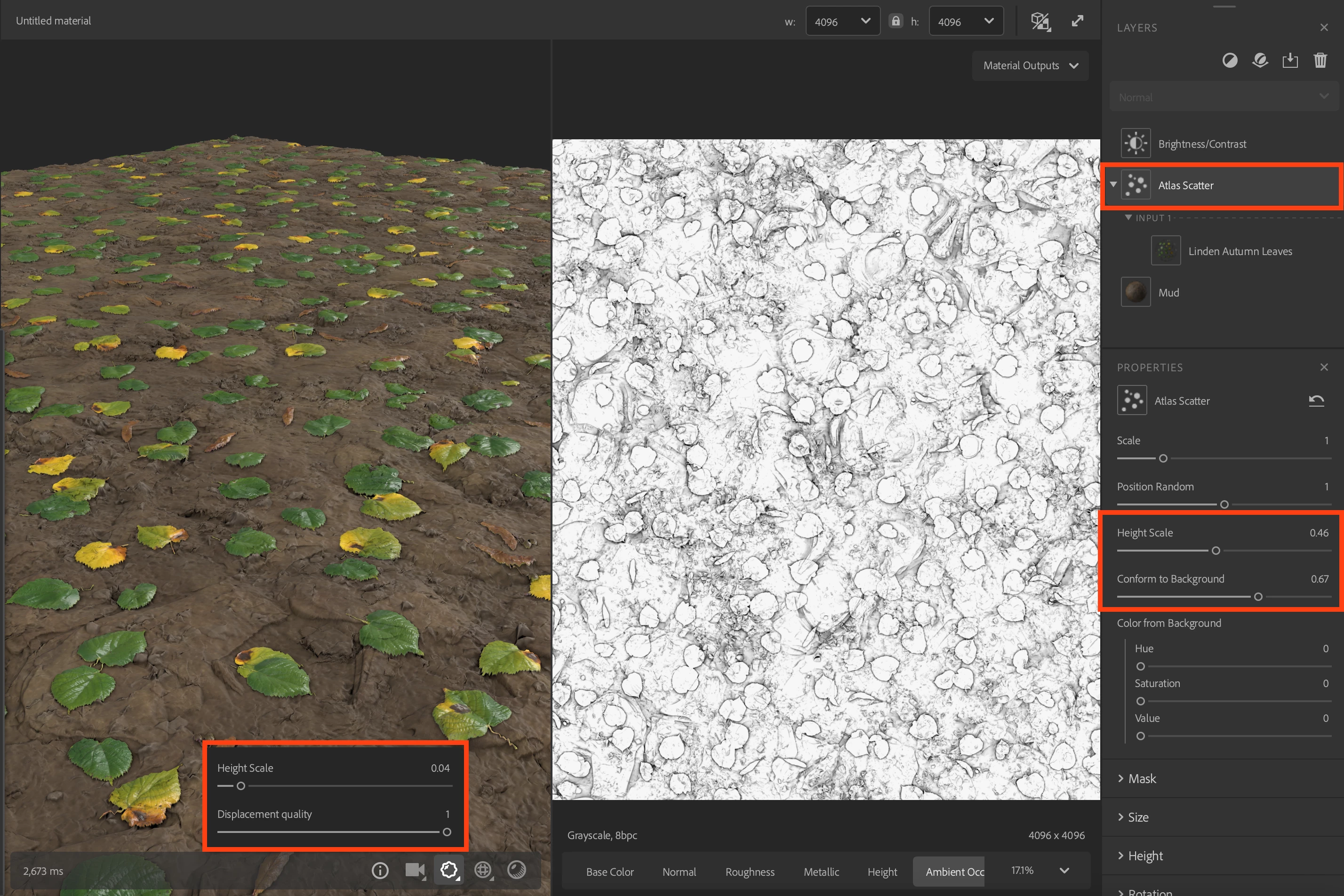
Then you have to tweak not only the "Height Scale" and "Diplacement quality", but also tweak the displacment values in the "Atlas Scatter" filter:
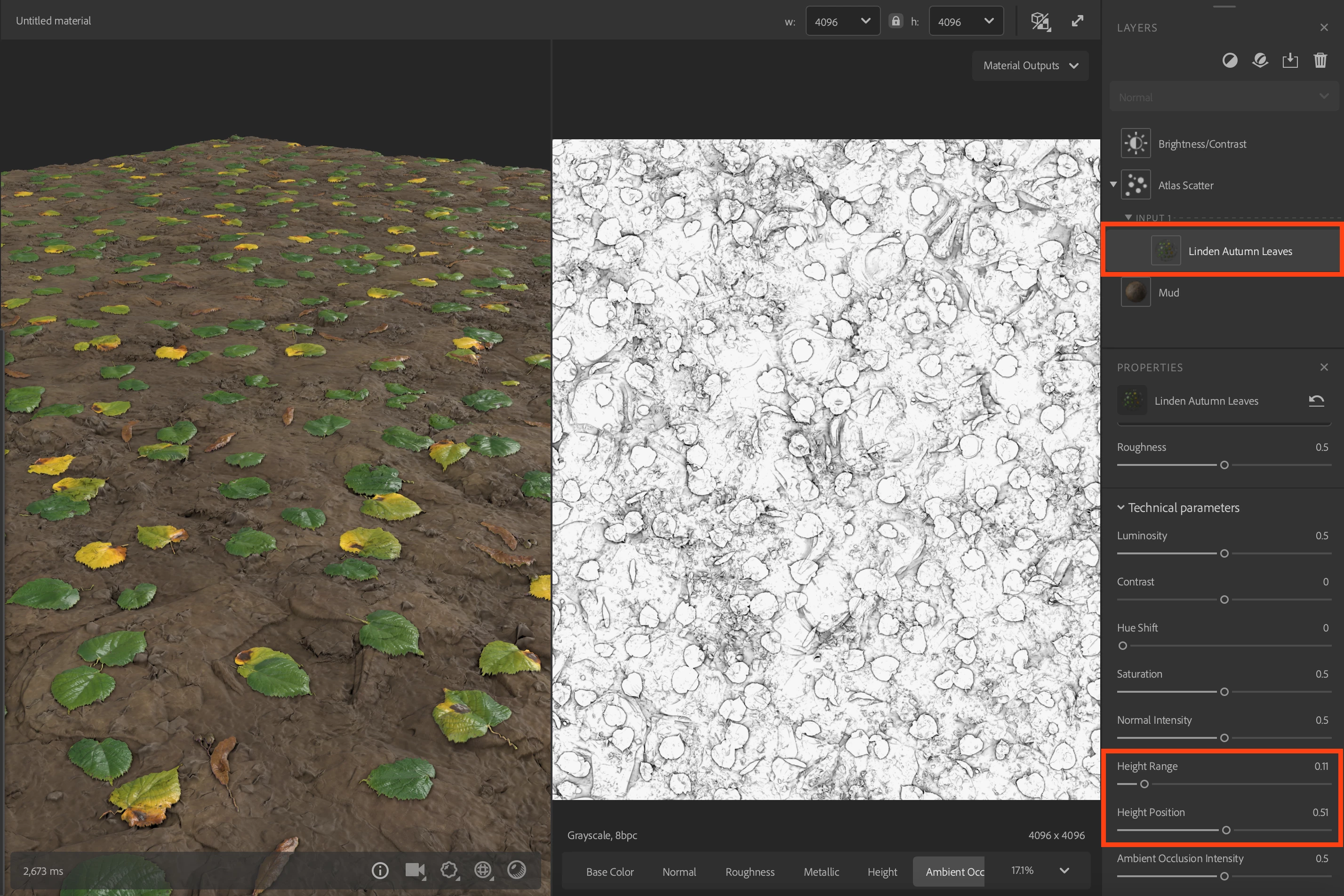
Tweak the Height values of the leaves materials too to make them coherent with the material underneath.
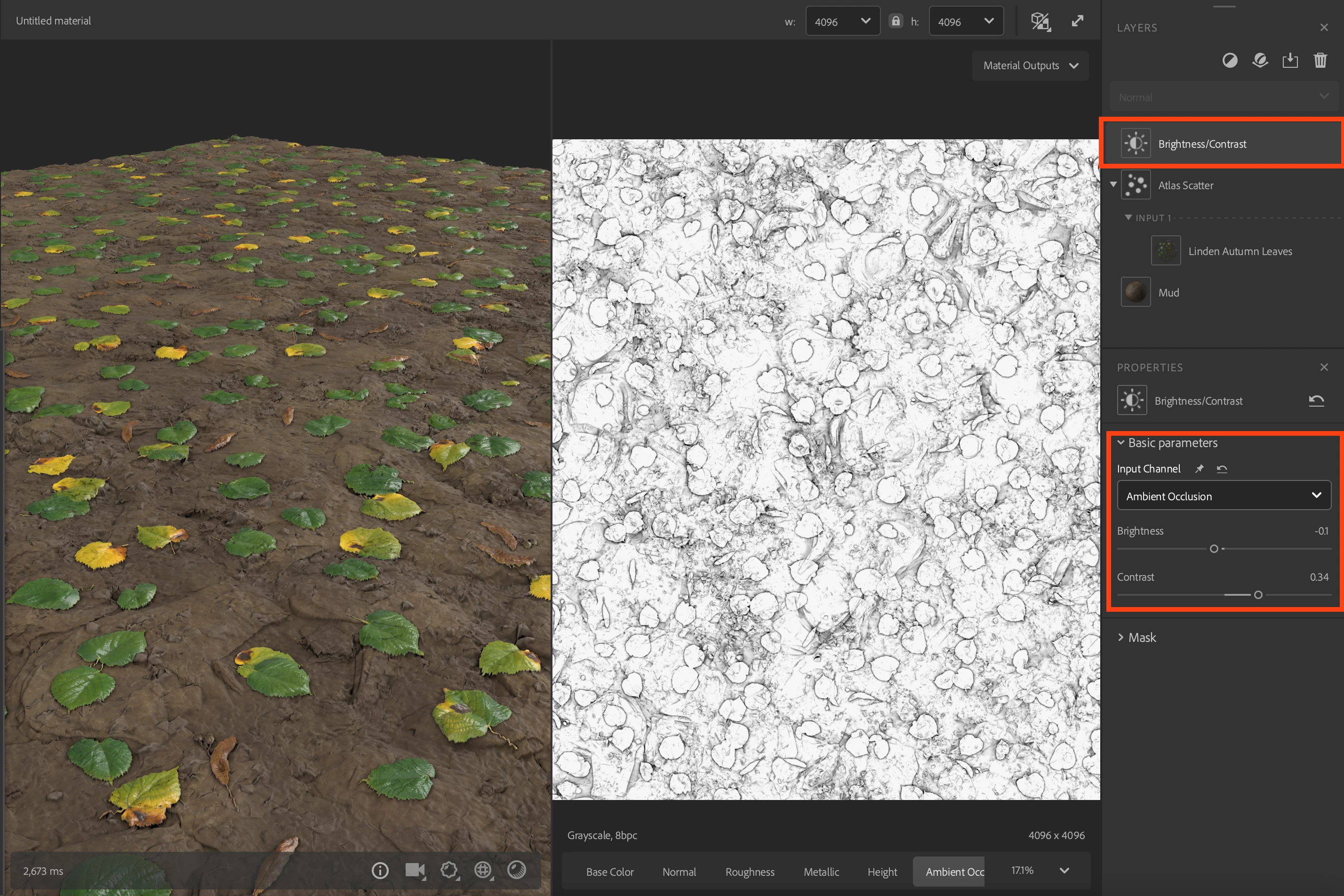
And my personal bonus to add depth is to tweak the Ambient occlusion to have a better "contact shadow" from the leaves using the "Brightness/Contrast" filter:
Then if you need to go as close as you showed on your screenshot, you might consider make some leaves as 3D meshes.
Thank you.
 AdChoices