funnynel42
Participant
July 7, 2021
Answered

Image to material AI bugged

  • July 7, 2021
  • 1 reply
  • 3906 views

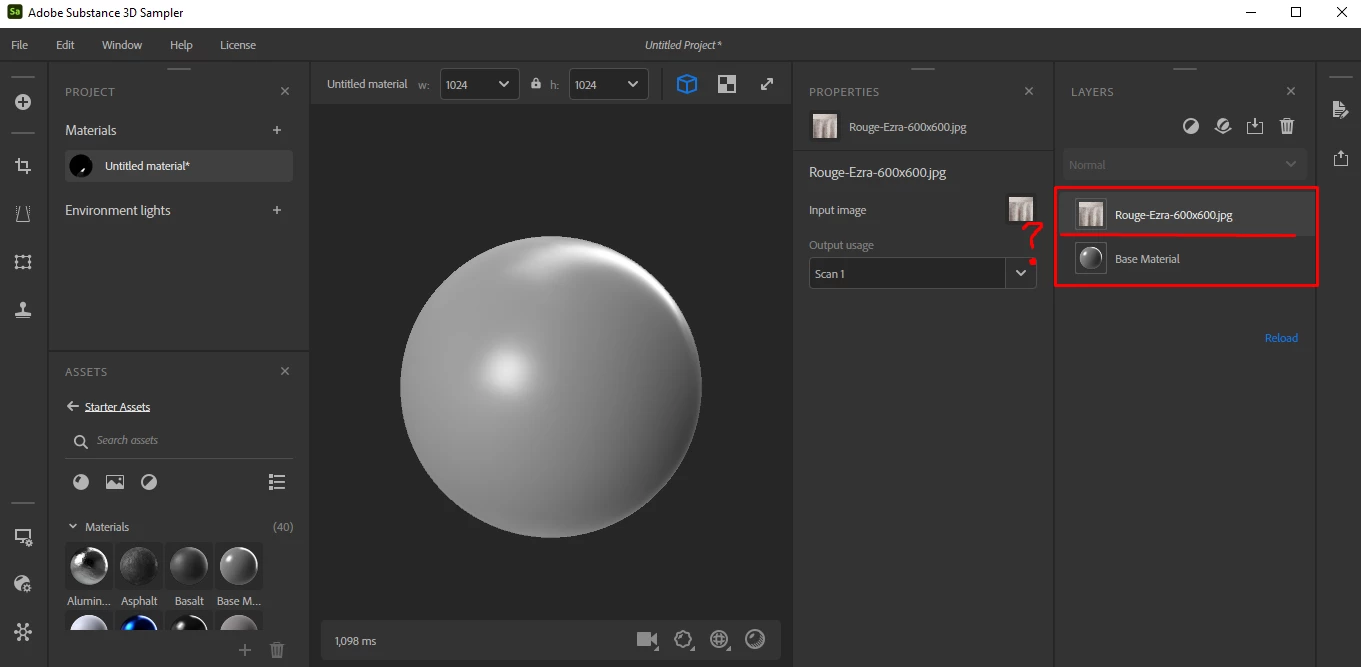
So I recently upgraded to a 3070 ti and it seems like the AI powered image to material does not work at all.

When I follow any tutorial/guide on how to use it, there's usually another layer that gets created and has more settings, but it doesn't do that at all when I try it.

Am I doing something wrong here?
 

This topic has been closed for replies.
Correct answer Baptiste_Substance_3D

I used to have an AMD Vega 56 card, but upgraded to a RTX 3070 Ti.

With the AMD card AI powered is not even an option when trying to use it, only B2M.


And now with the Nvidia card I have the AI powered option, but it doesn't do what it is supposed to.


Seems like the only option left is to do a complete format and reinstall everything just to clear anything from the previous card. Looks like the amdcleanuputility.exe from AMD didn't work then.


All right. 

Can you try to delete the following folder and relaunch the application please?

C:\Users\[your_username]\AppData\Roaming\Adobe\Adobe Substance 3D Sampler

1 reply

Baptiste_Substance_3D
Community Manager
Community Manager
July 7, 2021

Hello,


When you drag and drop an image in empty layer stack, this window should appear:


In your situation, you can click on the "Add a layer" icon on top of your layers or press the spacebar and search for "Image to Material"

funnynel42
Participant
July 9, 2021

So here is a video showing what happens when I try to use the AI powered option.

https://www.youtube.com/watch?v=3QaYgZSgIWU 


Adding the Image to Material option as you explained makes it an Image to Material (B2M) and not Image to Material (AI)


Here is a screenshot from your own video where it gets explained.

So I'm just now confused as to why it works in your program but not in mine?


Baptiste_Substance_3D
Community Manager
Community Manager
July 10, 2021

Hello,


The AI version is only available on specific hardware and configurations:

- Windows 10 or Linux

- Nvidia GPU with more than 2GB of VRAM
- GPU compatible with Nvidia CUDA version 11 and CUDA capabilities >= 3.5


Can you send us a log file so we can verify why it's not available?

https://substance3d.adobe.com/documentation/sadoc/exporting-the-log-file-188974570.html


Best