


Participant
April 2, 2024
Answered

Image to Material (AI Powered) not working - stuck loading

  • April 2, 2024
  • 2 replies
  • 1570 views

Hello, I'm running into an issue with Image to Material (AI Powered). I open a new project, I click and drag my image into Sampler, and I select the appropriate Image to material (AI Powered) template.
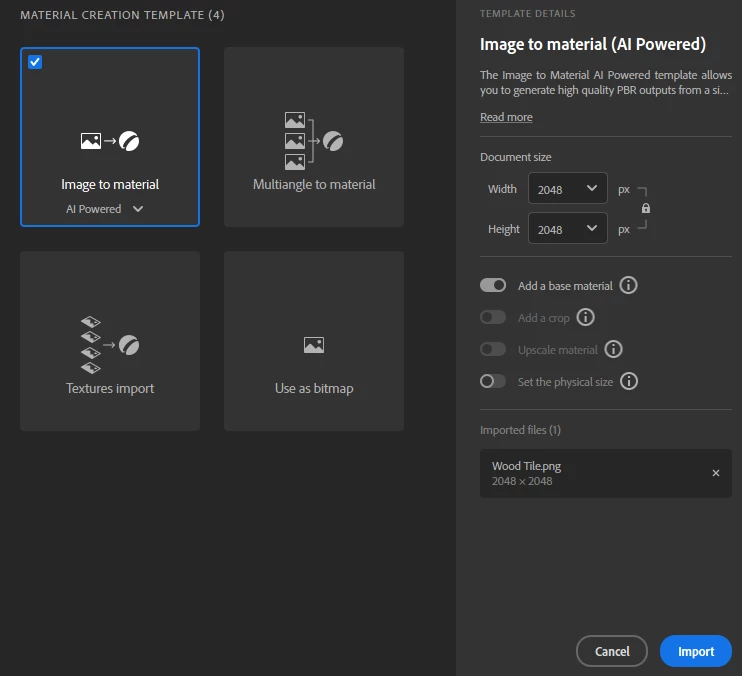
 

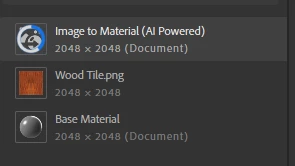
My project is populated with the appropriate layers, but the Image to Material layer is stuck on this white/blue loading animation. The material is forever displayed as white. 
 

I am on Windows 11 Pro with an NVIDIA GeForce RTX 3080 graphics card. I have tried deleting the folder at ...\AppData\Roaming\Adobe\Adobe Substance 3D Sampler and relaunching Sampler, but that did not help.


I have also tried on a separate laptop, and encountered the same issue. I can't even open up older Sampler projects that use Image to Material, as they are stuck loading as well.


Attached is a log file. Any advice would be appreciated, thank you!

Correct answer Guillaume_Substance3D

Hello!

First, can you upgrade from 536.19 to the nVIDIA Studio Driver 551.86?

https://www.nvidia.com/download/driverResults.aspx/223430/en-us/


If it not fix your issue, is it possible to share with me your image?


Thanks,

Guillaume

2 replies

Participant
November 10, 2024

Ai brush not working 


Guillaume_Substance3D
Community Manager
Guillaume_Substance3DCommunity ManagerCorrect answer
Community Manager
April 3, 2024

Hello!

First, can you upgrade from 536.19 to the nVIDIA Studio Driver 551.86?

https://www.nvidia.com/download/driverResults.aspx/223430/en-us/


If it not fix your issue, is it possible to share with me your image?


Thanks,

Guillaume

CaxtAuthor
Participant
April 4, 2024

Thank you for your quick reply! I had downgraded to 3.4.1 in the meantime, which enabled me to continue working in Sampler. I updated my driver, and then after updating back to Sampler 4.3.3, it works. 🙂


Glad it was an easy fix, thanks Guillaume!!