Inspiring
September 29, 2021
Answered

Import Custom Mesh in 3D Viwer

  • September 29, 2021
  • 1 reply
  • 4500 views

Hello there! 


I havent been able to find the option to add a custom mesh in the 3D view (just like in substance designer).

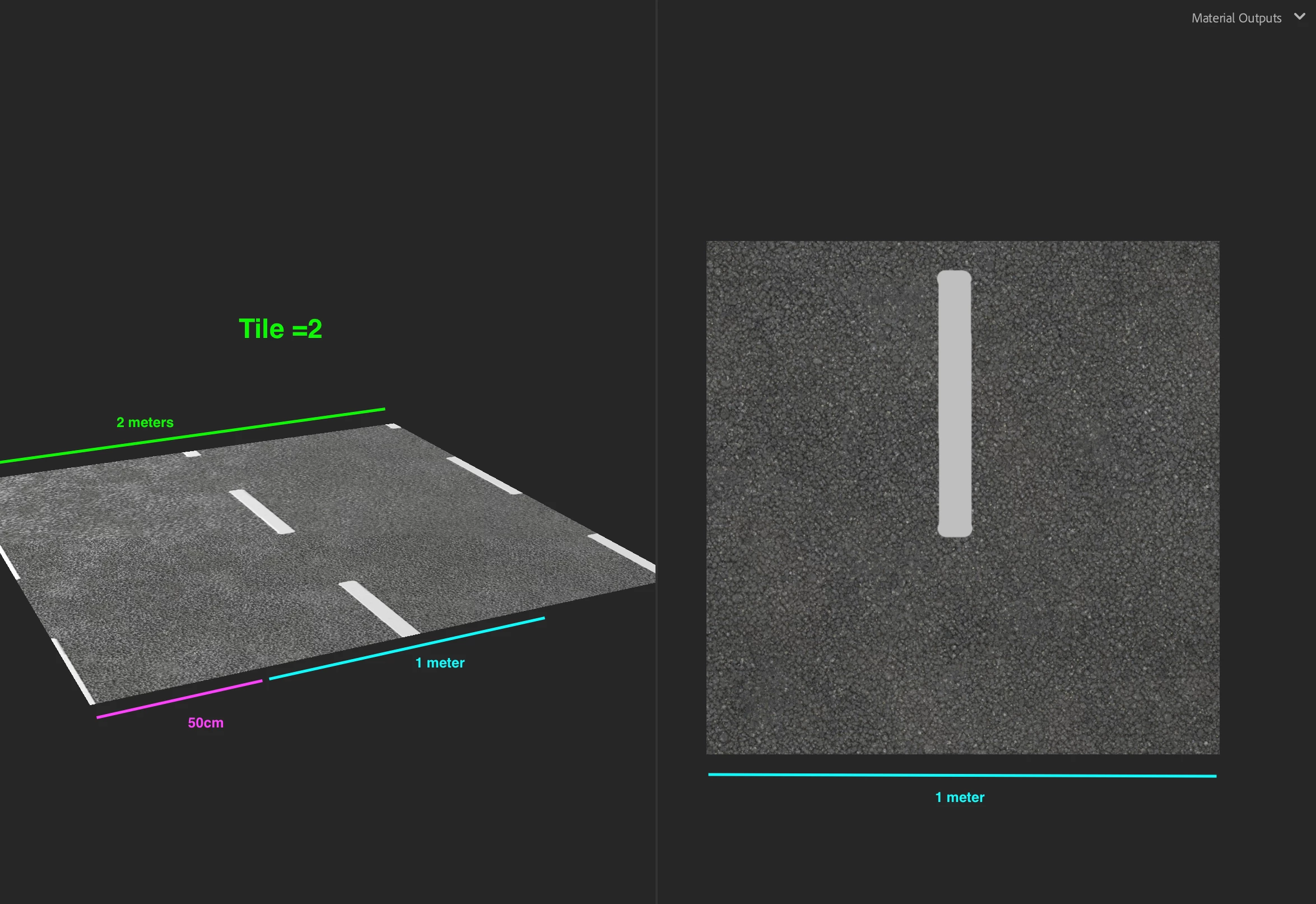
Here is my example: I am working a road material generator and I would like to import a mesh to test the perspective, tiling and the curve deformation.

Now that his great software is starting to get updated and improved, has this feature been implemented? if not, are there any plans to do so? 

Correct answer LoryAline

Hi,
The feature isn't available, but following your need, I suggest to follow this technique:

  • You know your final mesh (admit it's a plane) is 2 meters wide,
  • then in Sampler work like the Uv space is equal to 1 meter or 2 (or other) depending on what suits you most.


It will help you visualize and help for any material you'll create.

And if you work from references it's also help as you know (or guess) in real life a texture from a point A to B is XXcm/m.

This technique is used for generic material creation as they have to be usable for any mesh.

If you have any other questions, feel free to ask.
Thank you.

1 reply

LoryAline
Community Manager
LoryAlineCommunity ManagerCorrect answer
Community Manager
October 1, 2021

Hi,
The feature isn't available, but following your need, I suggest to follow this technique:

  • You know your final mesh (admit it's a plane) is 2 meters wide,
  • then in Sampler work like the Uv space is equal to 1 meter or 2 (or other) depending on what suits you most.


It will help you visualize and help for any material you'll create.

And if you work from references it's also help as you know (or guess) in real life a texture from a point A to B is XXcm/m.

This technique is used for generic material creation as they have to be usable for any mesh.

If you have any other questions, feel free to ask.
Thank you.

Participant
December 4, 2021

Thank you very much appreciated!