Participant
April 19, 2023
Answered

List of python methods

  • April 19, 2023
  • 1 reply
  • 395 views

Hey,


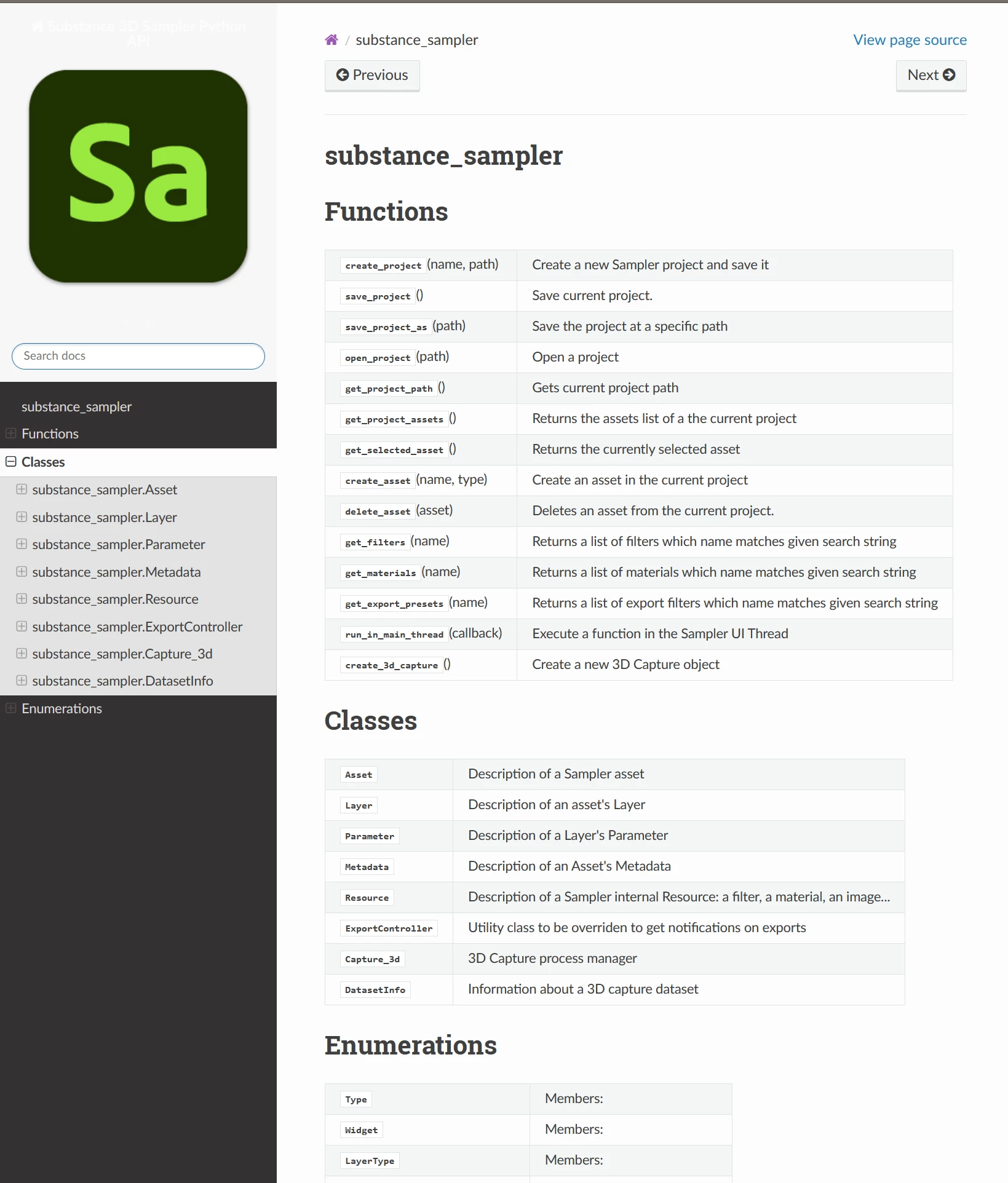
I am trying to find all the Python functions available for Substance 3D Sampler, but I have only been able to find a few in the documentation. I was wondering if there is a comprehensive list available, as I need more functions to accomplish a task. For instance, I am trying to apply a material to an asset, and I am unable to find the relevant function for this. 

Is it also possible to run "image to material" through my script?

If you could provide me with any additional resources or guidance on this matter, I would greatly appreciate it.


Thank you for your time and consideration.

This topic has been closed for replies.
Correct answer Baptiste_Substance_3D

Hello,

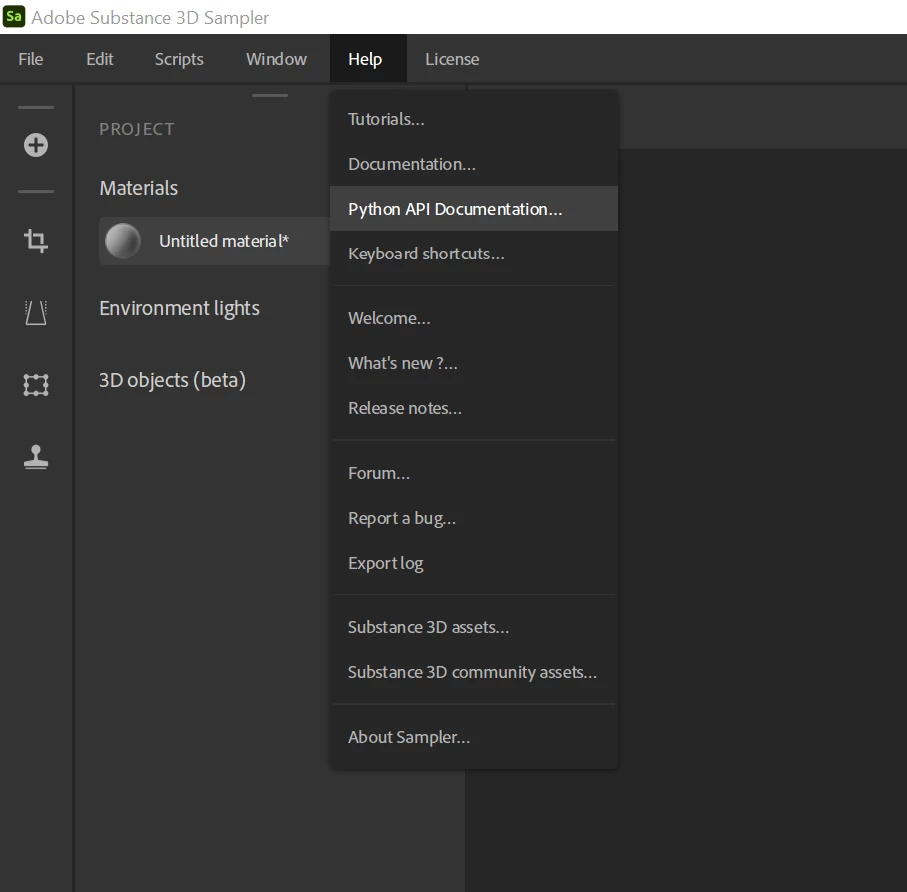
All Python API documentation is accessible directly from the app in the Help menu > Python API Documentation


And yes, it is possible to run "Image to Material" through scripting:

a basic function to parse a folder of images that create one material per image

def image_to_material_batch(self, folder_path):
        for file in os.listdir(folder_path):
            image_path_list = [os.path.join(folder_path, file)]
            asset_name = os.path.basename(file).split('.')[0]
            asset = ssa.create_asset(asset_name, ssa.material)
            asset.import_images(image_path_list, 0, ssa.image_to_material_AI_powered, False) 


1 reply

Baptiste_Substance_3D
Community Manager
Baptiste_Substance_3DCommunity ManagerCorrect answer
Community Manager
April 19, 2023

Hello,

All Python API documentation is accessible directly from the app in the Help menu > Python API Documentation


And yes, it is possible to run "Image to Material" through scripting:

a basic function to parse a folder of images that create one material per image

def image_to_material_batch(self, folder_path):
        for file in os.listdir(folder_path):
            image_path_list = [os.path.join(folder_path, file)]
            asset_name = os.path.basename(file).split('.')[0]
            asset = ssa.create_asset(asset_name, ssa.material)
            asset.import_images(image_path_list, 0, ssa.image_to_material_AI_powered, False)