Known Participant
August 21, 2023
Answered

Modify the parameters material to appear mosaic

  • August 21, 2023
  • 1 reply
  • 652 views

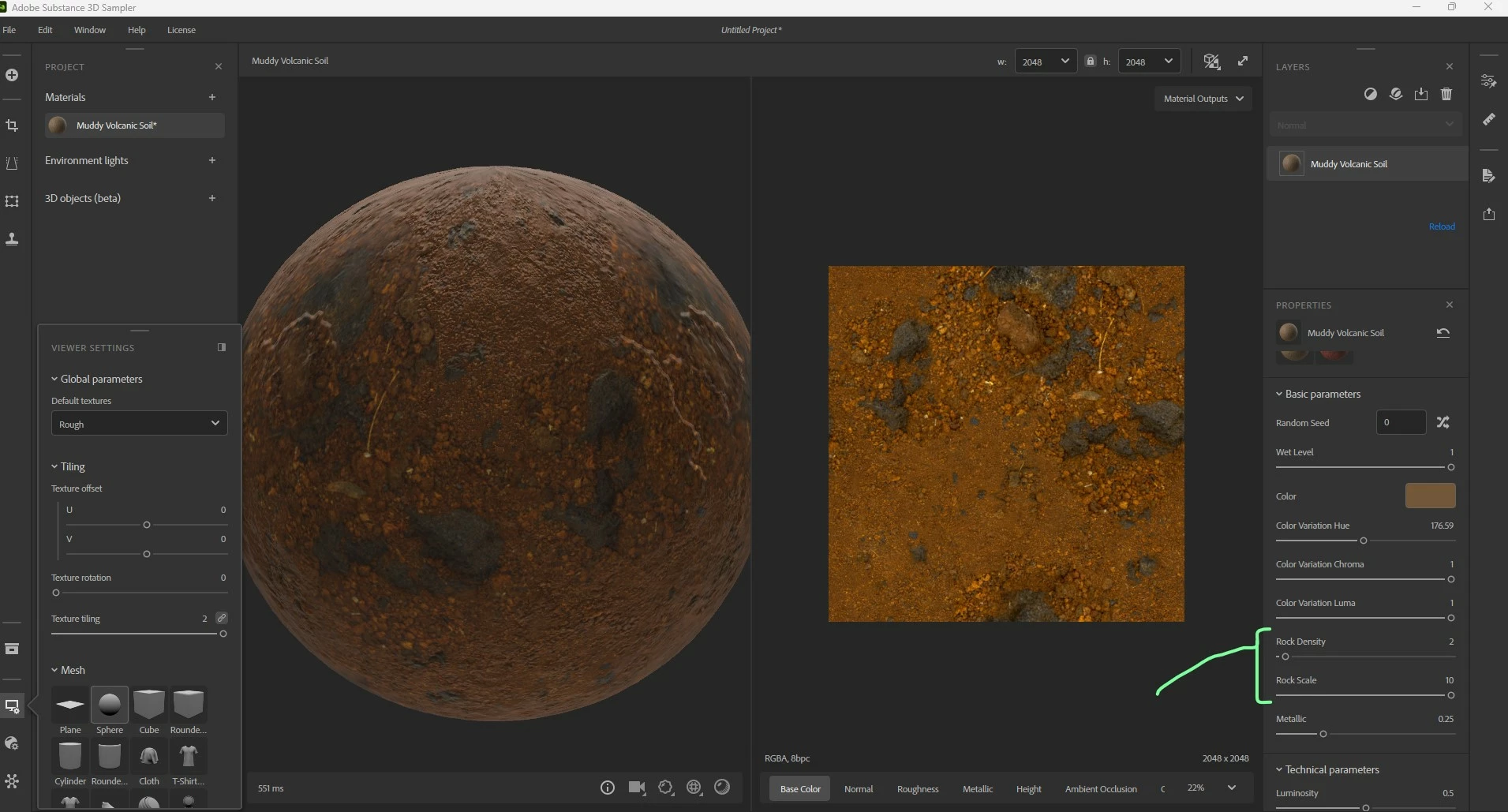
I wanted to modify the shape of this material downloaded from the Internet, changed some parameters, and the result was very bad. Mainly modified parameters are rock density & rock scale.

I also found that by modifying random seed, the material has not changed anything, how should this be solved?

Thanks for the reply.

This topic has been closed for replies.
Correct answer Ares Hovhannesyan

plus, when i use the material in ue5(with the plugin Substance in ue5 on) the random seed also doesnt make any change...


I am able to make changes via scale and density values. Does it works for you? But anyway there is not enough paramaters to do changes for this material. Try to export it as Atlas or use othrt filters

1 reply

Ares Hovhannesyan
Community Expert
Community Expert
August 21, 2023

Can you share a material or link for test? Anyway you can create atlas material (export as atlas in Sampler- use Atlas Creator) Atlas Creator | Substance 3D Sampler (adobe.com), than import it again into Sampler and try yo use different filters for your task. Like Pattern, Tile and Atlas Filters. Atlas Scatter | Substance 3D Sampler (adobe.com)

Known Participant
August 22, 2023

thx for your reply, i will try the method you provide.

here is the material link on OneDrive: https://1drv.ms/u/s!Am_Ylh3l1Su9gjXxo93vZ3IW3m0I?e=6UxNnC

Known Participant
August 22, 2023

plus, when i use the material in ue5(with the plugin Substance in ue5 on) the random seed also doesnt make any change...