


Participant
November 17, 2021
Question

Normal to Height filter output luminosity changes depending on resolution

  • November 17, 2021
  • 1 reply
  • 597 views

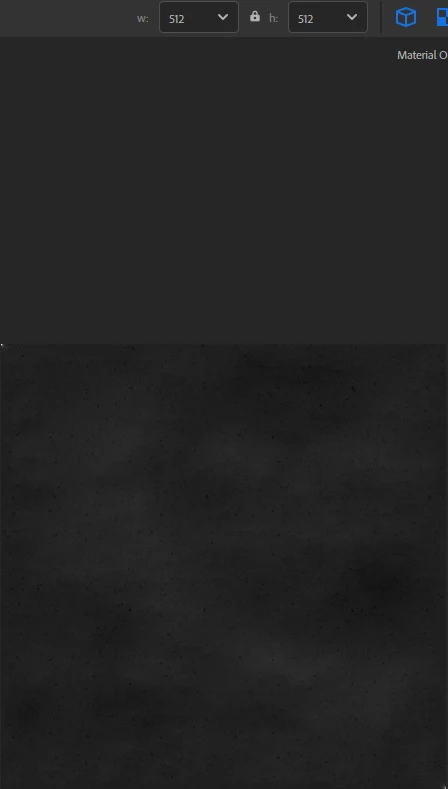
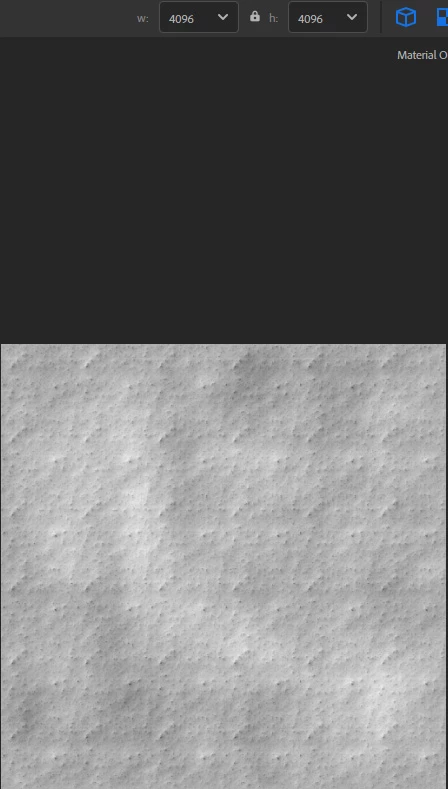
When I change the main resolution of my material in Sampler, the normal to height filter produces a very different height map. At 512p, the height map is very dark. At 4k, it's much brighter (very much). I use this height map in a water level effect, so the final result of the material is completely different when I switch to another resolution.
This topic has been closed for replies.

1 reply

LoryAline
Community Manager
Community Manager
November 18, 2021

Hi,
I can't reproduce it on my side.
Can you screen your layer stack and your properties?
Thank you.

Markus C.Author
Participant
November 23, 2021

Hi LoryAline,

Thank you for your response. I made some tests and found that it was because my normal map was very light. My surface is almost completly flat, with only subtle details. You can reproduce it by adding a surface relief filter over a base material (with no normal detail), by adjusting its intensity to a small value, and by adding the normal to height filter over that. Then, changing the resolution changes the luminosity of the height map drastically.
Maybe one workaround:
- first, increase the normal map intensity
- then, apply the normal to height filter
- finally, decrease the normal intensity to the original value

I was not able to try this, because my license ended some days ago, and I need to swtich my substance subscription to adobe first.