Participant
November 10, 2024
Question

Please Help! Image to Material Isn't Uploading on my MacBook Air

  • November 10, 2024
  • 2 replies
  • 175 views

Hi,

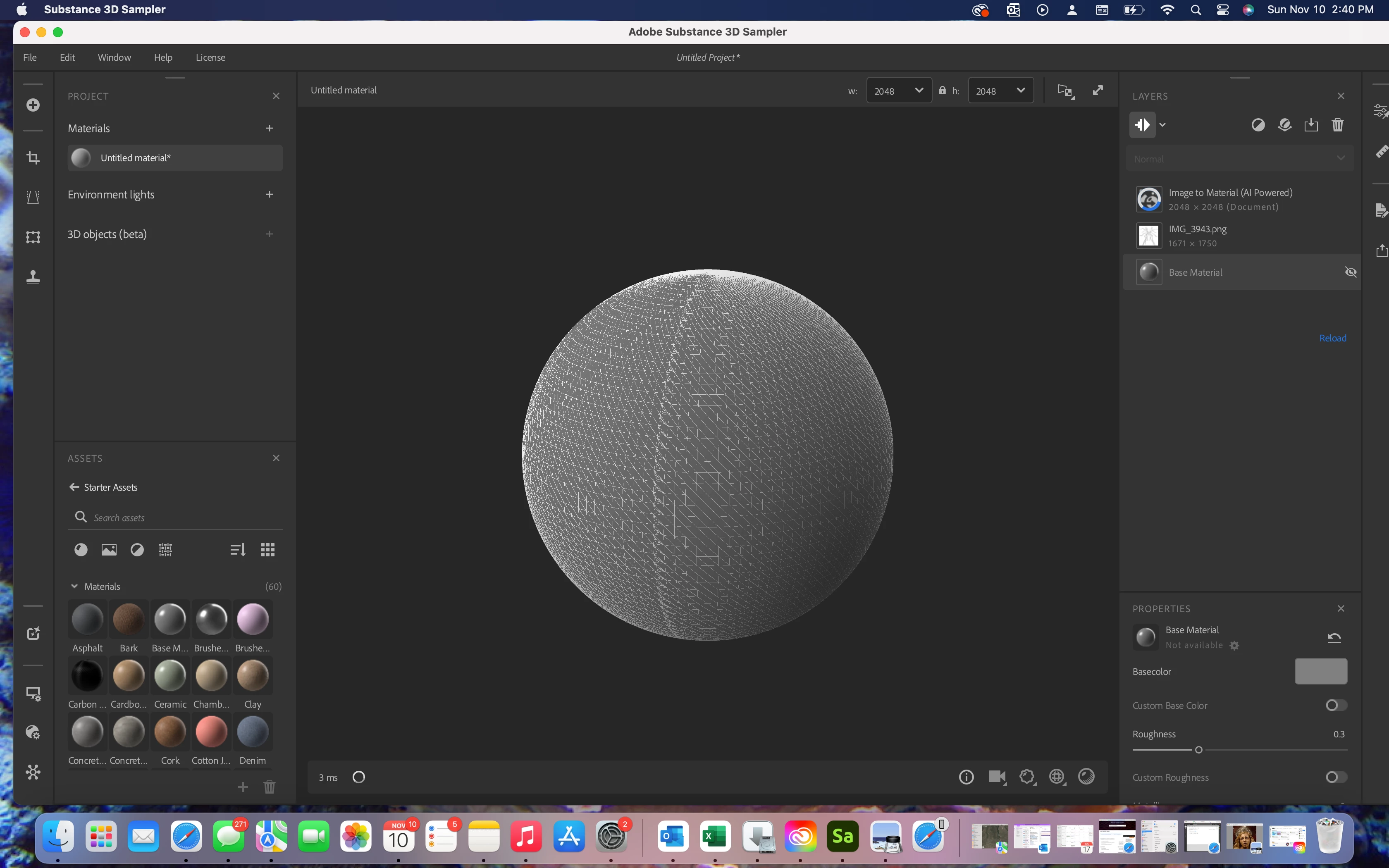
 I'm trying to load my image to Substance 3d Sampler through image to material and I am always stuck waiting on an upload that never finishes. I have a Macbook Air Ventura 13.0.1. 
This topic has been closed for replies.

2 replies

Guillaume_Substance3D
Community Manager
Community Manager
November 25, 2024

It looks like you have Intel UHD Graphics based MacBook (the "mesh" pattern on the preview ball is typical of this APU).

This APU is not supported with most of Substance apps.


Guillaume

PS: You currently trying a 2K viewport rendering, you can try to render at 1k or 512. But remember, this is not officially supported and can take ages to render the stack on a dual core CPU.

Cyril Dellenbach
Community Manager
Community Manager
November 11, 2024

Hi @Shakiya22563574fizk,


Thank you for the message.


On my end, it worked fine with my Mac and with my Windows as well.


Make sure you hardware isn't under our minimum requirement and you can also try to delete the files in


Mac: /Users/USER/Library/Application Support/Adobe/Adobe Substance 3D Sampler


This should fully clean your Substance 3D Sampler, and can help with this kind of issue.


Let me know if this helps.

Cyril Dellenbach (Micro) | QA Support Artist | Adobe