


Participant
October 18, 2023
Question

Sampler Quickmaterials from the YT videos: example files Jeans and Lace are not loading

  • October 18, 2023
  • 1 reply
  • 222 views

Hi there,

a few hours back I wrote a comment on the YT video Jeans Fabric Material In Minutes with Substance 3D Sampler:

>> I would really like to explore the files, but Sampler says the project file can't be opened. Can you please check and provide a new one? I am using the latest version of Sampler. Thanks!


Rohan replied (thanks for that) I should come here. Meanwhile, I realized that I fortunately had already downloaded the single ZIP file back when the video was published (was in hospital for many months and forgot that).

Anyway, that doesn't solve the problem, and it is the same with the lace material, which unfortunately I don't have and would like to explore as well. There seem to be files missing?


For the jeans material in the ZIP back then were three files, and with those the project can be opened:

07_Custom_Pattern_Example.sbs, 07_Jeans_Fabric.ssa and Custom_Pattern_Example.png
In the current ZIP you have packed the Sampler Quickmaterials together, and there is only the file Jeans_Fabric.ssa
The lace project can't be opened either, and I really would like to check that. The message shown is the same for both projects. It is in German, it means the project file is not valid, it can't read the file(s):
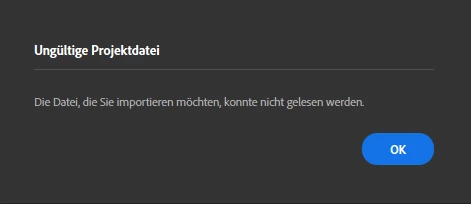
Thanks in advance for looking into this. Have a great day.


Best

Christina McKay 

This topic has been closed for replies.

1 reply

Cyril Dellenbach
Community Manager
Community Manager
October 18, 2023

Hello Christina,


Thanks for the report,


It seems the ressources aren't even available in the link below the video. I'm investigating on the matter, and I'll come back to you as soon as I have an answer.


Best regards,


Cyril Dellenbach (Micro) | QA Support Artist | Adobe
CMC-ArtAuthor
Participant
October 18, 2023

Hello Cyril,

thank you very much for looking into this. 

I noticed the project  03_Concrete_Wall has a problem as well. It opens with the (not correct) error:

In English this error (kind of) says:
"Features not available
You try to import a project which includes materials with filters not supported by your hardware. Would you like to import the project which will deactivate the not supported filters?"


My computer is fairly new and the hardware is better than the recommened system requirements, so I thought I import the file anyway and have a look if I see what's the problem. 
Turned out, it is not a filter that isn't supported, but a missing image file in the Image to material (Ai powered), so I guess this is related to another missing ressource file. 

All other projects open without any errors as far as I can tell.


Best

Christina

Cyril Dellenbach
Community Manager
Community Manager
October 19, 2023

Thanks @CMC-Art 

Can you confirm the project file comes from this video?


Cyril Dellenbach (Micro) | QA Support Artist | Adobe