michaelp78008416
Participating Frequently
April 30, 2024
Answered

Substance Sampler 3D Capture - How to Get The Bottom

  • April 30, 2024
  • 2 replies
  • 708 views

I am using the 3D capture beta inside of Substance 3D Sampler.  I am photographing the object in studio on turntable but having issues with getting sampler to add the bottom of the model.  I photograph from multiple angles 360 degrees then flip the model over and do the same for the bottom but it doesn't seem to merge.  Is that something Substance can do?


This topic has been closed for replies.
Correct answer Cyril Dellenbach

Hello @michaelp78008416,


Thank you for the message and the screenshots.


This is indeed the expected behavior, you can't unfortunately turn your object.


When making a 3D capture, Substance Sampler will basically try to mimic the position of your real cameras around the object, but in a 3D space.
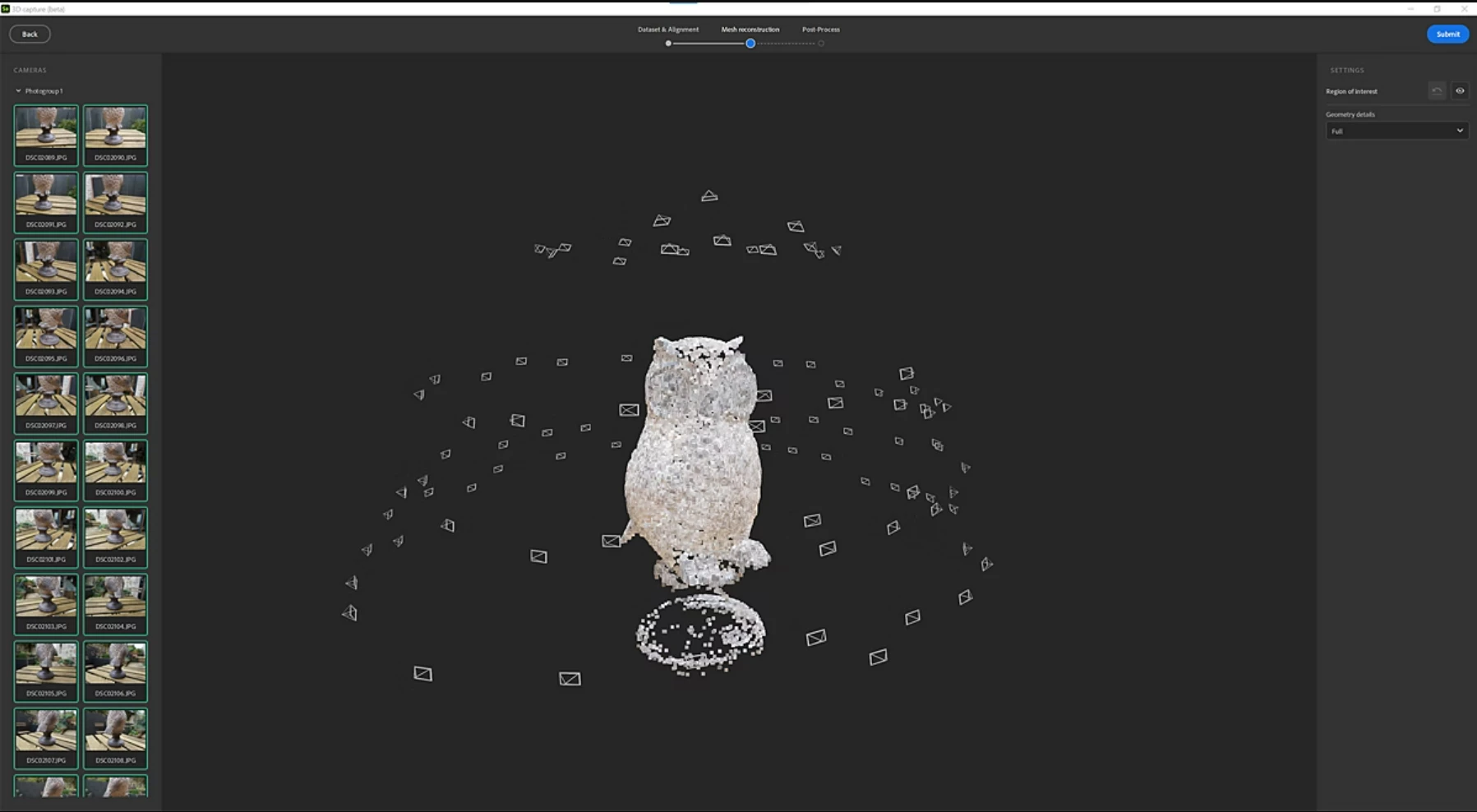


The 3D Capture is natively made for taking pictures turning around the object (moving the camera) and not spinning the object (moving the object). However, if you have a proper studio like you seem to have, we can trick the camera and making it believe we're actually moving.

To make it work properly, you need to have an important consistency between images and no distraction in the background, otherwise how Sampler will be able to tell where the camera should be located?


From your dataset, I can see we are suddenly jumping from the top of the skull to its bottom, which Sampler will definitely have trouble to understand. In addition, flipping the object is basically reverting the image, and that won't help interpreting the dataset. Lastly, make sure to have a consistent background.


You seem to have a good dataset here, but I'm afraid scanning the bottom of an object is a complicated task without specific tools.


Best regards,

2 replies

Cyril Dellenbach
Community Manager
Cyril DellenbachCommunity ManagerCorrect answer
Community Manager
May 2, 2024

Hello @michaelp78008416,


Thank you for the message and the screenshots.


This is indeed the expected behavior, you can't unfortunately turn your object.


When making a 3D capture, Substance Sampler will basically try to mimic the position of your real cameras around the object, but in a 3D space.


The 3D Capture is natively made for taking pictures turning around the object (moving the camera) and not spinning the object (moving the object). However, if you have a proper studio like you seem to have, we can trick the camera and making it believe we're actually moving.

To make it work properly, you need to have an important consistency between images and no distraction in the background, otherwise how Sampler will be able to tell where the camera should be located?


From your dataset, I can see we are suddenly jumping from the top of the skull to its bottom, which Sampler will definitely have trouble to understand. In addition, flipping the object is basically reverting the image, and that won't help interpreting the dataset. Lastly, make sure to have a consistent background.


You seem to have a good dataset here, but I'm afraid scanning the bottom of an object is a complicated task without specific tools.


Best regards,

Cyril Dellenbach (Micro) | QA Support Artist | Adobe
michaelp78008416
Participating Frequently
May 2, 2024

@Cyril Dellenbach Thank you for the answer that is good to know.  I am working in studio but was hoping to get the bottom but knowing this limit is helpful.  I guess I can just make models from different angles if my final scenes need variations.

Ares Hovhannesyan
Community Expert
Community Expert
April 30, 2024

Can you share a screenshot of captured and original model? Thanks

michaelp78008416
Participating Frequently
May 1, 2024

@Ares Hovhannesyan  Here is original capture with the resulting model, thanks.

