Known Participant
May 29, 2023
Answered

target channel to input maps in substance sampler

  • May 29, 2023
  • 1 reply
  • 312 views

Another question, when I import a normal map or a heigh map not named properly they might be input in the wrong channel, how can I target the channel to input the map properly without necessarily renaming the files in advance?

PS: I have Substance 2022 Steam edition

This topic has been closed for replies.
Correct answer Baptiste_Substance_3D

Hello,

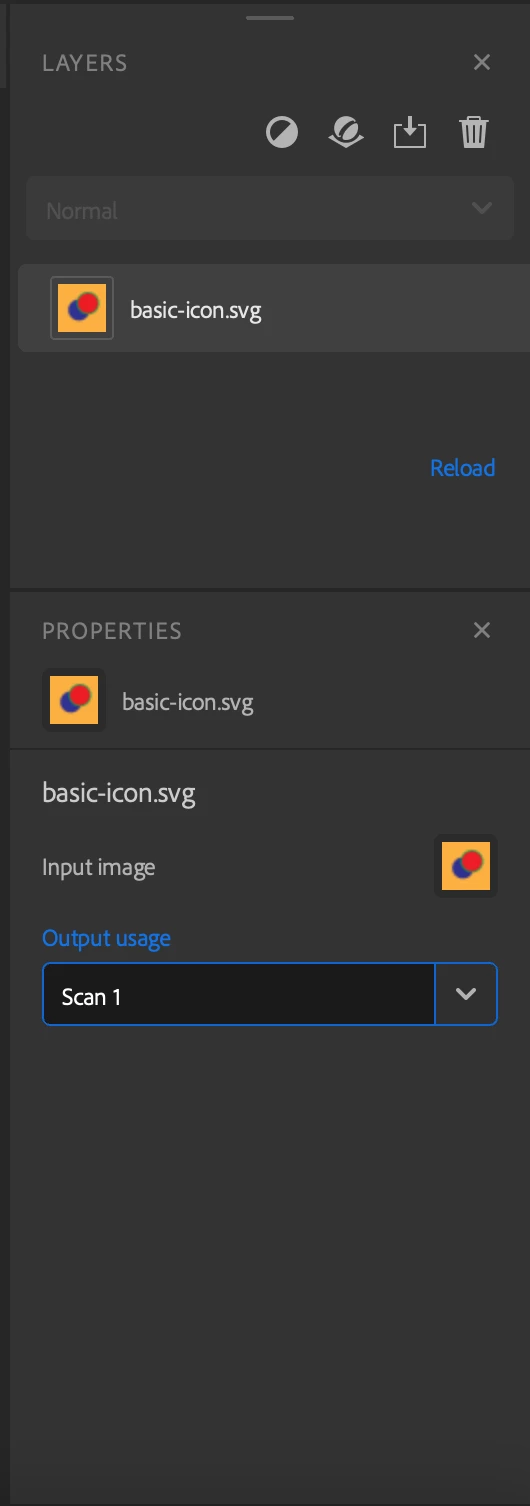
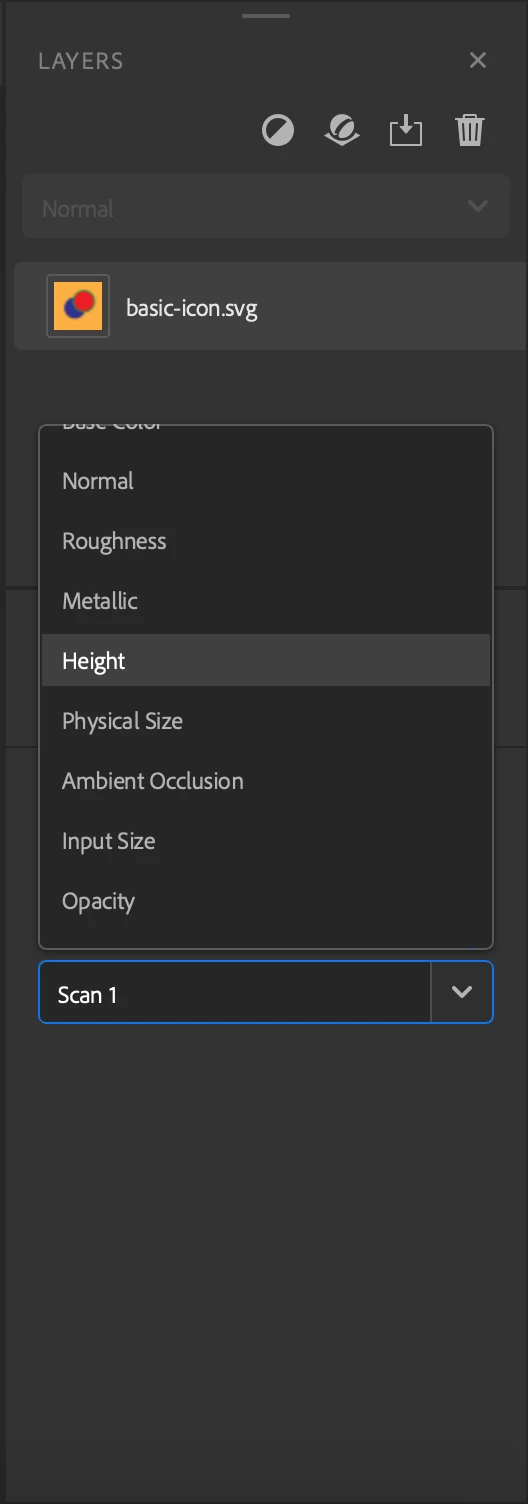
When you select your Image layer, in the properties panel, you can modify the Output usage parameter. There is a list of predefined usages  (basecolor, normal, height, metallic, ...) or you can type the usage of your choice.

1 reply

Baptiste_Substance_3D
Community Manager
Baptiste_Substance_3DCommunity ManagerCorrect answer
Community Manager
May 29, 2023

Hello,

When you select your Image layer, in the properties panel, you can modify the Output usage parameter. There is a list of predefined usages  (basecolor, normal, height, metallic, ...) or you can type the usage of your choice.

Known Participant
May 29, 2023

That's exaclty what I was looking for, thanks!