Participant
May 25, 2023
Answered

Tile an image with offset in Substance Sampler

  • May 25, 2023
  • 1 reply
  • 1307 views

I'm trying to create a tiled pattern with offset like this, which seems to be simple enough.
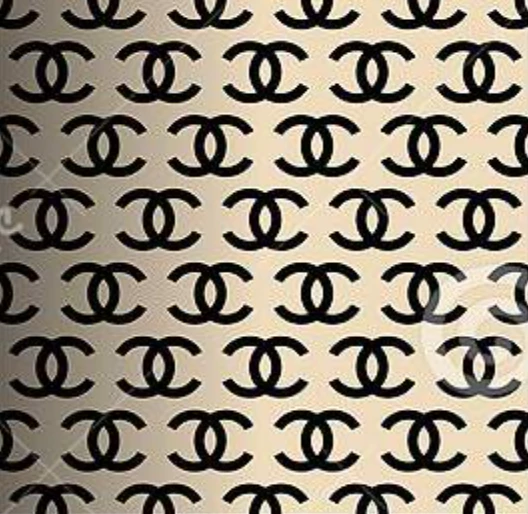
However I've tried almost every filter but cant get it to repeat and offset like this.

It seems like this should be possible with the Floor Tiles node, but there's no way of stopping the random positioning.
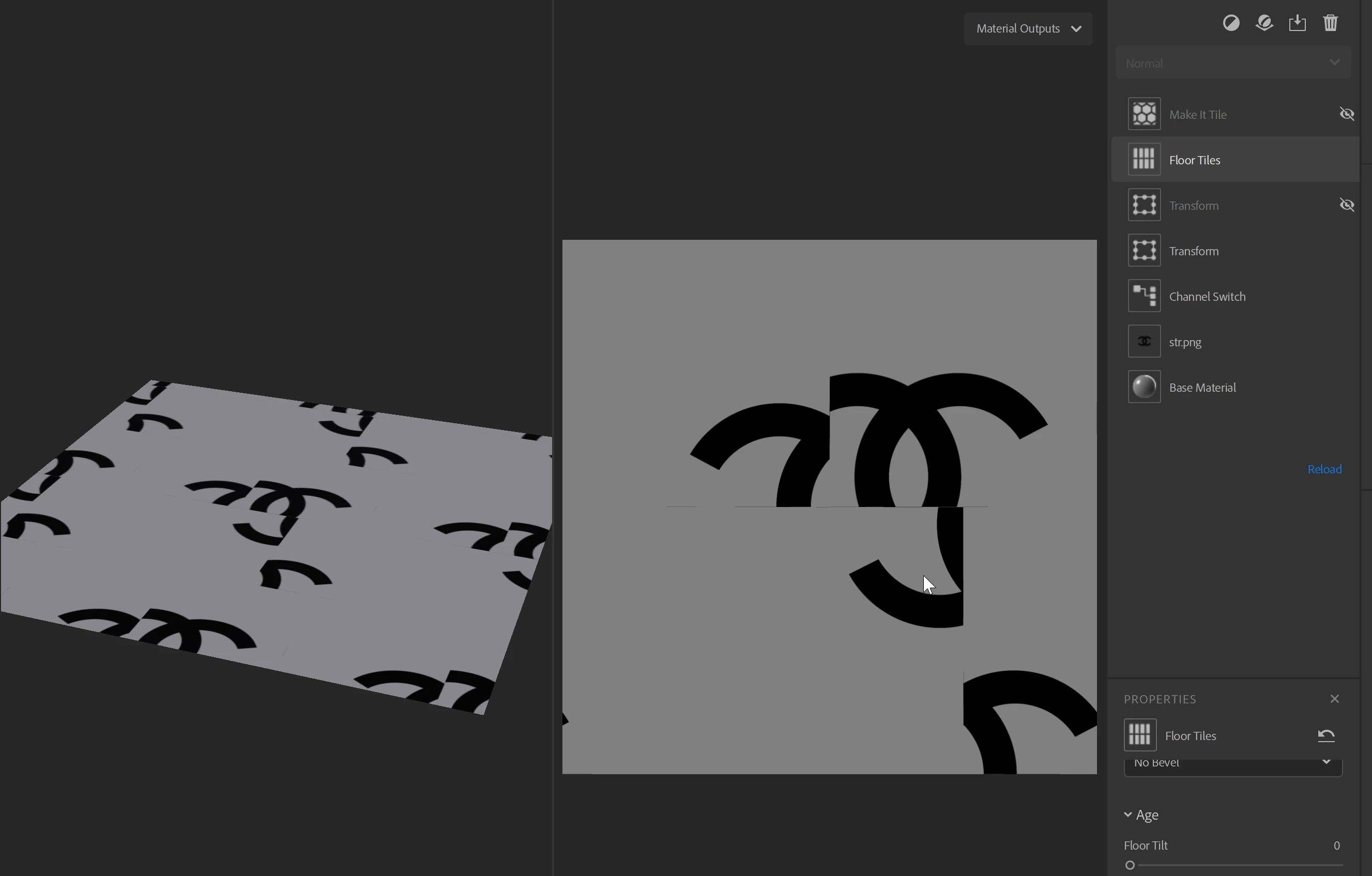
 

Any idea how I could go about doing this in Substance Sampler.

Cheers



This topic has been closed for replies.
Correct answer Ares Hovhannesyan

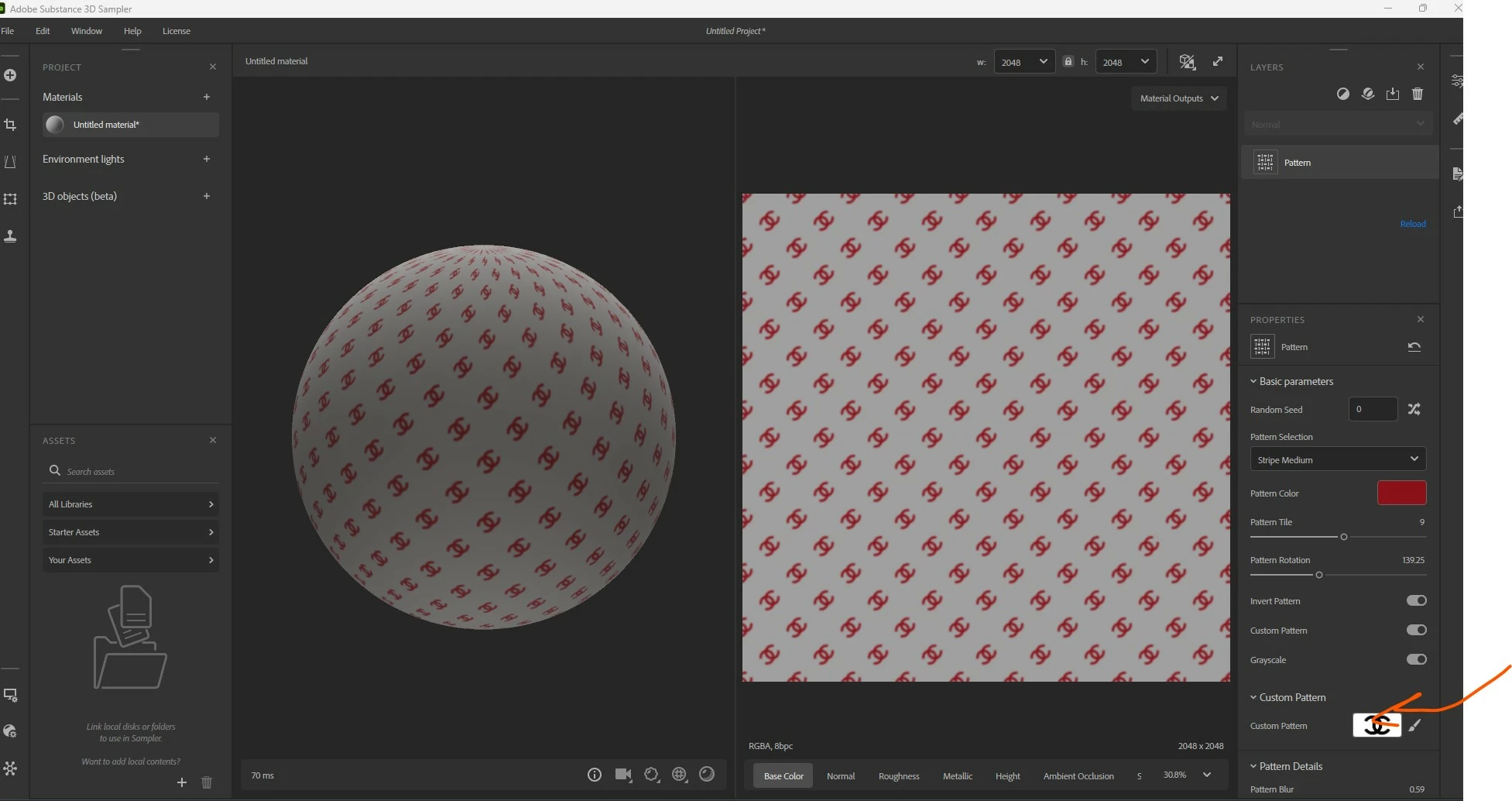
Here is some solution how to create pattern from image. Please review capture. I transfer your file into jpg.  Also after you can add and use Transform filter for your task. Hope this will help.

Custom Pattern

This is only visible if Basic parameters > Custom Pattern is enabled.

  • Pick Color 1-4: color select - only visible if Basic Parameters > Custom Pattern is enabled and Basic Parameters > Grayscale is disabled
    Select the colors that make up your custom pattern.
  • Custom Pattern: image/brush
    Use the brush to paint the pattern directly within the 2D view, or import an image to use as the pattern.

1 reply

Ares Hovhannesyan
Community Expert
Community Expert
May 27, 2023

- To create a tiled pattern with offset from an image in Adobe Substance 3D Sampler, you can use the **Tiling filter** or the **Make it Tile filter** .
- The Tiling filter works by scaling and offsetting your material to generate an overlap, and then varying the overlapping edge to hide the seam.
- The Make it Tile filter works by overlaying multiple copies of the material on top of one another, and adjusting the borders of the top layer to cover the seams of the bottom layer.
- You can also use the **Floor Tiles node** to create a tiled pattern with offset, but you need to disable the random positioning option.

Participant
May 29, 2023

Thanks Ares, I tried all of those including Floor Tiles without rotation, but it doesnt give me the repeating offset pattern. I guess I could try making the pattern in Illustrator instead, I just thought this would be something Sampler could do

Ares Hovhannesyan
Community Expert
Ares HovhannesyanCommunity ExpertCorrect answer
Community Expert
May 31, 2023

Here is some solution how to create pattern from image. Please review capture. I transfer your file into jpg.  Also after you can add and use Transform filter for your task. Hope this will help.

Custom Pattern

This is only visible if Basic parameters > Custom Pattern is enabled.

  • Pick Color 1-4: color select - only visible if Basic Parameters > Custom Pattern is enabled and Basic Parameters > Grayscale is disabled
    Select the colors that make up your custom pattern.
  • Custom Pattern: image/brush
    Use the brush to paint the pattern directly within the 2D view, or import an image to use as the pattern.