
Ares Hovhannesyan
Community Expert
Community Expert
Aug 9, 2025 1:15 PM UTC
Answered

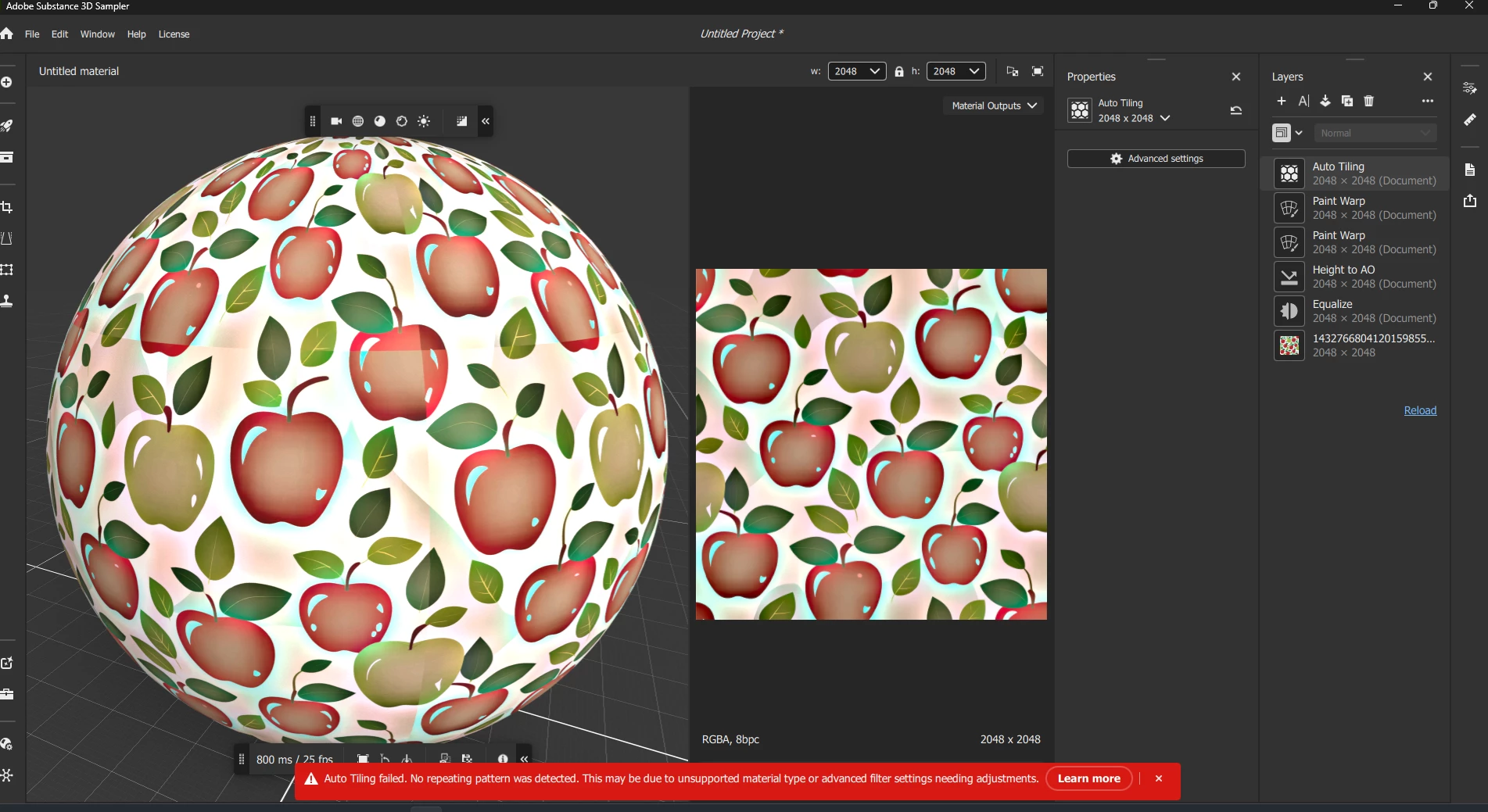
Why Auto Tiling not working?

Align matterials patterns by painting is created. 

Get error after adding Auto Tilling. What is going wrong? Do i need to use it after importing Material?


Also how this work?

If you're planning to create a tiling material from an image, it's better to use the Auto Tiling filter first, and then use the Image to Material filter.


Marion3D
Marion3DCorrect answer
Community Manager
Aug 11, 2025 7:30 AM UTC

Hi Ares!
The auto tiling filter works on materials with a defined repetitive structure. You need at least 9 repetitions of a pattern for it to work (3 in each direction)
Here you don't seem to need this filter to make it tile, your pattern already is tiling!


To create a material from an image, you can use the image to material filter. If you want to create a material from an image and make it auto tile, you might have improved results by first adding the auto tiling layer before adding the image to material layer

1 reply

Marion3D
Community Manager
Marion3DCommunity ManagerCorrect answer
Community Manager
Aug 11, 2025 7:30 AM UTC

Hi Ares!
The auto tiling filter works on materials with a defined repetitive structure. You need at least 9 repetitions of a pattern for it to work (3 in each direction)
Here you don't seem to need this filter to make it tile, your pattern already is tiling!


To create a material from an image, you can use the image to material filter. If you want to create a material from an image and make it auto tile, you might have improved results by first adding the auto tiling layer before adding the image to material layer

Translate