

Trevor.Dennis
Community Expert
Community Expert
June 8, 2023
Question

Adjustments Panel Blank

  • June 8, 2023
  • 5 replies
  • 5831 views

I had this happen earlier today, and fixed it by resetting Preferences, but I see it has happened again.
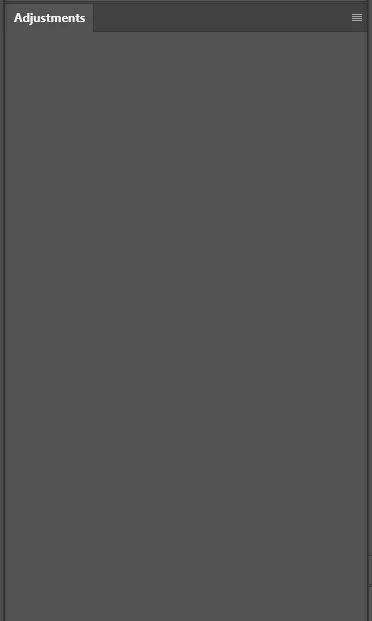
 

I just tried checking Decativate Native Canvas and restarting, but I still have a blank panel, so it looks like 'another' Preference reset, and it does rather annoy me when I have to reset Preferences. 


Yep.  The reset got me my icons back...   for now. 😞


A thought about the changes to the Adjustment panel.  I'd be happy to put up with the list view if we were able to rearrange the icon order.   I use the same four or five Adjustment layers 95% of the time, so if I could group them together at the top of the list, I'd be happy.

This topic has been closed for replies.

5 replies

Participating Frequently
October 15, 2024

I have the same problem only in Ver 26.0.0. Tried uninstalling and re installing but the problem is same. No problem in Beta 26.1.

Participant
August 23, 2023

I just had this happen today for the first time. I'm running Windows 10 on an i5-12600k and Radeon 6900 XT video card. Turning on the "Older GPU Mode" did not fix it, nor did resarting the program. When I restarted my computer though it went back to normal.

CShubert
Community Manager
Community Manager
June 21, 2023

Hi all, a couple things to try:


Go to Preferences > Technology Previews... and enable “Older GPU mode (pre 2016)” - Restart Photoshop. Does the problem persist?


https://helpx.adobe.com/photoshop/kb/troubleshoot-gpu-graphics-card.html#multiple-gpus


Trevor.Dennis
Community Expert
Community Expert
June 22, 2023

@CShubert


Cory, in my case this was with a fairly new system with i9-13900K and RTX4080 and Windows 11.  The same issue did repeat itself later that day, but I can't remember if I fixed it with Native Canvas or what.  Since then I had a serious issue with both versions of Photoshop locking up and refusing to shut down.  I had to uninstall Creative Cloud and all Adobe apps, and things seem to be working now, and I can turn off Preset Syncing and still shut down with no delay.

Participant
June 21, 2023

Try turning off the "use graphics processor" option, and turning it on only when needed

When u turn it off, you'll need to restart Photoshop, and when u turn it on, u won't

Participant
July 24, 2023

Yes, that fixed it for me. I would not have solved this if not for someone posting the solution. Thank you!


Participant
June 21, 2023

I have the same problem,

I (think) that the graphics card has a role in the matter, given the solution that I found