craigd28305212
Participating Frequently
July 13, 2026

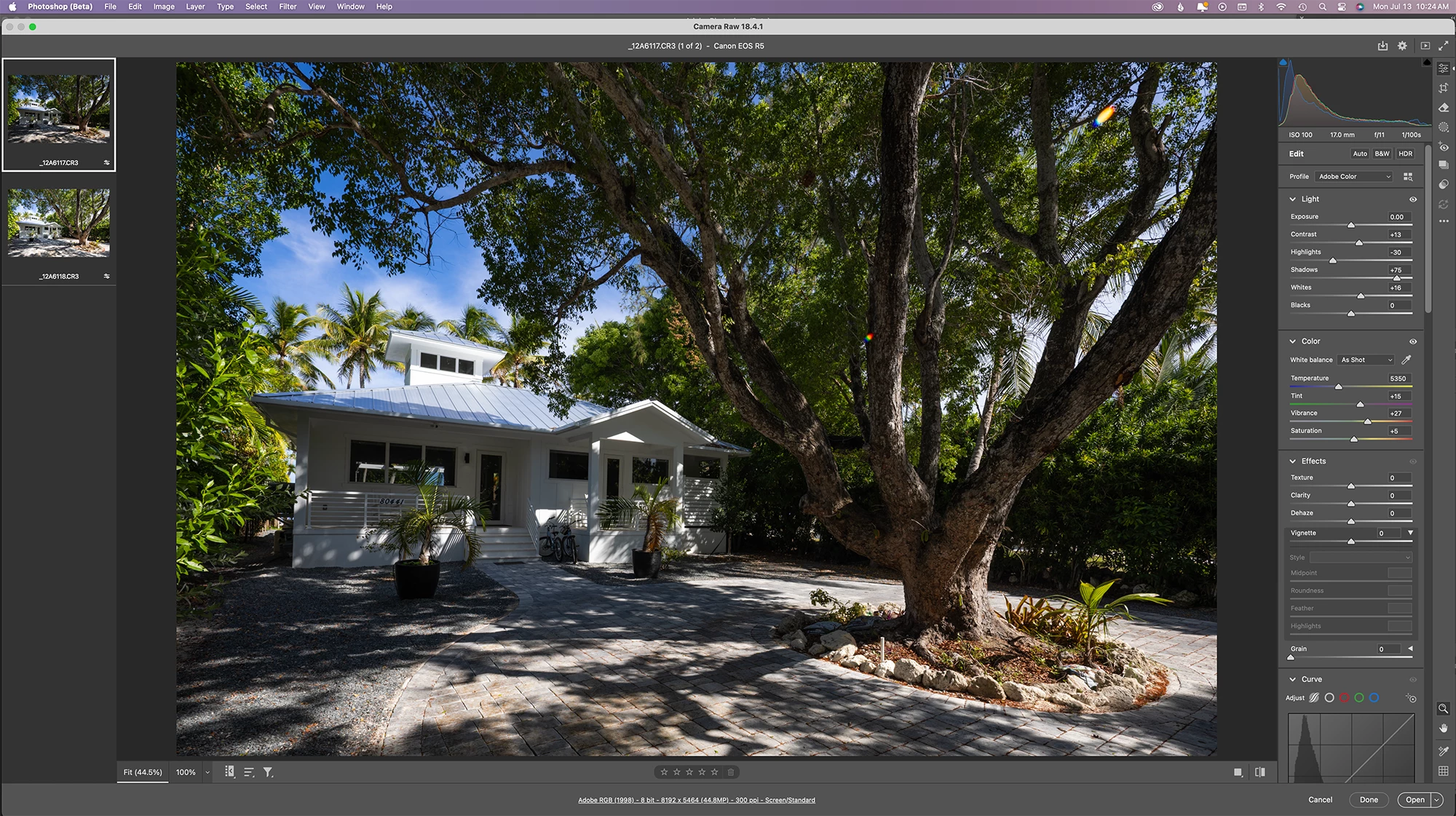
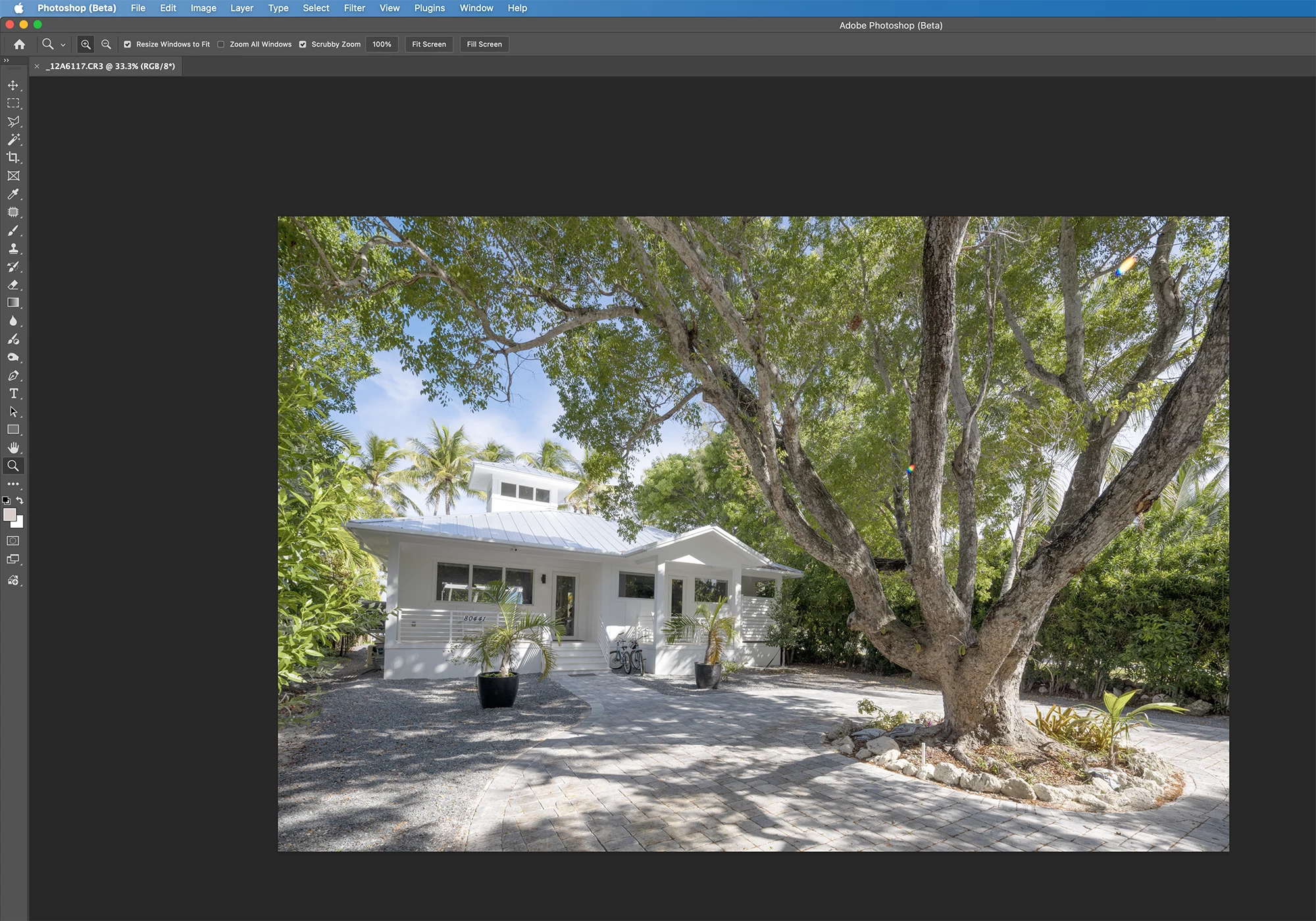
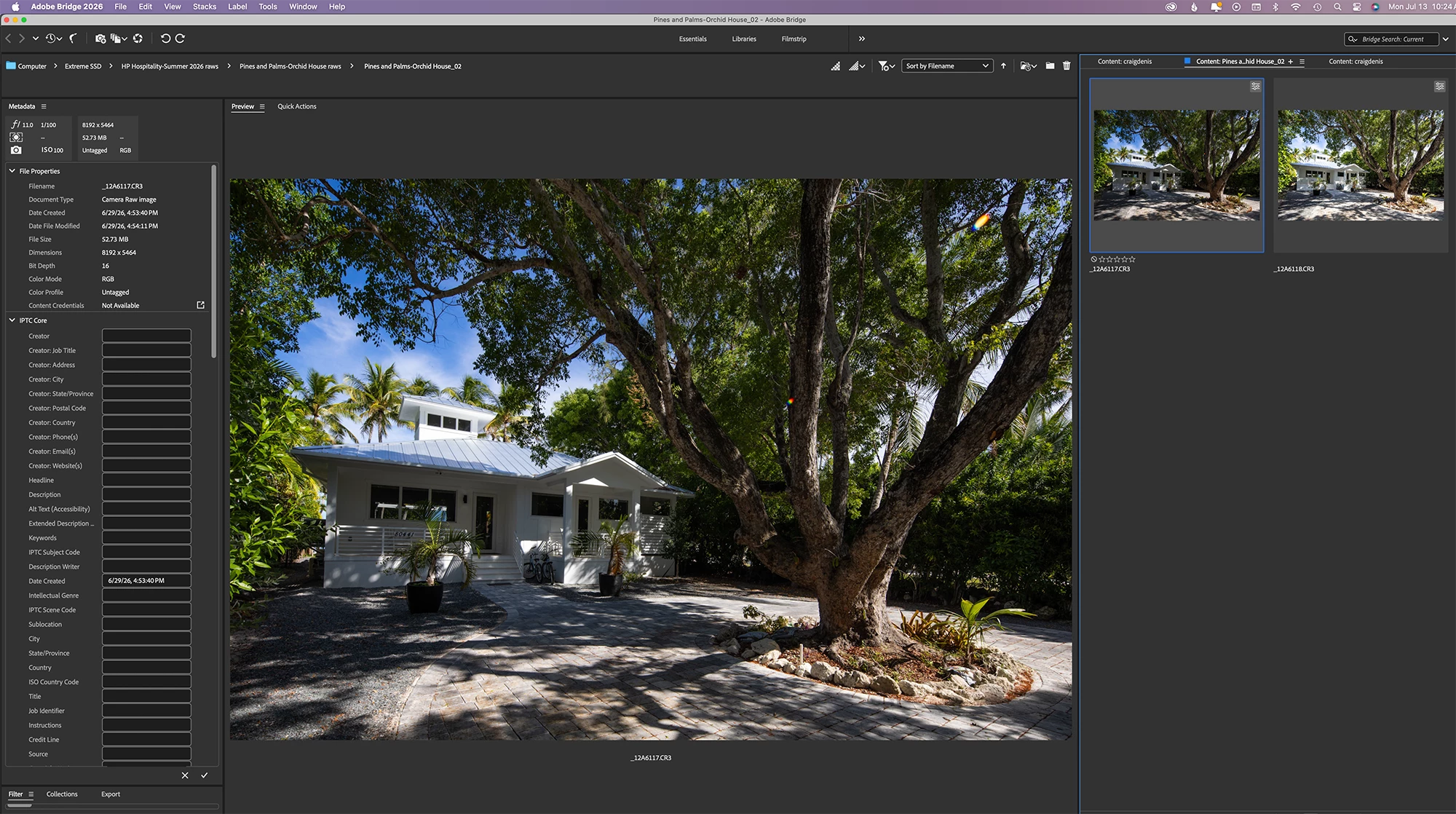
After newest update to Photoshop Beta 27.9 I tried opening an image from Camera Raw and it opens completely flat and desaturated. Not how it looks in Bridge or Camera Raw at all.

  • July 13, 2026
  • 4 replies
  • 89 views

After newest update to Photoshop Beta 27.9 I tried opening an image from Camera Raw and it opens completely flat and desaturated. Not how it looks in Bridge or Camera Raw at all making it impossible to work with. Please look into this.


Attached are screenshots of what I’m talking about. 


    4 replies

    johnd93718711
    Participant
    August 1, 2026

    My photoshop 2026 (27.9) and the Beta version has a new problem. I open my images in Camera Raw and when I open them on PS they look washed out and faded. Even when I open an image that I have processed and printed many times the problem still exist. I uninstalled PS and reinstalled but that didn't fix the problem. The image looks good in all other Adobe applications but has problems in PS 2026 and the Beta version

    Participating Frequently
    July 20, 2026

    I have this issue too, anyone found any resolution to it?

    Participant
    July 17, 2026

    Having the exact same issue now as well. When sending a photo from Lightroom to PS Beta.

    craigd28305212
    Participating Frequently
    July 13, 2026

    After newest update to Photoshop Beta 27.9 I tried opening an image from Camera Raw and it opens completely flat and desaturated. Not how it looks in Bridge or Camera Raw at all making it impossible to work with. I tried opening other images and files and the same thing happens.


    Attached are screen shots of what I’m talking about, please look into this.