Participant
August 9, 2024
Answered

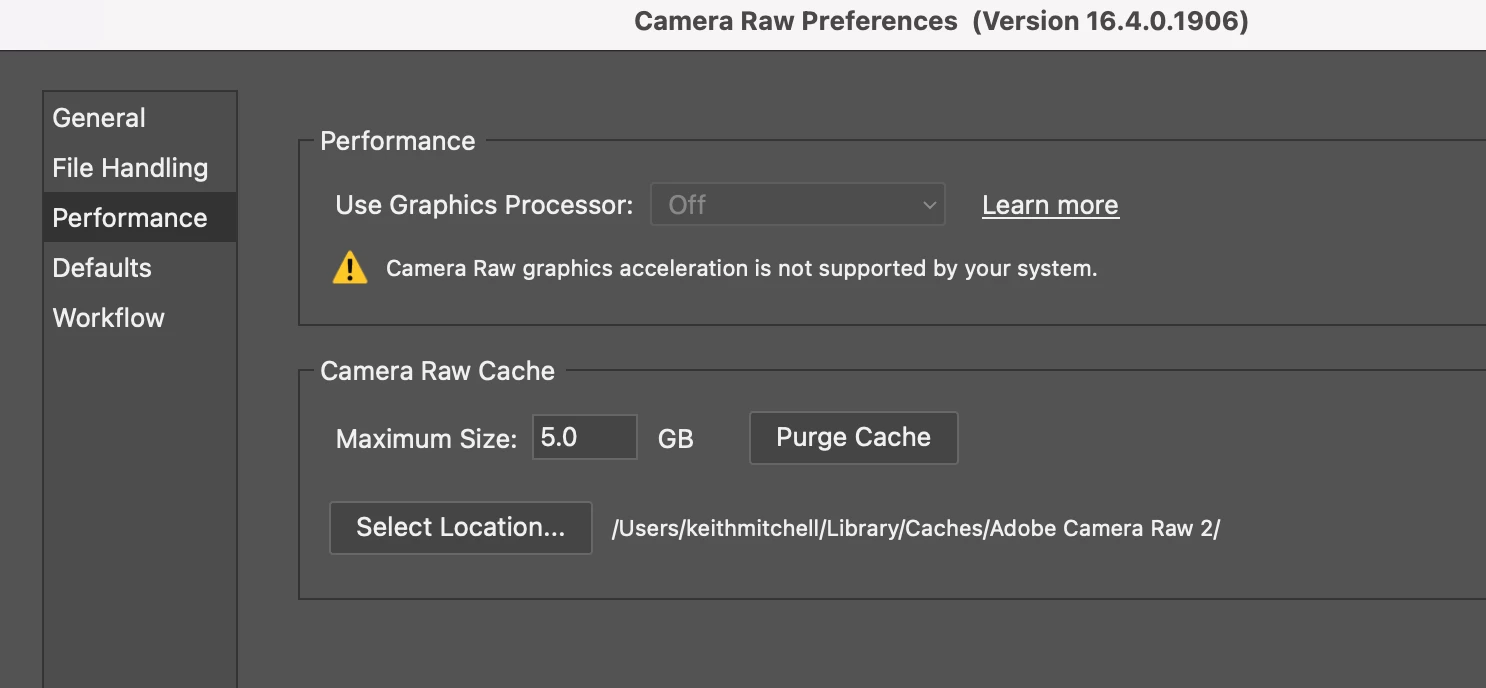
Camera Raw requires gpu acceleration to edit

  • August 9, 2024
  • 5 replies
  • 694 views

I have just updated Photoshop Beta v25.12 and I can no longer  use Camera Raw, it was working fine prio to

Lightroom is woking fine.

the update I am using a Mac M1

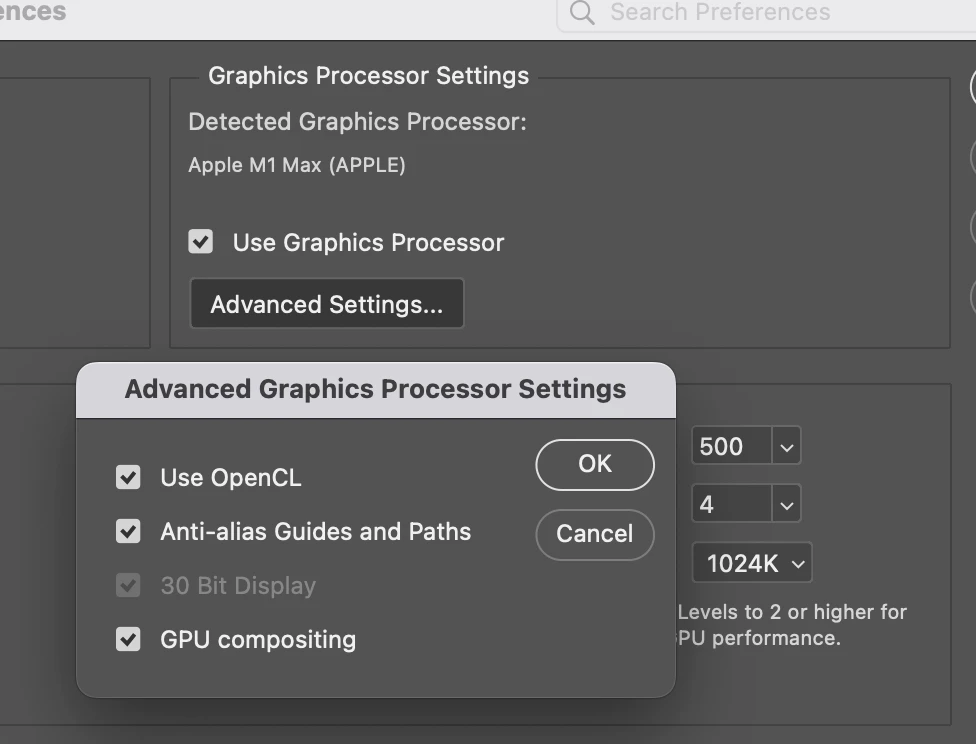
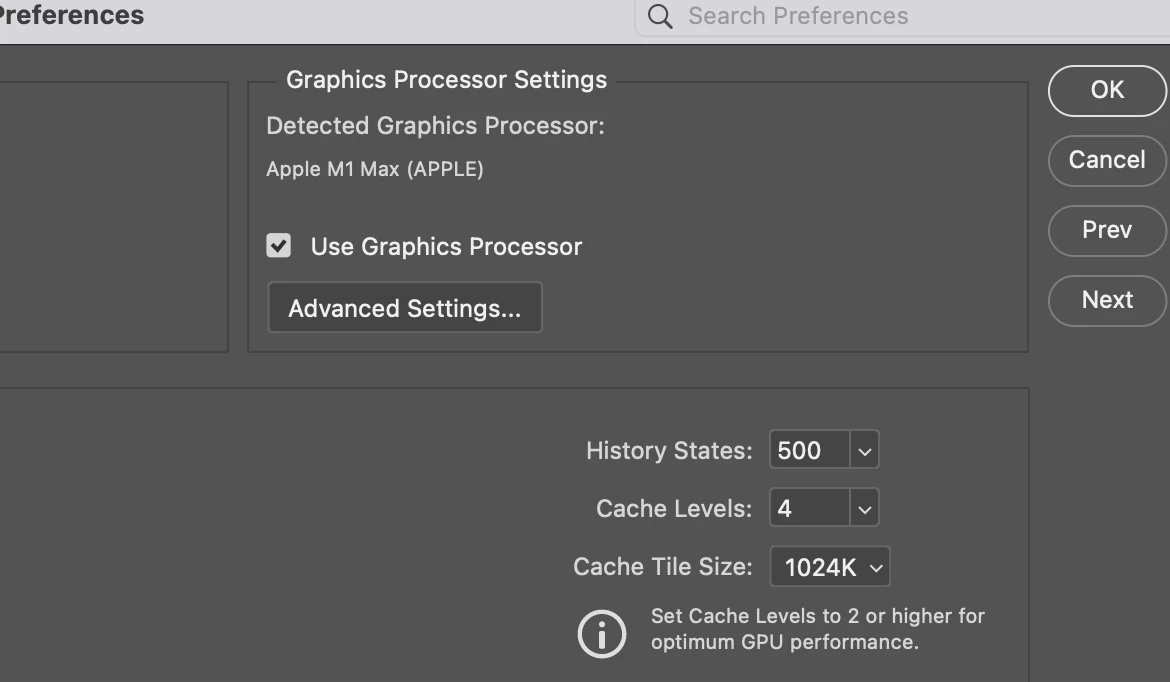
The GPU is enabled in prefrences

THe OS is upto date
 

This topic is closed to new replies. Start a new post to keep the conversation going.
Correct answer Jeff Arola

The GPU folder is in your user account

Macintosh HD/Users/UserName/Library/Application Support/Adobe/CameraRaw/GPU


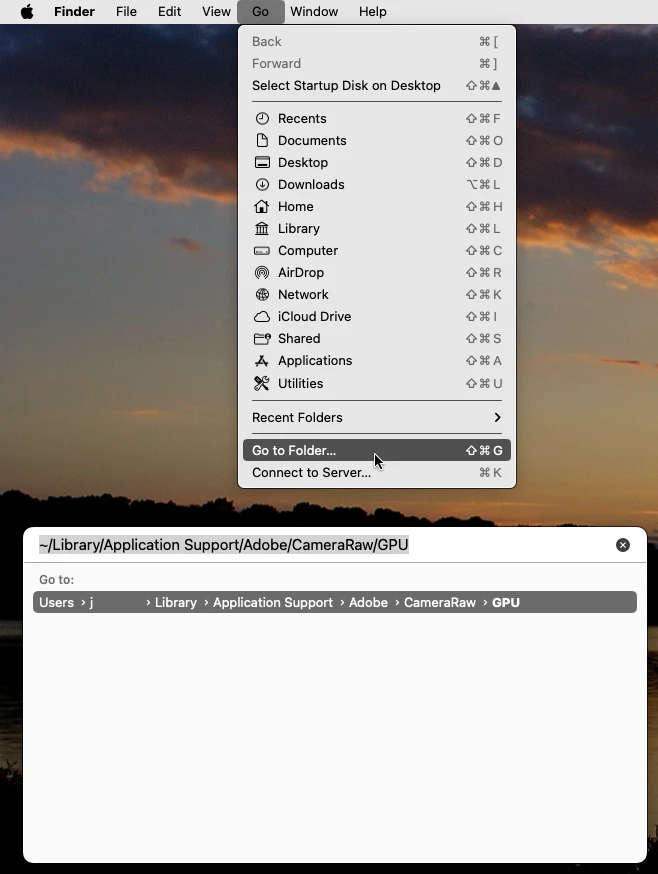
An easy way to navigate there is to click on your desktop then in the Go menu click Go to Folder, paste

~/Library/Application Support/Adobe/CameraRaw/GPU and press the Enter/Return key on your keyboard.


5 replies

Jeff Arola
Community Expert
Jeff ArolaCommunity ExpertCorrect answer
Community Expert
August 9, 2024

The GPU folder is in your user account

Macintosh HD/Users/UserName/Library/Application Support/Adobe/CameraRaw/GPU


An easy way to navigate there is to click on your desktop then in the Go menu click Go to Folder, paste

~/Library/Application Support/Adobe/CameraRaw/GPU and press the Enter/Return key on your keyboard.


Participant
August 9, 2024

Many thanks Jeff it worked a dream 😄

Jeff Arola
Community Expert
Community Expert
August 9, 2024

Try the steps listed here under

6. Check and delete the TempDisableGPU3 or TempDisableGPU2 files

https://helpx.adobe.com/camera-raw/kb/acr-gpu-faq.html

Participant
August 9, 2024

Thanks Jeff I do't seem to have a GPU folder