
Participant
May 24, 2023
Question

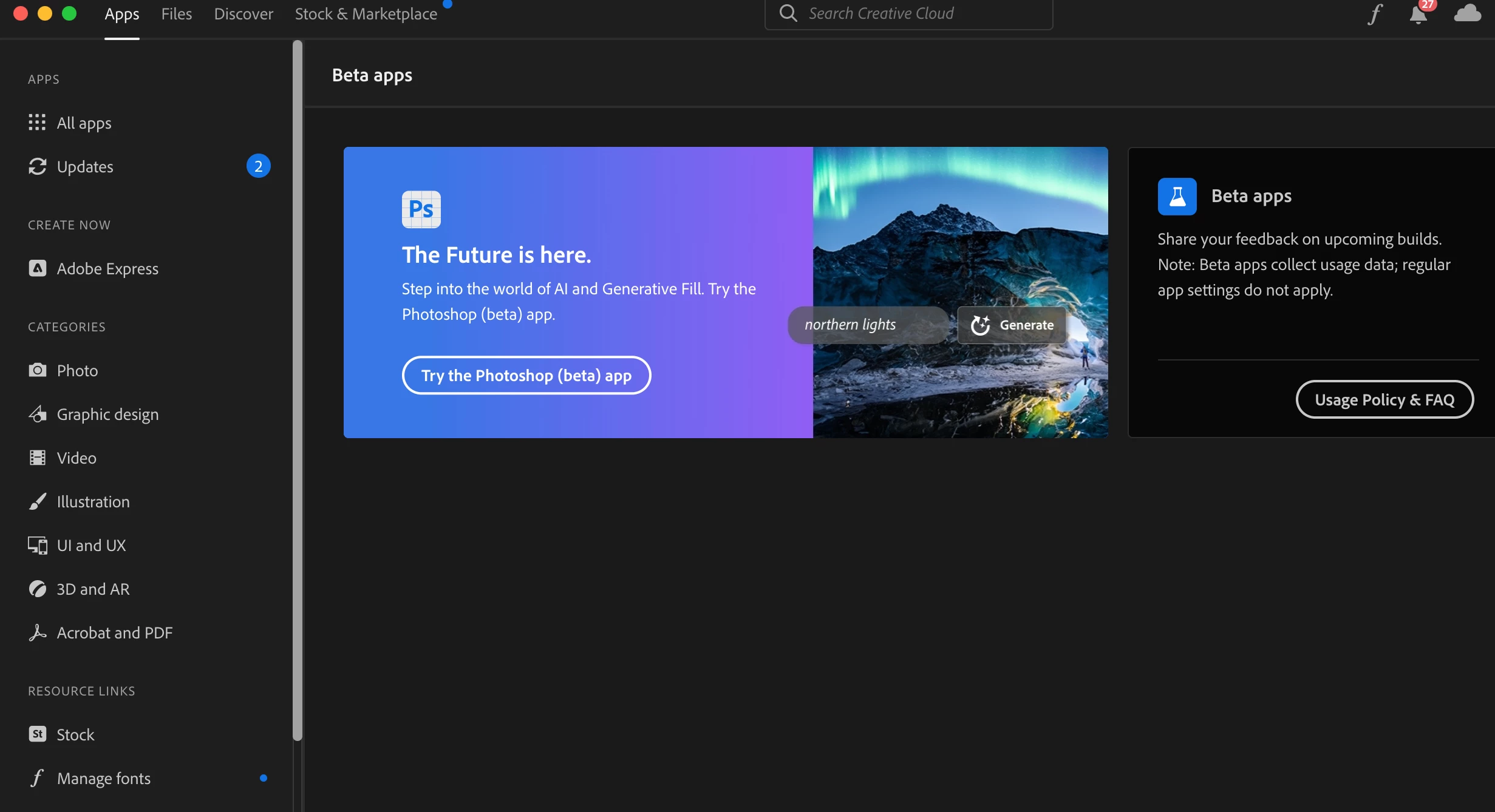
Can't click "Try the Photoshop (beta) app" in Creative Cloud installer

  • May 24, 2023
  • 36 replies
  • 13113 views

When I try to click the "Try the Photoshop (beta) app" button in the Creative Cloud installer under the Apps tab, it doesn't do anything. A hand icon appears when I hover over it, but clicking on the button itself does not result in any action. Please advise. Or, if there's another way to access the beta, please let me know. 
 

This topic has been closed for replies.

36 replies

Participant
May 31, 2023

No beta section, just banner with unresponsive button.

Kevin Stohlmeyer
Community Expert
Community Expert
May 31, 2023

Hi @andresa10295620 do you see the Beta application section at all?

Participant
May 31, 2023

Same unresponsive beta button here too. I´m located in Europa, Estonia. Have all apps plan for teacher, but this is not part of schools plan, so, no administrator. On macbook 2,6 GHz 6-Core Intel Core i7, 13.4 (22F66). Already have tryed what suggested here before. No suggested xml file in my computer.

Kevin Stohlmeyer
Community Expert
Community Expert
May 30, 2023

@Ming241061014h23 correct there are specific Geographic limitations outlined in the FAQ:
Generative Fill is not available in China at this time.

Participant
May 30, 2023

If you are using NordVPN then turn off Threat Protection Lite and reinstall Creative Cloud.

Participating Frequently
May 30, 2023

Hey all. I edited the .xml file as shown in this thread, reloaded CC app and it all showed up and worked!


https://community.adobe.com/t5/enterprise-teams-discussions/adobe-creative-cloud-app-5-7-1-1-not-showing-beta-category/td-p/12951167

Participant
May 30, 2023

I guess it only available when your Adobe account is on US, when I change another US Adobe account it works.

Even though the Photoshop beta installed successfully, the Generative Fill won't work when I changed my account into China which subscribed PS.

Participant
May 30, 2023

Same issue here. Any suggestions?

Sarah Mezjdah
Participant
May 30, 2023

Same here! If I click the botton... nothing happens... Please help \ (•◡•) /

Participating Frequently
May 29, 2023

That is normal with new releases of Mac OS - the system APFS volume is read only and only updates on version upgrades. The user volume is separate, my sytem clock is ok for sure.  If we look at another Info window for a user folder it looks like this: