Participant
October 12, 2025
Answered

Can't download Photoshop Beta

  • October 12, 2025
  • 2 replies
  • 428 views

Hi, I've searched help and searched the forum and read multiple posts on this issue but none of the posted solutions work for me.


I can't download Photoshop Beta from the Creative Cloud, as I don't have a Categories section or a Beta Apps section. I'm on Windows 10. The screenshot shows my CC opened to Apps.


Any advice would be great, thanks!
Correct answer silk-m

Doesn't it show up in your Adobe ID in your web browser?

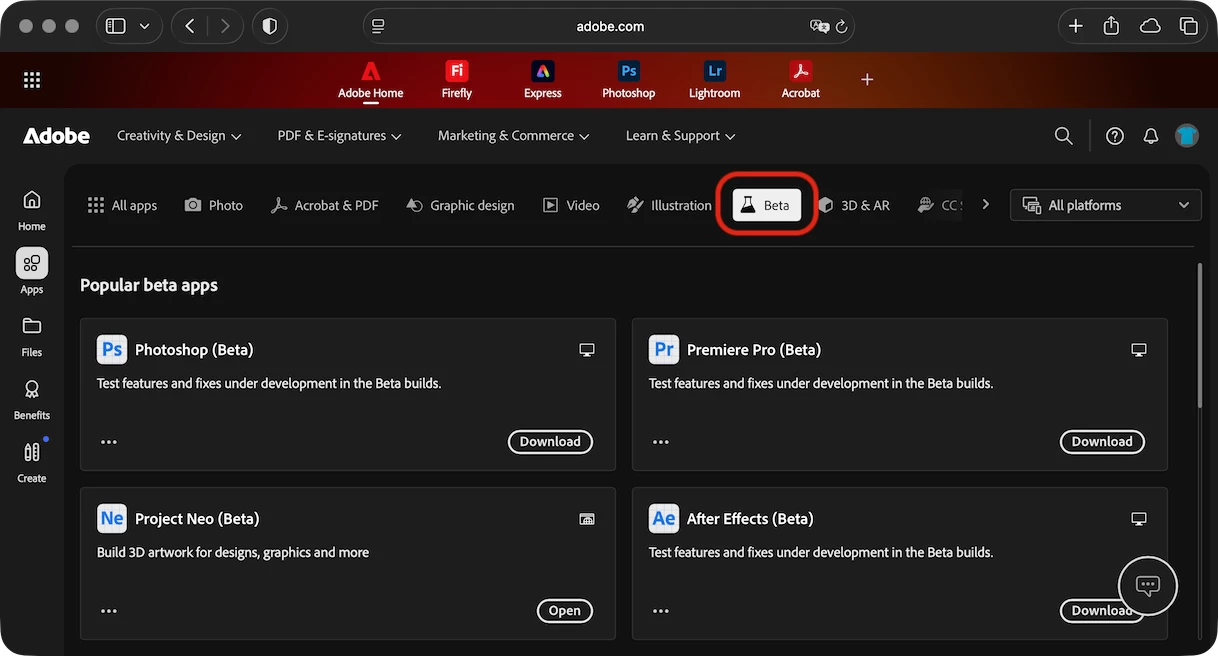
https://www.adobe.com/apps/beta-apps/all-platforms 

2 replies

Known Participant
October 14, 2025

Same here, I don't have a "Beta" category any longer (showed up in the past).

Known Participant
October 14, 2025

That screenshot was from my Creative Cloud Desktop app (version 6.8.0.821). But if I went to the internet under https://www.adobe.com/apps/beta-apps/all-platforms (as silk-m suggested) and logged in with my credentials, I could see a "Beta"-category and install Photoshop Beta.

silk-m
Community Expert
silk-mCommunity ExpertCorrect answer
Community Expert
October 13, 2025

Doesn't it show up in your Adobe ID in your web browser?

https://www.adobe.com/apps/beta-apps/all-platforms 

--Susumu Iwasaki