
Known Participant
August 24, 2023
Question

Canvas edge has a single pixel border of random colors

  • August 24, 2023
  • 8 replies
  • 945 views

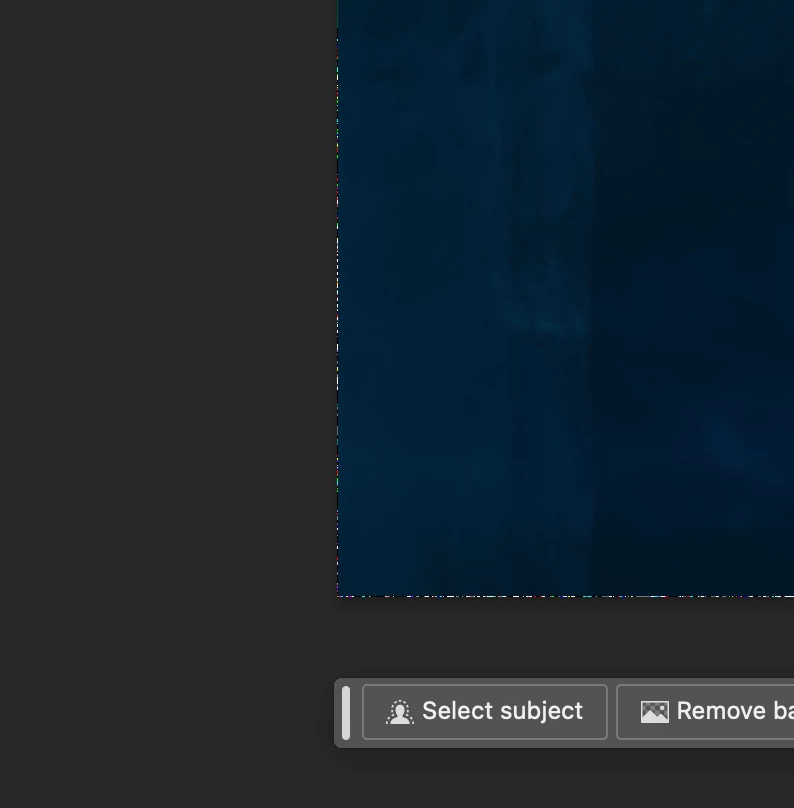
See the below image, showing a single pixel row of pixels along the edge in random colors. This happens at certain zoom levels. At other zoom levels, the pixels disappear. The pixels are NOT in the file, only in the user interface. 
 

8 replies

Participating Frequently
November 20, 2024

The random color pixels along the edge of the canvas that appear only at certain zoom levels are likely a graphical glitch related to how the user interface renders at those specific zoom settings. Since they’re not part of the file itself, it’s not a major issue with your project, but more of an anomaly with the UI in the beta. These kinds of bugs are typically addressed in future updates, so reporting it helps the development team fix it before the final release. Keep an eye out for any patch updates—they should resolve it!

Known Participant
November 19, 2024

Three months later, two updates later and the issue still persists. 

Carlos_Oliveras
Known Participant
August 1, 2024

While not exactly the same issue, in previous versions sometimes I could see weird 1 pixel borders around the canvas. But these only appeared when I didn't have a background layer, the one with the name "Background" in italics and a lock icon - if your document doesn't have one, you can try converting the bottom layer to a Background layer from Layer>New>Background from Layer" and see if it makes a difference.

Participant
August 1, 2024

Also been having this issue. No luck with a solve.

Participant
April 17, 2024

Hi, has anyone found a solution to this issue yet? Having the same issue of multiple colors around the edge.

Participant
February 1, 2024

I have also been having this issue and cannot find a solution. Some of my students are also seeing either colorful pixels like this around the canvas edge or just white.

Participant
January 4, 2024

I have the same problem, did you find a solution for this?


Thank you.

Gixxxa75
Inspiring
January 4, 2024

For mine, no. Is it worth starting a thread that list it as a bug rather than discussion? .

Edit, Im getting this on non beta version ,Adobe Photoshop Version: 25.3.1 20231212.r.241 46eb480 x64 

Participant
January 4, 2024

It bothers me as I cannot see If the image is fully inside the canvas or is there still pixels left. Im using the non beta as well.

Gixxxa75
Inspiring
August 24, 2023

Yes I get something similar, white line appaers at certain zoom factors.

Adobe Photoshop Version: 25.0.0 20230820.m.2296 c61c3a5 x64
Number of Launches: 14
Operating System: Windows 10 64-bit