



kritagyan
Community Manager
Community Manager
December 12, 2025
Question

Clarity & Dehaze + Grain as Adjustment Layers - Now in Photoshop (Beta)

  • December 12, 2025
  • 4 replies
  • 524 views

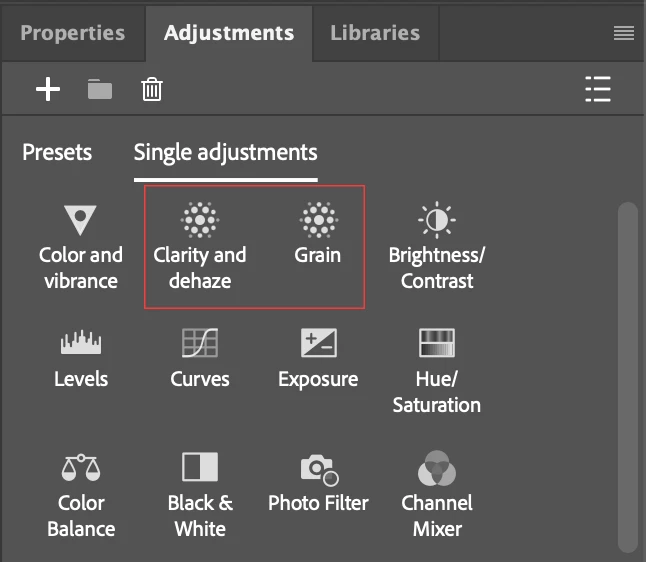
We’re excited to bring Clarity, Dehaze & Grain; some of your favorite photographic controls as adjustment layers into Photoshop’s non-destructive workflow. These new adjustments make tonal editing and creative finishing more flexible than ever.
Screenshot 2025-12-12 at 1.05.35 PM.png

Screenshot 2025-12-12 at 1.07.07 PM.png

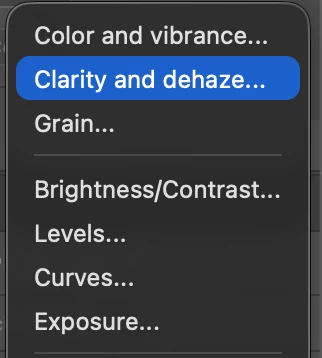
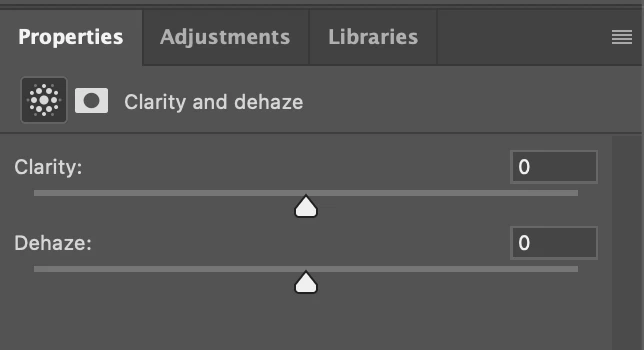
Clarity and dehaze Adjustment Layer

You can now apply Clarity & Dehaze non-destructively using a single adjustment layer while still benefiting from Photoshop’s masking, blending, and layer stacking.
Screenshot 2025-12-12 at 1.05.09 PM.png

Note: Because these are complex effects, we briefly pause the preview of this layer when you edit layers BELOW it to keep performance smooth. The adjustment reapplies immediately afterward.

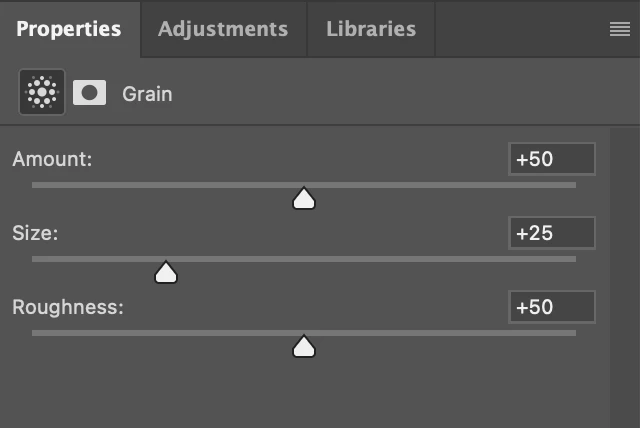
Grain Adjustment Layer

We’re also introducing a new Grain Adjustment Layer, allowing you to add film-style texture with full control over:

  • Amount

  • Size

  • Roughness

This gives you natural, uniform grain across composites without destructive noise workflows.
Screenshot 2025-12-12 at 1.12.00 PM.png

We’d love to hear your thoughts on the quality, performance, and overall experience with these new adjustments as you start using them.

4 replies

January 14, 2026

can you maeck pichers yes or no


robertw44482386
Inspiring
December 30, 2025

I love both of these and hope they make it to the release verision soon so my org can reliably use them in shared workflows.

One thing I would love to see in the grain adjustment is a saturation / desturation slider. Mimicking film grain is ALL the rage now and color in the granules can help it be convincing.

Any way to start with color and have a 4th slider to reduce or remove it?

fabio_2081
New Member
December 19, 2025

obrigado mano, conserguir instalei o photoshop beta . bom trabalho

Carlos_Oliveras
Known Participant
December 16, 2025

I'm really happy with this improvement, as well as the previous one with WB, Vibrance and Saturation. I think many of us use Camera Raw (as a filter) to apply finishing touches, but this usually requires creating a stamped layer converted to a Smart Object. Since we often change something in the original layers, we have to re-stamp and drag the previous Camera Raw filter from the old stamped layer to the new one. Having these effects as adjustment layers transforms the workflow into a simpler, much more efficient one. I'd love to see more of these effects, like Vignette and Texture. I've made a video about these new adjustment layers on my YouTube channel and people seem to really like this improvement too. Thanks.