



kritagyan
Community Manager
Community Manager
August 29, 2025
Question

Color & Vibrance Adjustment Layer now in Photoshop beta!

  • August 29, 2025
  • 4 replies
  • 619 views

We’re excited to share that the Vibrance Adjustment Layer has been reimagined and expanded,

now called Color and Vibrance in Photoshop beta.
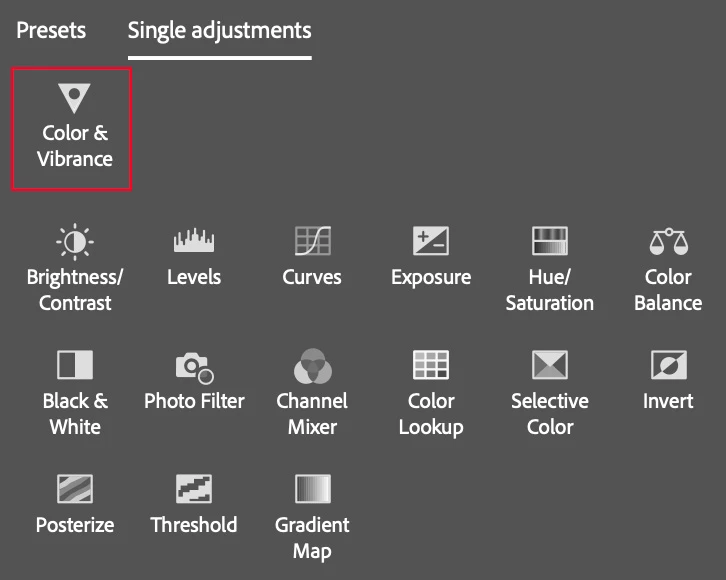
This new adjustment brings a lot more than just a new name:

  • Temperature and Tint controls for quick color balance fixes
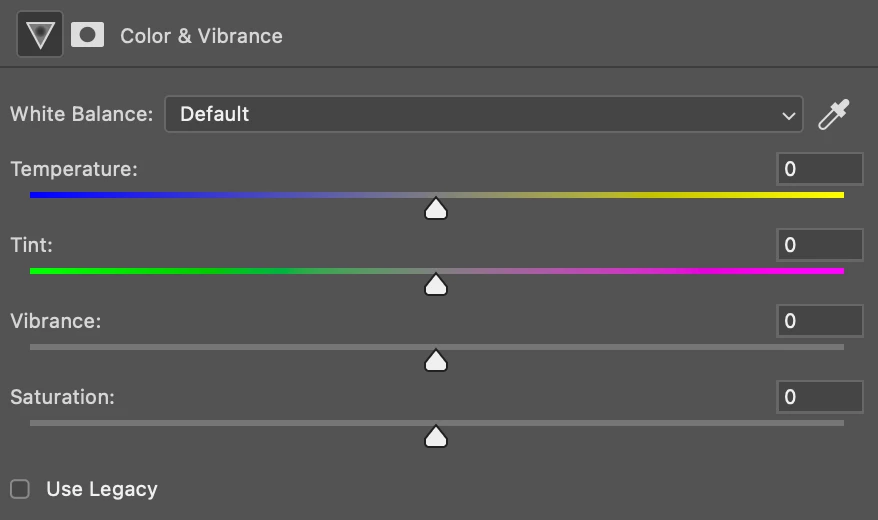
  • Enhanced Vibrance and Saturation for smoother, more consistent results across different images
  • Reorganized panel with a clearer flow: new adjustments at the top, followed by lighting controls & then color adjustment controls


You can access this under the Adjustments panelColor & Vibrance or Layer → New Adjustment Layer → Color & Vibrance

PS: A “Use Legacy” toggle is available to retain Vibrance & Saturation applied to earlier created Photoshop documents

Please try it out and let us know your feedback in this thread. It will help us shape the experience further.


4 replies

Participant
October 6, 2025

Loving the new Color & Vibrance adjustment and everything! The added temperature and tint controls make color correction so much clear and fast, and the smoother vibrance results feel more natural. Great upgrade, Adobe!

Participant
September 24, 2025
Pantai 
Participant
September 11, 2025

Really excited to see this update — I’ve always felt Vibrance was powerful but a bit limited on its own. The addition of Temperature and Tint inside the same adjustment layer feels like a big workflow win, since I usually end up stacking multiple layers to get that effect.

The panel reorganization also makes a lot of sense. Having adjustments flow from broad (temperature/tint) → lighting → color feels more intuitive.

One question: how does the new Vibrance & Saturation algorithm differ under the hood? I’m curious whether it handles skin tones and subtle gradients more naturally compared to the legacy version.

Overall, this feels like a strong step forward — thanks for including the legacy toggle as well. I’ll test it on some portraits and landscape edits this week and share back results.

Known Participant
September 29, 2025

Regarding this:


"One question: how does the new Vibrance & Saturation algorithm differ under the hood? I’m curious whether it handles skin tones and subtle gradients more naturally compared to the legacy version."


, as far as I can tell after doing a few tests, these adjustments now replicate the corresponding adjustments in Camera Raw. So, now both Saturation and Vibrance behave the same in this Photoshop adjustment layer as they do inside of Camera Raw (the older ones -now Legacy- sort of did something similar, but weaker).

Known Participant
September 9, 2025

White balance, right inside Photoshop…!!! 😯


*me, wiping away tears with shaky hands, remembering decades of wishing for this — first, in my younger years, searching for an adjustment that didn’t exist, then as an adult, making do with Camera Raw or convoluted Curves/Channels workarounds, and finally accepting that my favorite editor would never add it.*


It’s less essential now that so much editing happens in Camera Raw, but as a historical milestone it still feels huge.

🥹 THANK YOU!!!