


charlotteb27656860
Participating Frequently
August 23, 2023
Question

Colors of the generative fill are screwed up since last update

  • August 23, 2023
  • 21 replies
  • 1733 views

Everything was working well until I updated my version of Photoshop Beta.

Since that day, the colors of the generative fill are completely screwed up.
In the thumbnail previews, the colors are correctly blended with the background, but not in my image.
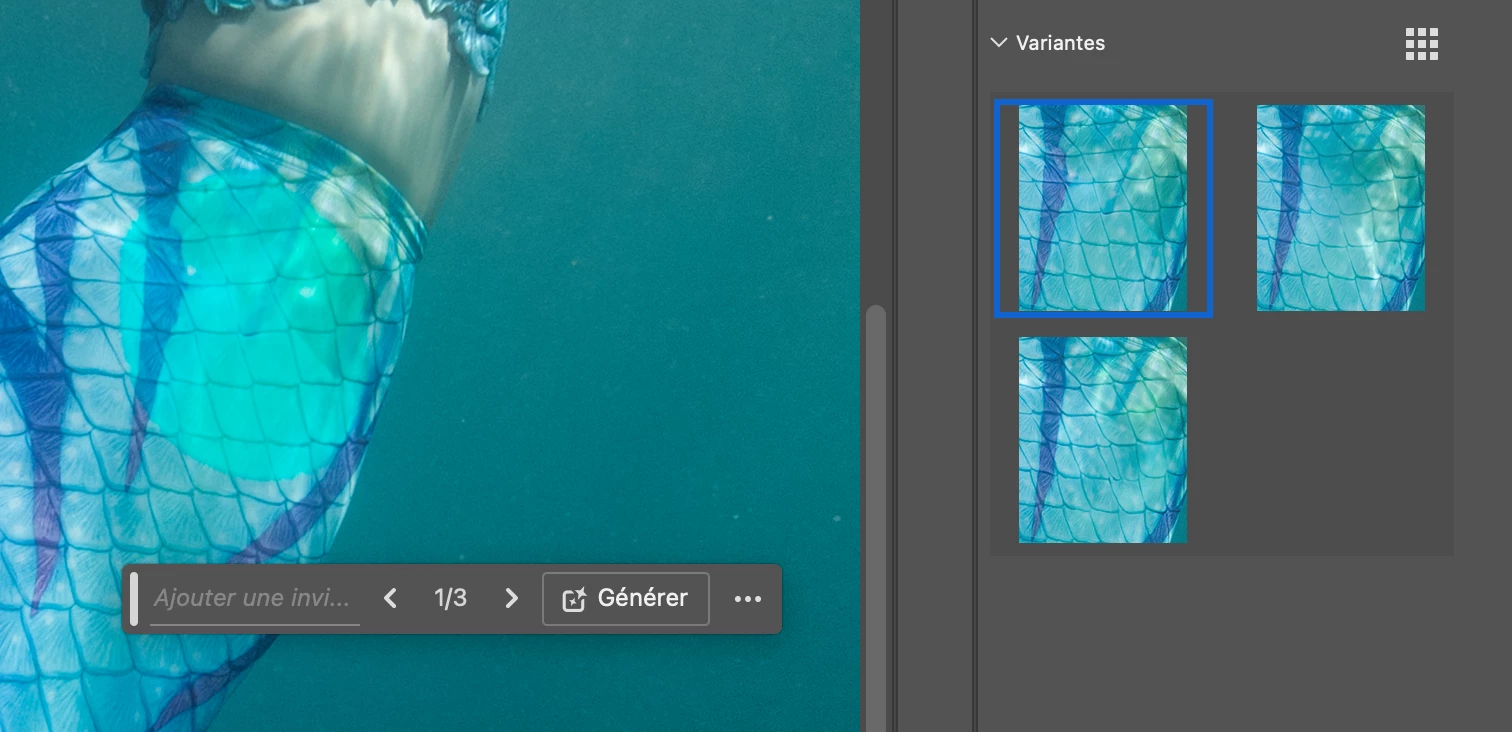
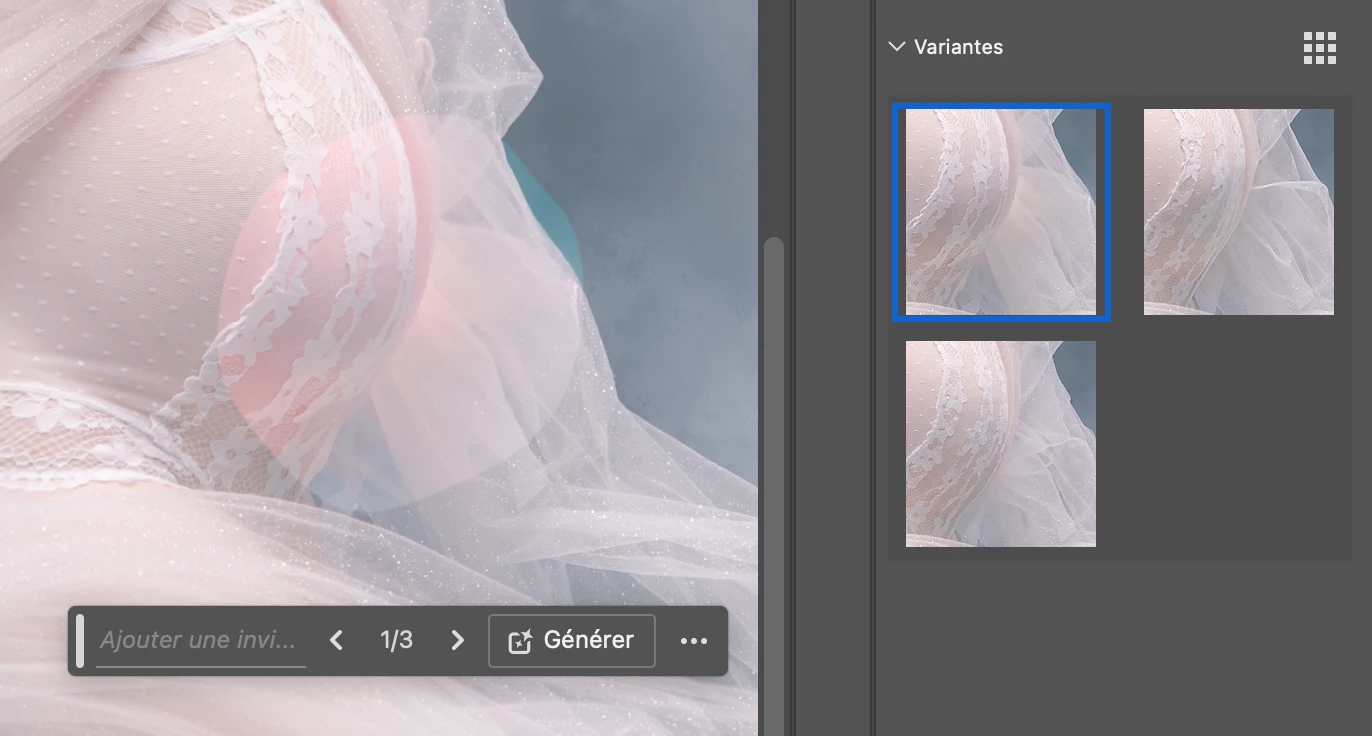


I tried to fix the problem by uninstalling and re-installing the latest version of Ps Beta (25.0.0), and rebooted. No change.

I updated my OS (now macOS Ventura 13.5.1) and rebooted. No change.


Hopefully someone will be able to help...


This topic has been closed for replies.

21 replies

charlotteb27656860
Participating Frequently
September 8, 2023

@CShubert Unfortunately, it still doesn't work...


Participant
October 15, 2023

I'm just launched Creative Cloud app and Generating is works! Try it, i hope it will work

Caity.psd
Community Manager
Community Manager
August 31, 2023

Thank you @xavierf7321043

CShubert
Community Manager
Community Manager
August 31, 2023

@xavierf7321043 the quality output of GenFill or Expand is a work in progress and one that the team is aware of.


xavierf7321043
Participant
August 31, 2023

Worked for me ! However i still have an issue with the quality of the generated content. I'm using the generative fill since the begining and i have never had such results... I've removed someone in front of the wall and the result is very poor... 

CShubert
Community Manager
Community Manager
August 31, 2023

Thanks everyone for sharing your info. 

The team has passed this on to try:


  1. Try changing the Color Settings policy in EDIT/COLOR SETTINGS to Preserve Embedded Profiles.
  2. For existing generative layers, it may work to then click among the variations to reload.
  3. New generative layers will probably work after changing to Preserve Embedded Profiles.
  4. If you intentionally have the Color Settings policy set to Off or Convert to Working RGB, we'd like to hear about your workflow


xavierf7321043
Participant
August 31, 2023

If i set Photoshop Beta with a sRGB profile before opening my picture (modify with trough Lightroom) the generated content  matches but the quality of the content is very poor and the transition between existing and generated content is very bad.

xavierf7321043
Participant
August 31, 2023

Caity.psd
Community Manager
Community Manager
August 31, 2023

Hi everyone, can you share a screenshot please of your color settings?

Go to Edit > Color Settings and take a screenshot of the entire area (example attached).


Thank you all so much,

Caity


xavierf7321043
Participant
August 30, 2023

Same issue for me since this afternoon with LR 12.5 and Ventura 13.3.1... the three previews seems to be ok but the final result doesn't match at all...

Participant
August 30, 2023

Hello,

Est-ce que vous utilisez un mac studio ? Parce j'ai ce problème que sur le studio et non sur mon mac book !

Do you use a Mac Studio? Because I'm experiencing this issue only on the studio and not on my MacBook!