Inspiring
April 28, 2025
Answered

Curves Panel is tiny in the latest PS Beta release (26.7)

  • April 28, 2025
  • 6 replies
  • 3391 views

I downlaoded the latest PS Beta earlier (26.7 released today) and the Curves Panel which was of a sensible size is now tiny and I can find no way to increase its size?

Correct answer Trevor.Dennis

Trevor,


This is starting to get confusing. I have no problem or issue with using the Curves panel and it does exactly as it should, the issue I have is the small size of the curve being displayed. Prior to the last update, the Curve panel pretty much filled the currently blank area above and whilst its useable at approx 50% the previous size, its a lot more awkward as you just dont have the space in this smaller area!


What I'm trying to understand is why has it suddenly reduced to approximately 50% of its previous size?


quote

Trevor,


This is starting to get confusing. I have no problem or issue with using the Curves panel and it does exactly as it should, the issue I have is the small size of the curve being displayed. Prior to the last update, the Curve panel pretty much filled the currently blank area above and whilst its useable at approx 50% the previous size, its a lot more awkward as you just dont have the space in this smaller area!


What I'm trying to understand is why has it suddenly reduced to approximately 50% of its previous size?


By @johnt41947401


Entirely my fault, so my apologies again.  I have a terrible habbit of parsing these posts too  quickly and making wrong assumptions. I was driven to give myself lines for doing this some time ago!

I did finaly grasp what you have written very clearly 'several days ago', and on the plus side, I am embarrassed enought to try very hard to get to the bottom of your issue, and I did finally manage to shrink the Curves Properties panel!!!  🙂


I was screen shotting each UI setting, as you can see.  So is your curves panel as tiny as the bottom below?
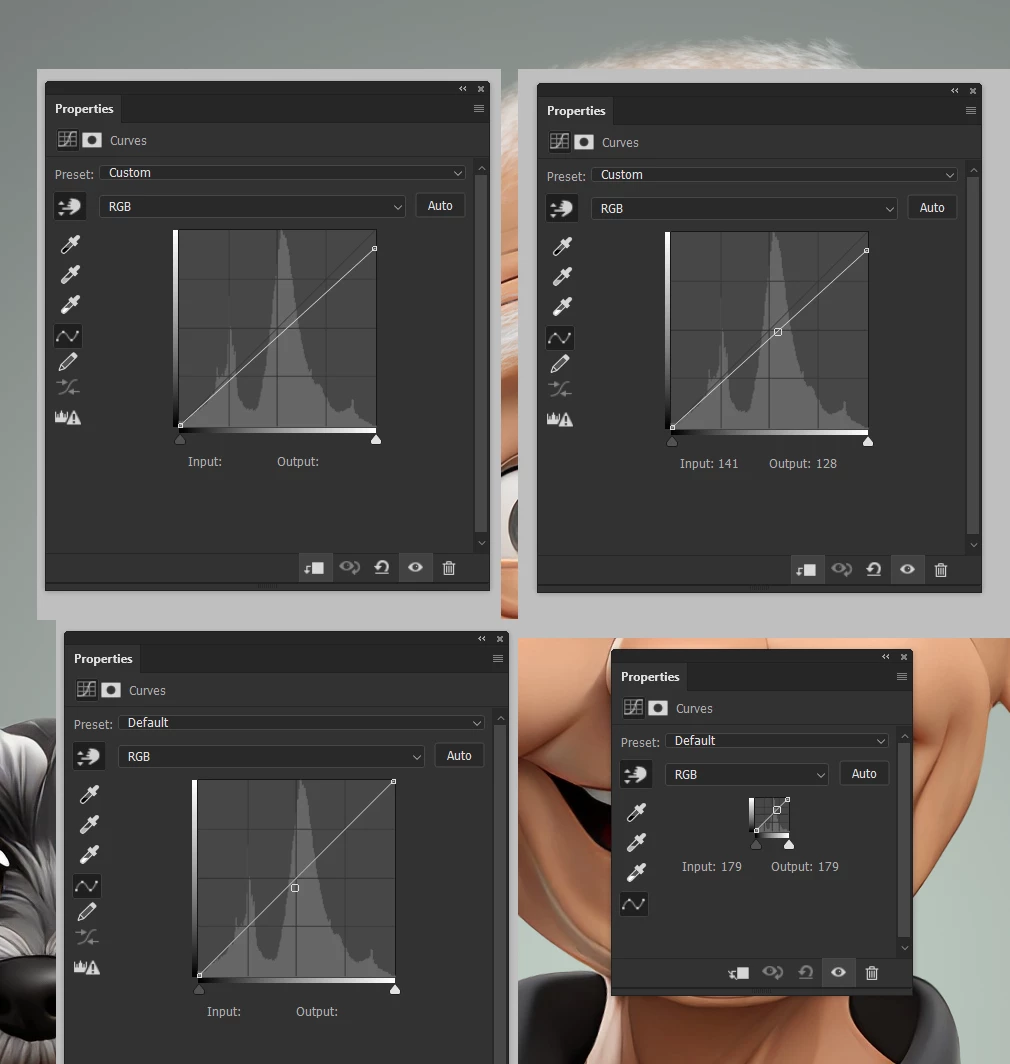
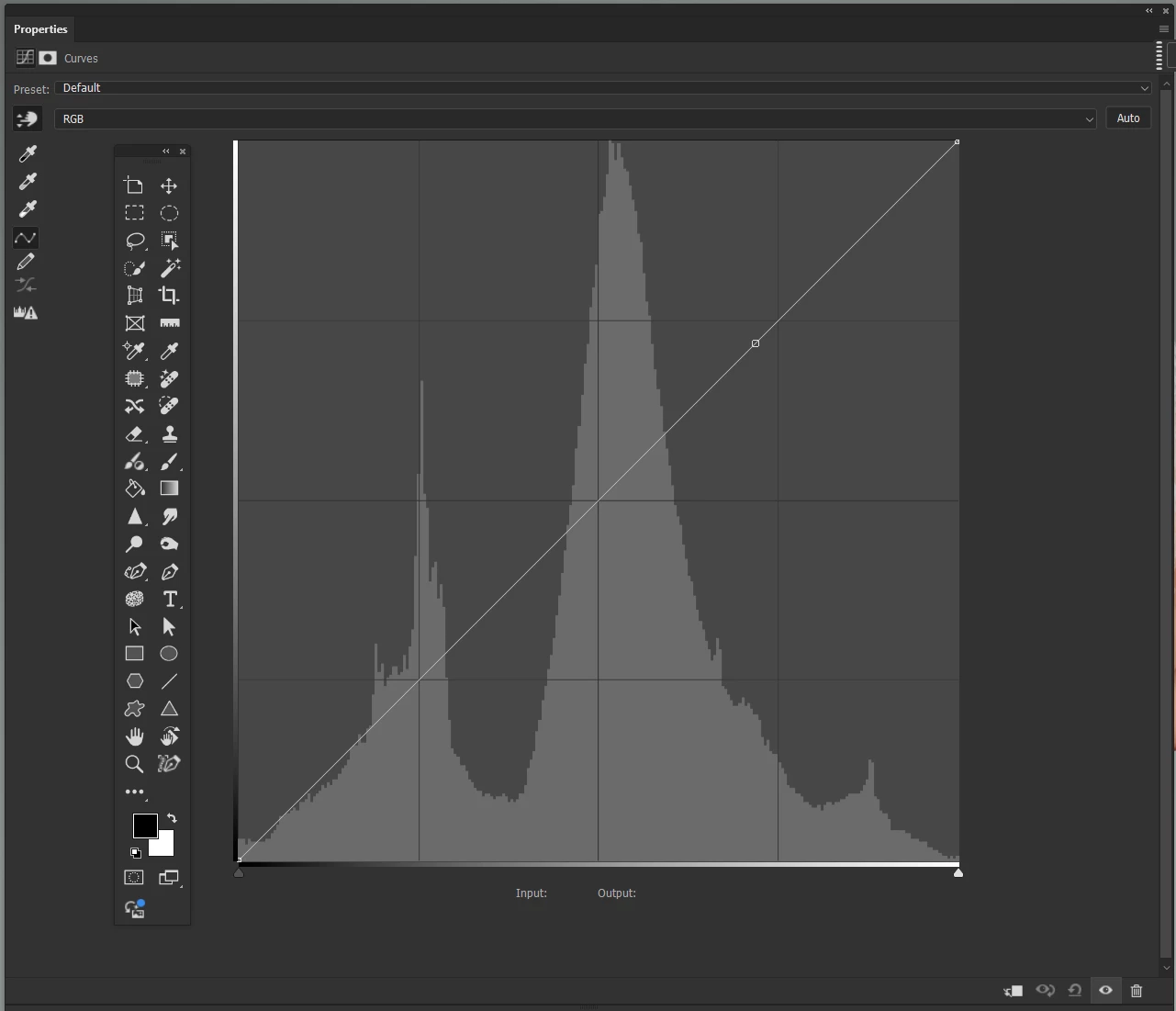
Would you be able to see what you were doing with this one?  I overlaid the toolbar for scale reference.
 

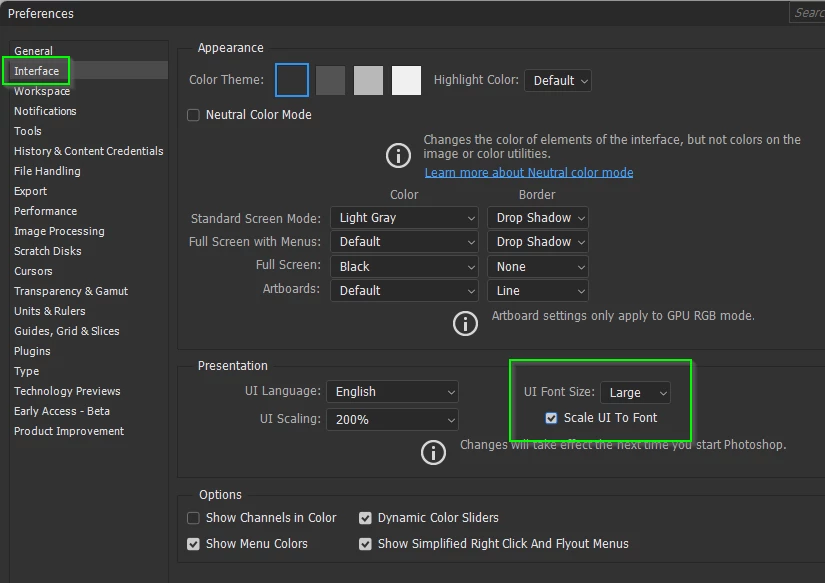
I was initially unable to scale the panel until I turned off Scale UI to Font and restarting.
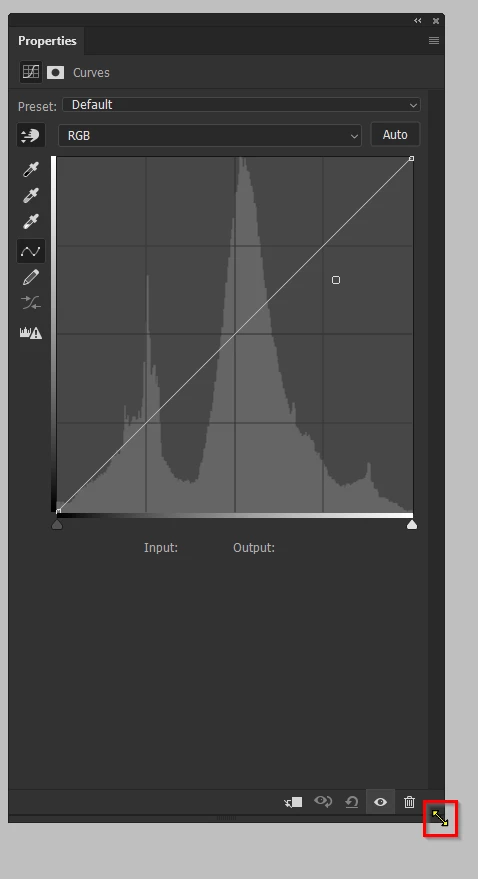
But I now seem to be able to do it regardless of those settings, and I am not 100% sure that my methodology has been repeated exactly each try.  If I resize from the side, I can only shrink the panel by about 10%, bu if I resize from the bottom or lower right corner, I then have full control from minute to full page.  So, try resizing the Properties panel this way, and if it is not working, try changing the UI size settings and restarting.  I suspect they are not related, and that I was not repeating my steps exactly same each try.   I'm sorry again for making this so long winded — but I am nearly 200 years old ;-).
6 replies

AhmadTaha.P
Participating Frequently
May 6, 2025

Photoshop beta 26.7.0
OS Name Microsoft Windows 11 Home
Version 10.0.26100 Build 26100

 as you see in the attached screen shots, only half of the curve is visible which is unworkable . While other adjustments like levels are too small and the ratio isnt responding to the rezising of the panel. I have just upade it now 6th of may 2025.

any quick fixes for this issue? 

AhmadTaha.P
Participating Frequently
May 6, 2025


i forgot to mention that when draging the panel to resize it doesnt stop at the smalles curve window allowed as it used to be, but instead evey elemnt vanishes 

Inspiring
May 6, 2025


Hey John, 
thanks for the reply. the annoying thing with trouble shooting bugs/issues is we have to discuss what we both know worked for us the last ten years but now it simply does not anymore. so you can assume i tried every thing to get it right. the only thing that is working temporary for me is restarting photoshop, but this doesnt get me the usual UI response of the curve panel inside the blank space. its just tiny as you discribed on this thread . please check the 2 attached screen shots in my first reply.


Check your presentation settings in the Interface section undeer preferences as mentioned by Trevor on 1 May, its on the previous page. If that doesn't work, comment under the panel width post in Bugs and hopefully Cory will respond. As you'll see in the other post Adobe have changed something and myself and another poster have asked for more details. One other point, just recheck you're on the latest PS Beta version as it got updated on 5 May?

paul QQ
Participant
May 4, 2025

John, i had the IDENTICAL problem.
I did a video driver update on my PC ( Nvidia in my case) 
.....and instantly, everything was back to normal. 🙂

paul QQ
Participant
May 4, 2025

EDIT. 
It worked perfectly for 10 min
then the curves "diagram" shrunk 

I enlarged it as described above.
Next new curves layer, and the curves "diagram" dissappeared all together :_/

Inspiring
May 4, 2025

I've found that every time I open PS, I have to drag the bottom of the panel down ever further to keep the Curves Panel at full width. Trevor and I thought this had been resolved a couple of days ago but it isn't! I've now started a new thread linked to this as a bug rather than a discussion to try and darw more attention to it.....

Inspiring
April 29, 2025

I spoke to soon! The curves panel has gone back to the small size even with the adjustments panel in Modern view mode??

Inspiring
April 29, 2025

This issue only exists in PS Beta, the current version of PS (26.6) shows the larger curve panel so I'm starting to think this is a bug in the latest release of PS Beta which came out yesterday (28 April)? Anyone from Adobe care to comment further please?


For info, I have uninstalled and reinstalled PS Beta already and it made no difference.

Trevor.Dennis
Community Expert
Community Expert
April 30, 2025

There were recurring issues with panels last year that were intermittant over several updates.  Issue included having no tool icons in the toolbar, no icons in the Adjustments panel, Adjustment panel icons not working, but we could still create an adjustment layer via the three bars menu.  I wonder if you are seeing a variation of that?


Restarting Photoshop sometimes fixed it, as did resetting Preferences.   I had the missing Adjustments icons on and off for a while, and resetting Preferences sometimes worked, but not always.  I find I have to reset Preferences a lot more with the beta version.  Thankfully custom workspaces are not effected, and with all the practice we are forced into, it doesn't take too terribly long to put things back to how you like them.


I'm using Windows 11.


So, sorry not to be more help, but if the panel is already set to Modern Vew then I suspect there is no definitive fix.   I would definitely try resetting Preferences.

Inspiring
April 29, 2025

I've just rebooted PS and the Curves panel is back to its previous larger size thanks!

Inspiring
April 29, 2025

Thanks, I've just checked and its set to Modern and the curves panel remains tiny??

Trevor.Dennis
Community Expert
Community Expert
April 29, 2025

Sound like your Adjustments Panelk has reverted to Classic view.

You can change it back to Modern View  via the three bars menu top right corner.