



Trevor.Dennis
Community Expert
Community Expert
July 28, 2026
Question

'Edit > Generative Fill' Greyed Out

  • July 28, 2026
  • 1 reply
  • 8 views

27.10.0 m.3610

Edit > Generative Fill is greyed out when full canvas is selected (Ctrl A)

I can use Generative Fill from the Contextual Toolbar with the same selection.

If I contract the selection by even just 1 pixel (with Canvas Bounds checked) I can then use Edit > Generative Fill.

The release version does not behave this way.

I don’t think it is relevant, because the release version is working as expected, but I install Configurator Reloaded last night.  Configurator Reloaded is there in both release and Beta versions. 
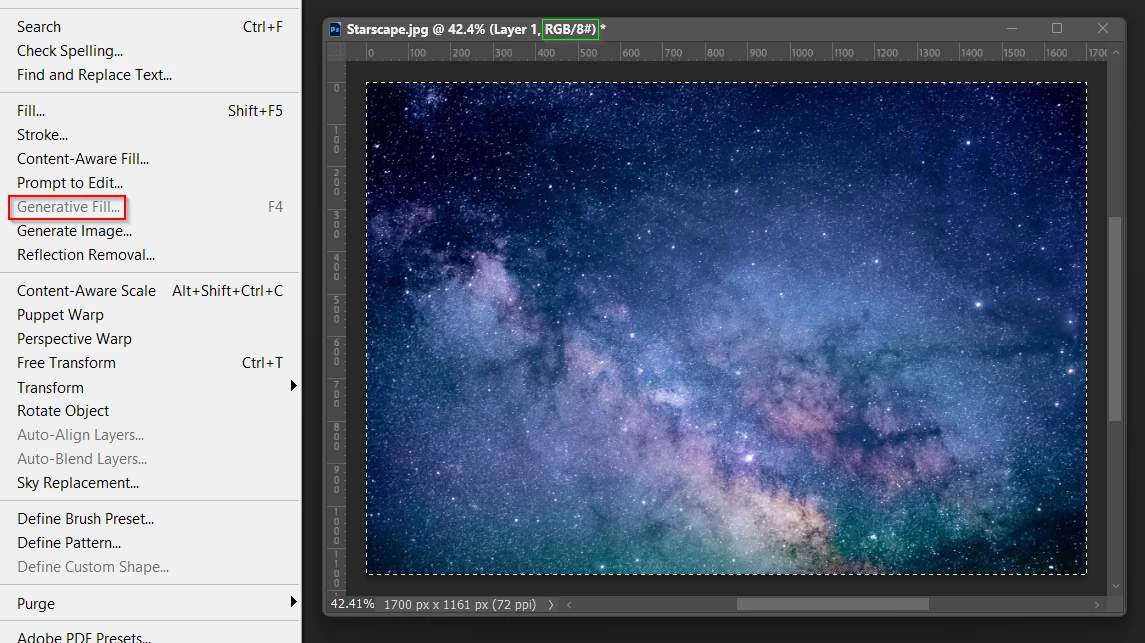
The F4 shortcut is custom btw.
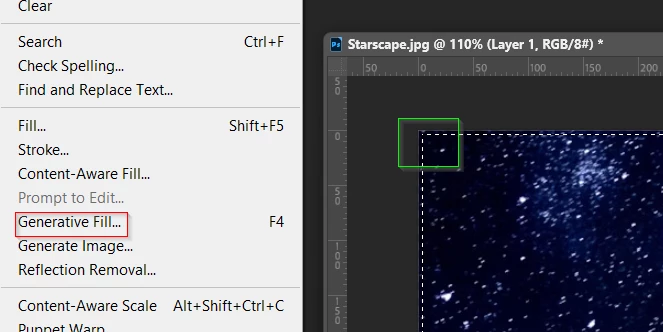
 

    1 reply

    Trevor.Dennis
    Community Expert
    Community Expert
    July 29, 2026

    This is an impression, and not 100% definite, but I had been finding that Generative Fill using the CTB, the panel would not accept input.  This was happening most of the time for me.  (I always use the Beta version).  The CTB seems to be working reliably for me now.  I can also reliably use the Shift Enter trick to expand the text input window with the CTB.

    In case you don’t know: This is the Contextual Task Bar. Click to make the field live, then hold down the Shift key, and tap the Enter key.  It expands one line for each tap of the Enter key.