
Jann Lipka
Inspiring
November 27, 2023
Answered

Endless whining about Pantone licensing

  • November 27, 2023
  • 6 replies
  • 527 views

OSX Ventura _ Latest beta 25.3 
all of a sudden - whatever I do 
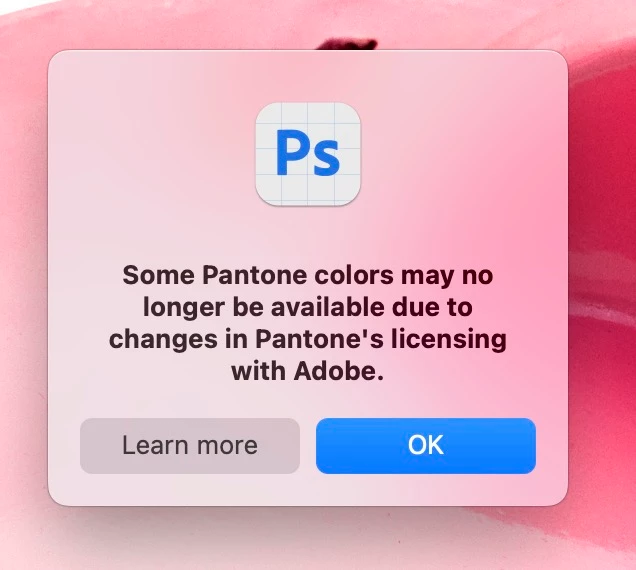
this  dialog is coming upp 
( it started to apear today ) 
I never use Pantone colors. 
How Do i stop this madness ? 


This topic has been closed for replies.
Correct answer Kevin Stohlmeyer

@Jann Lipka do you have pantone colors loaded in your PS swatches?

6 replies

Kevin Stohlmeyer
Community Expert
Community Expert
November 29, 2023

Do your files contain Pantone swatches or channels? Do you get the error when you create a new document?

Is this only an issue in the beta version? Normally this pop up only appears when PS detects Pantone spot colors in the swatches or channels (or you have a color fill layer using a spot color, etc.) There has to be a remnant of the Pantone system in either the files you are opening or still in PS somewhere.

Jann Lipka
Inspiring
November 29, 2023

Removing Pantone swatches didnt help 
I hate this dialogbox. 

I work all days in Photoshop - and see it HUNDREDS of times. 
( specially when deadline is tight ) 

Jann Lipka
Inspiring
November 28, 2023

I found 2 pantone swatches - removed now..

Kevin Stohlmeyer
Community Expert
Kevin StohlmeyerCommunity ExpertCorrect answer
Community Expert
November 28, 2023

@Jann Lipka do you have pantone colors loaded in your PS swatches?

Jann Lipka
Inspiring
November 27, 2023

Unfortunately I spoke too early - 
Pantone Whining is back again - 
Opening layered documents brings it back with full force 🙂 

Jann Lipka
Inspiring
November 27, 2023

It seems that the issue was resolved by "reset all warnings " in preferences. 
( yes i found it here )
