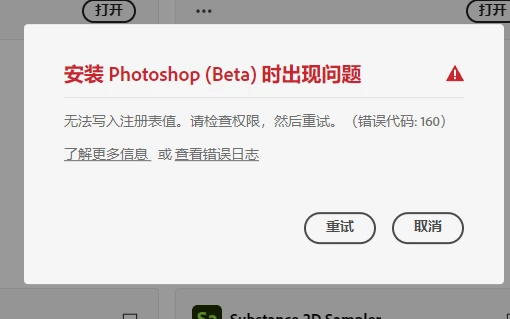
Hi @DragonMax001 it is possible your download file is corrupt or another issue:
"Error 106 during Photoshop installation typically indicates a problem with decompressing installer files, most often caused by insufficient disk space, RAM, or temporary file space. To fix it, ensure you have enough free disk space, then try clearing the temporary files, running the Creative Cloud Cleaner Tool, and checking for any conflicting background applications or permissions. "
Try to clean out your Ps Beta install and download the latest: Adobe Photoshop Version: 27.0.1 20251012.m.3255 d971f80 arm64 (beta, PublicBeta)



 AdChoices