


Participant
May 25, 2024
Question

Error Using Remove Tool / Error al utilizar Herramienta Quitar
  • May 25, 2024
  • 11 replies
  • 5367 views

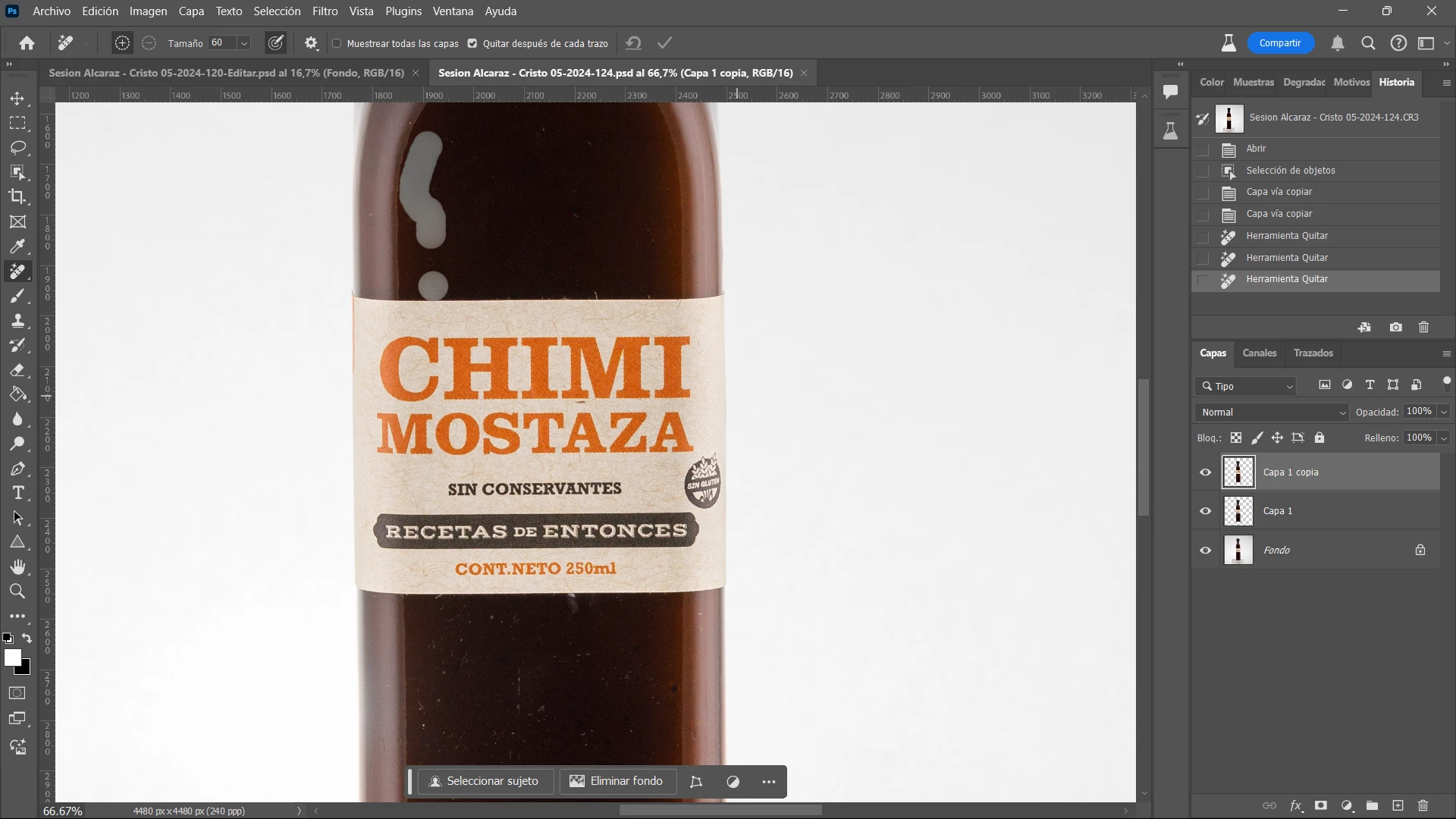
Sucede en varias oportunidades que al utilizar la Herramienta Quitar me pinta la sección a eliminar como se ve en la captura. 

También sucede a veces otro error al querer seleccionar el Sujeto solo y me aparece un patrón de selección extraño y debo cerrar programa y volverlo a abrir. 

11 replies

Participant
May 25, 2024

The remove tool does no longer work most of the time.

Results in strange colored patch as per sample picture attached.


Sample all layers on or off no effect

Remove after each stroke on or off no effect

Size no effect


When switching to ACR (same picture) it does work.


On Win 11 - i7 12 - RTX3060

Trevor.Dennis
Community Expert
Community Expert
May 27, 2024

Almost certainly a gpu related glitch


What are you using and what driver?

Go to Preferences > Performance tab and see what GPU it is using and what settings?


Something that oftenn fixes that sort of problem is Deactivate Native Canvas and restart Photoshop.

Good luck, and let us know how you get on?