Participant
May 23, 2023
Question

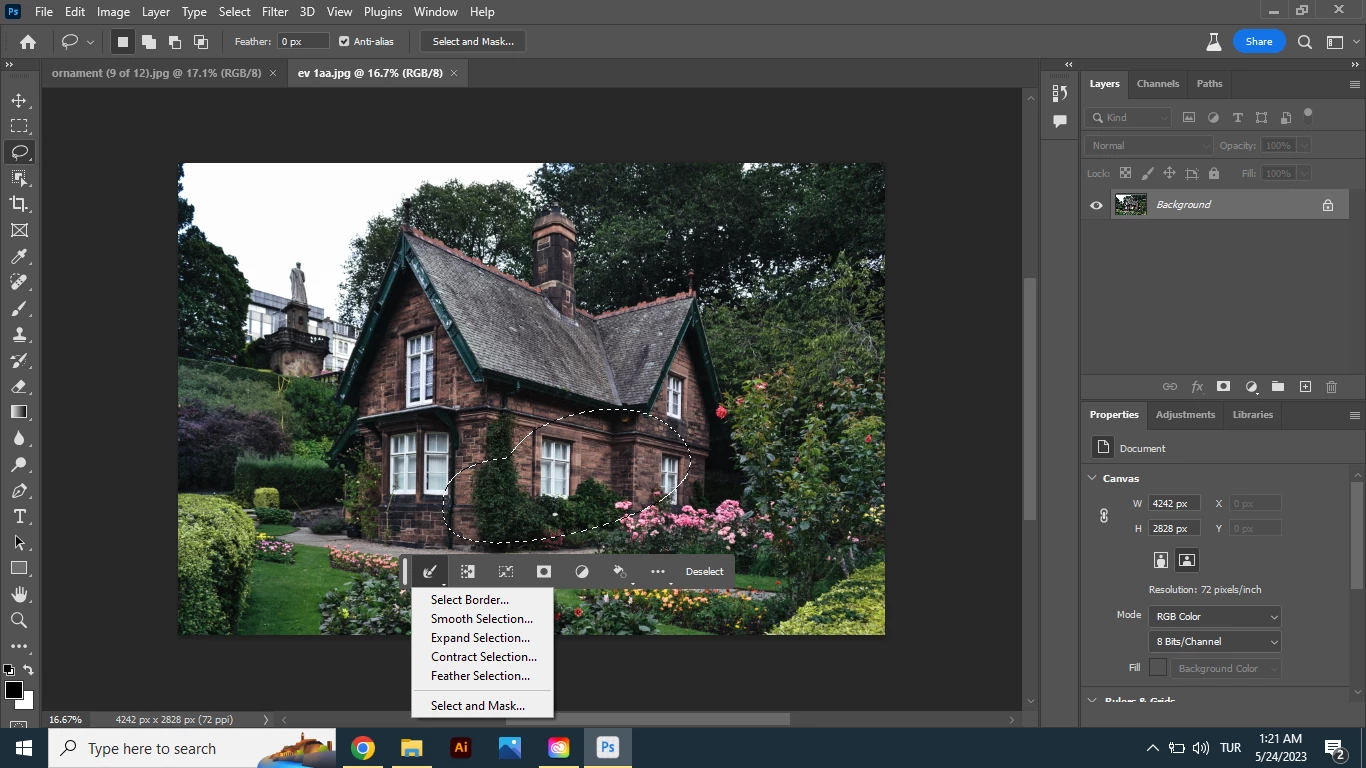
genarative fill not seen

  • May 23, 2023
  • 2 replies
  • 392 views

ı download photoshop beto version for use generative fill. when ı select object genarative bar not seen. Any button on there for promt and generative fill. windows 10 is my labtop. Can you help me ?

This topic has been closed for replies.

2 replies

Kevin Stohlmeyer
Community Expert
Community Expert
May 24, 2023

Why is the Generative Fill button not available?
If you find that Generative Fill is greyed out for you, it is possible that you may not have a valid Date of Birth associated with your Adobe ID account. To update your Date of Birth, you can do any of the following:
• Log into Behance with your Adobe ID and enter your Date of Birth.
• Log into your Adobe account and enter your Date of Birth. To learn more, see Error: "Not eligible to use Creative Cloud services".
Once your Date of Birth is up to date, relaunch the Photoshop (beta) app to enable Generative Fill.
https://helpx.adobe.com/photoshop/using/generative-fill.html

Ranjisha Sengupta
Legend
May 24, 2023

Hi @rıdvanoktay 


Thanks for reaching out.

Please “Check for Updates” in the Updates tab of CC Desktop. You’ll want version m.2181 in the Photoshop (beta) Help > System Info.

If you’re still having issues, please visit this post in our support community: https://community.adobe.com/t5/photoshop-beta-discussions/p-no-ai-feature-with-new-update/m-p/13810172#M1735.


Let us know if it helps.


Best,

Ranjisha