
Participant
September 17, 2024
Question

Generative AI Showing pixels around my photo?

  • September 17, 2024
  • 1 reply
  • 202 views

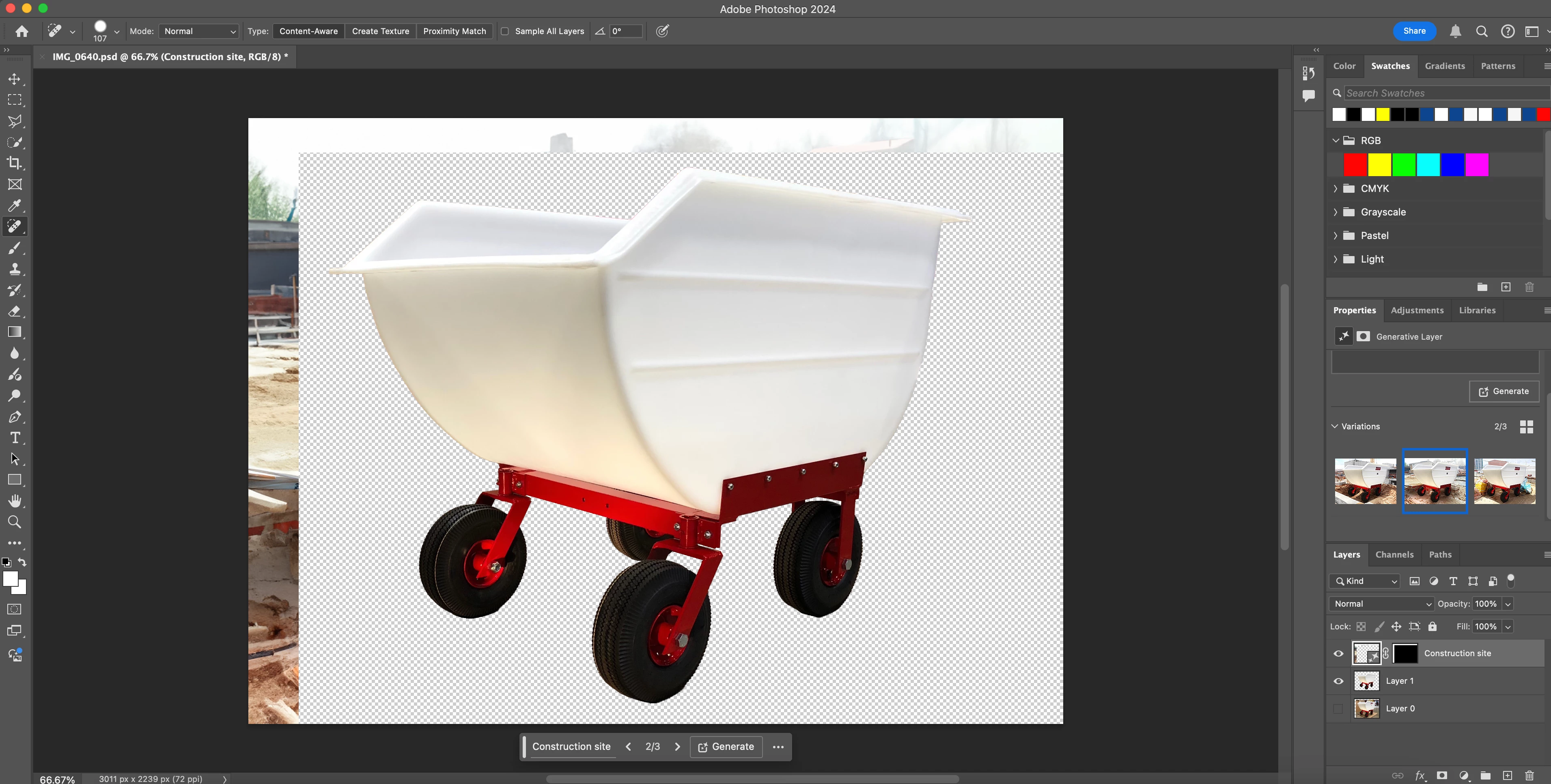
I'm trying to use generative Expand to create a background for my photo.  I keep getting this box around it with pixels and then the generated image further out.  In the preview variations it doesn't show the pixels.  What am I doing wrong?
 

This topic has been closed for replies.

1 reply

Adobe Employee
September 25, 2024

Hi. Generative Expand is intended to fill in the margin that is being added with the crop / expand. It is not intended to fill in the prior transparent region just around the cart.


Photoshop Beta offers a background generation feature that may work better here. Suggested steps:

  1. Start with just the image seen in Layer 0 (cart with original background)
  2. Select a tool other than the Crop tool (say the Move tool)
  3. Look for "Remove background" in the Contextual Task Bar (the floating window seen at the bottom of your screen shot)
  4. Do Remove background.
  5. After Remove background, look for "Generate background" in the Contextual Task Bar. Proceed with Generate background.


If you are wanting a larger canvas and background, you could use the Crop tool in the normal expand mode between steps 1 and 2 (set the Crop tool Fill option to "Transparent (default)" ).

joewisAuthor
Participant
September 30, 2024

Thanks, worked great and exactly what I needed!