
Generative Expand from LrC doesn't expand.....
Using the Gen Expand in ACR From LrC does the expand, but loses it when exiting ACR.
MacOS Sequoia, LrC, MacBookPro 14 M2/32gb/512
Steps to re-produce
1. Started with a 1024x1024 image in LrC and I sent this over to Photoshop Beta 26.1 as a Smart Object - so I could invoke ACR 17.1
2. PS Opens and I can invoke ACR 17.1 by dbl-clicking on the smart object badge in the layer panel - so far ok
3. I do a Gen Ex within ACR to change the image to 16:9 from it's original 1:1 ratio and choose the best alternative. Again, ok. It has now filled in the background and expanded it to 16:9.
4. I close ACR with [OK] and the image available in PS looks like the screen shot, below. The Gen Ex imagery is missing in the image (you can see the crop outline is 16:9 with the black behind it) - but if you see the layers panel, you can see it in the thumbnail. I can't find anyway to get the pixels in PS....so I close the image and lose the gen.
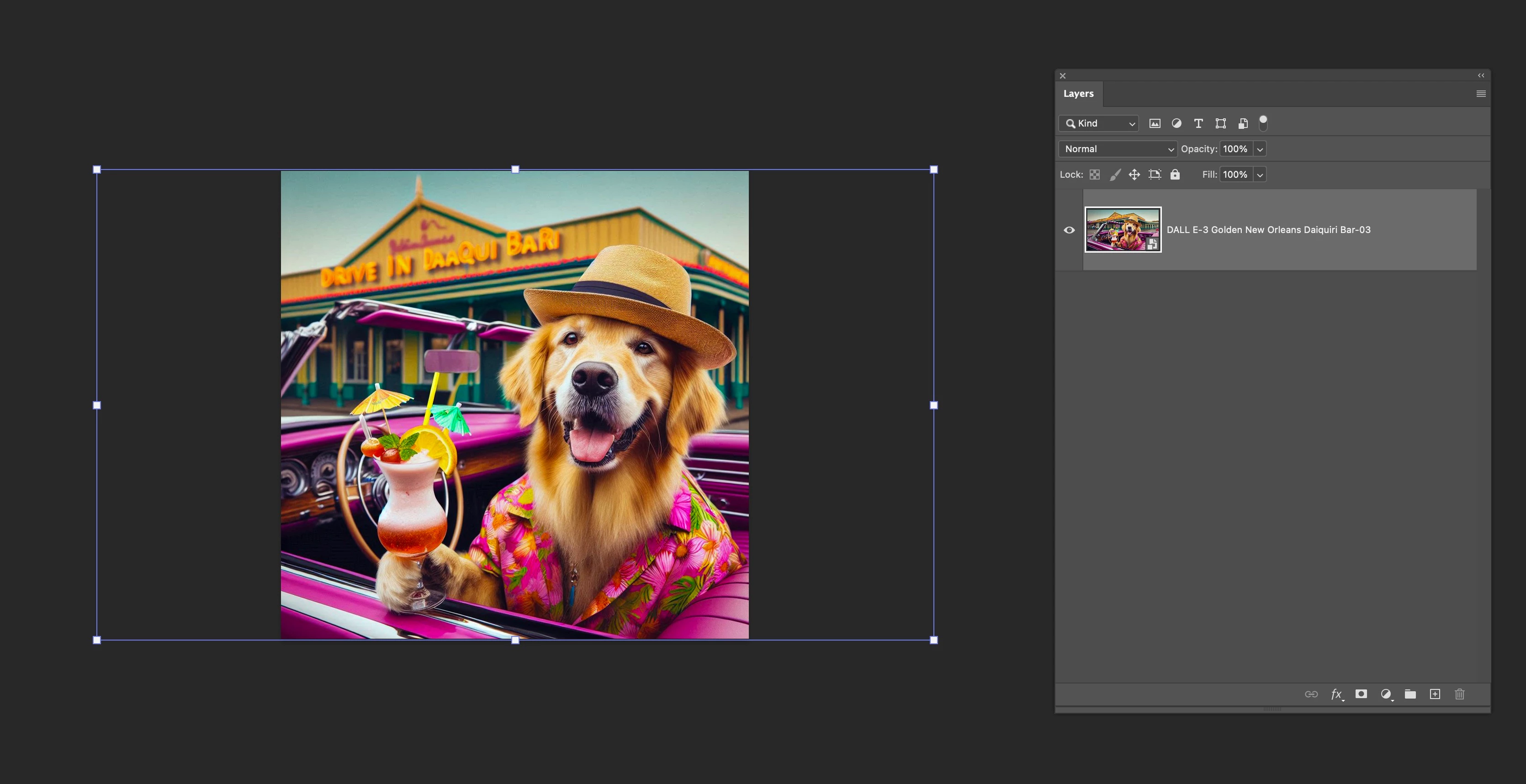
I had some other difficulties - if I just sent the 1024 over to PS from LrC without sending it as a smart object, and then invoked the ACR plugin from within PS, it seemed to open ACR 17.0 - so no Gen Expand capabilities showed up in the crop panel. I had invoked the Technical Preview in settings and re-started PS - but it seems you get a different ACR depending if you send it over as a SO vs just a straightforward file.
jc


 AdChoices