
NextStepTV
Inspiring
October 14, 2023
Answered

Generative Fill Unable to Use a Selection
  • October 14, 2023
  • 2 replies
  • 383 views

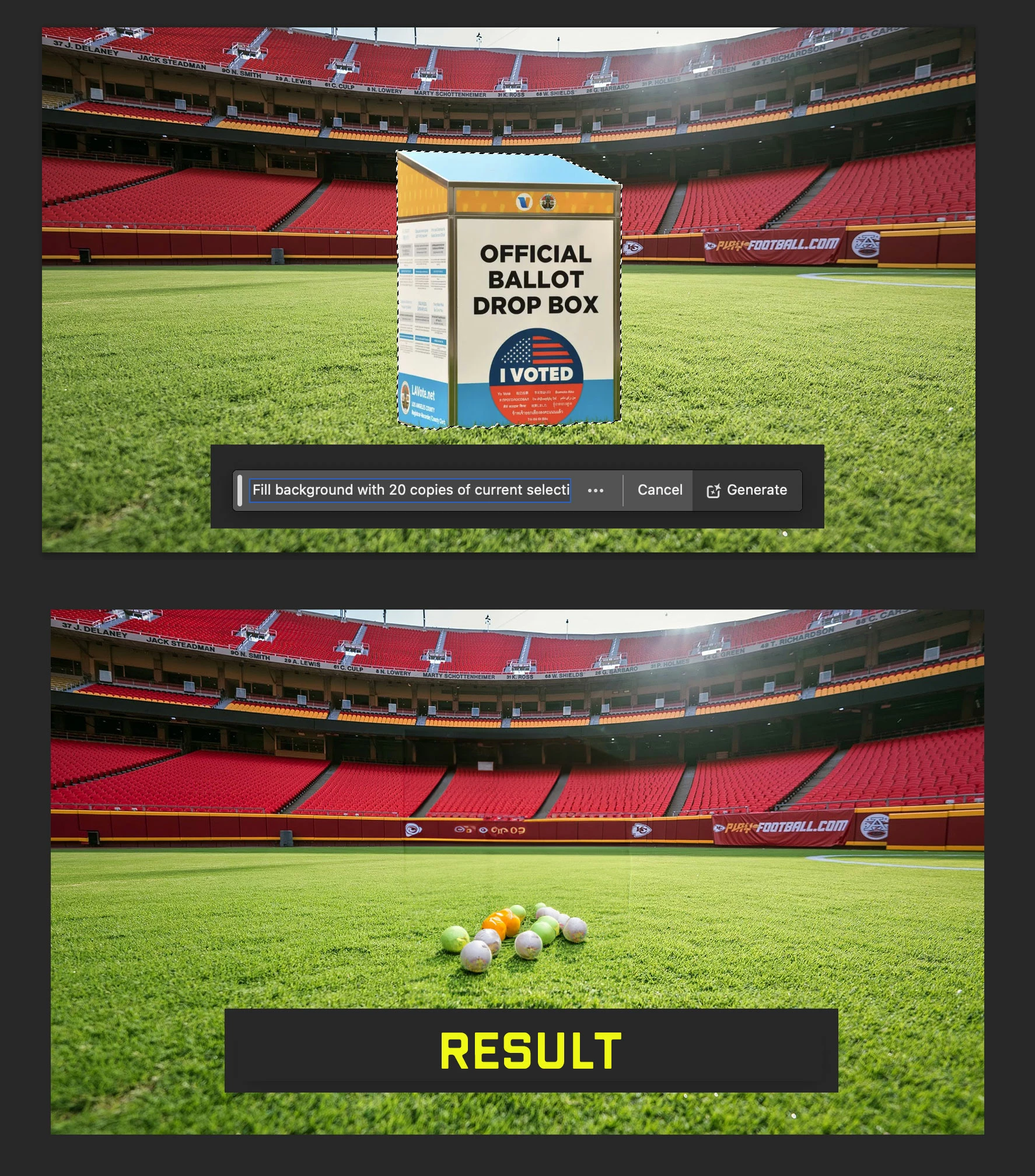
Any instruction to copy/duplicate current selection ignores current selection, even when the selection is in its own layer.

This topic has been closed for replies.
Correct answer NextStepTV

I am not asking Generative Fill for an "array", "grid", "table" or anything else that would require rows or columns. GF does recognize:

  • selected pixels (and null-pixels) in a layer
  • modifiers such as "background" and "fill"
  • numbers such as "20"

Sure, I have written a PS Action to approximate this request. However, I would hope that GF can save you and me the labor, in addition to assisting those who are not comfortable with Actions or Scripts. It already can randomize sizes and locations of generated objects when it populates an adjacent empty area. 

In a way, GF does "work" in my example — it populated the pitch, albeit with a field of tennis balls from Mars. (Where did those come from?!)

2 replies

NextStepTV
NextStepTVAuthorCorrect answer
Inspiring
October 15, 2023

I am not asking Generative Fill for an "array", "grid", "table" or anything else that would require rows or columns. GF does recognize:

  • selected pixels (and null-pixels) in a layer
  • modifiers such as "background" and "fill"
  • numbers such as "20"

Sure, I have written a PS Action to approximate this request. However, I would hope that GF can save you and me the labor, in addition to assisting those who are not comfortable with Actions or Scripts. It already can randomize sizes and locations of generated objects when it populates an adjacent empty area. 

In a way, GF does "work" in my example — it populated the pitch, albeit with a field of tennis balls from Mars. (Where did those come from?!)

Trevor.Dennis
Community Expert
Community Expert
October 15, 2023

That's not how Generative Fill works, plus your request is ambiguous.

Do you want to create an array out of the selected pixels? 

If so, how many rows and columns?  Although the aspect ratio of the selection and document will likely answer that.


There are some skilled script writers on the Photoshop forums who I suspect could automate the process.  Would that be of interest to you?