

解決済み
How to get rid of this banner? I've been into that page, don't want to buy anything att the moment!
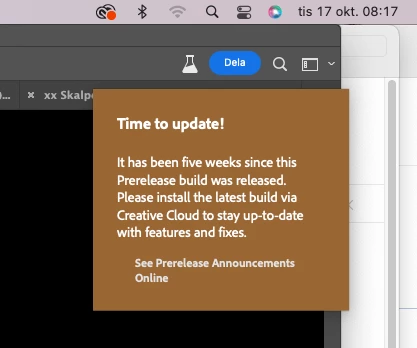

Hi @Anders2845414398ix you have to update to the latest Ps beta to remove this message, the latest is Adobe Photoshop Version: 25.2.0 20231014.m.2363 a76db7f x64. You will not see this message if you use Ps release, so that is another option.
Enter your E-mail address. We'll send you an e-mail with instructions to reset your password.


 AdChoices