
Participating Frequently
June 26, 2023
Answered

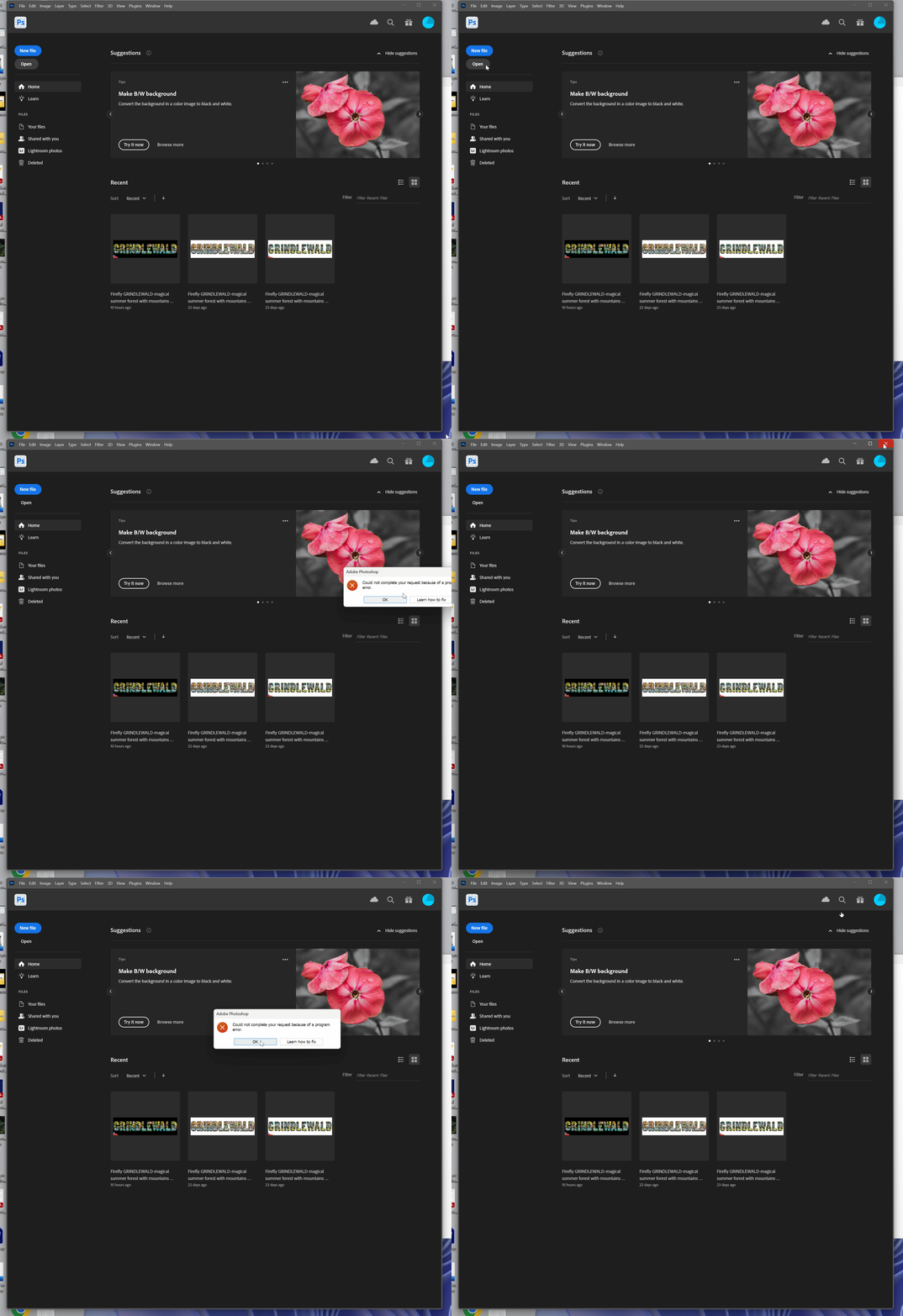
I cannot open any files nor even close out of photoshop

  • June 26, 2023
  • 2 replies
  • 303 views

Its been a few weeks since I last used photoshop. 

The following applies to at least beta 24.7, haven't tried others

System: Windows 11 Home 22H2 OSBuild 22631.1906

System: Device name snackybear
Processor 13th Gen Intel(R) Core(TM) i9-13900K 3.00 GHz

Graphics: NVIDIA RTX 4090
Installed RAM 64.0 GB (63.7 GB usable)
System type 64-bit operating system, x64-based processor
Pen and touch Pen and touch support with 2 touch points


Issue:

All other adobe apps have been working fine but when I open photoshop beta I cannot import files/open files, start projects or even close out of program without control alt delete and a force close.


This topic has been closed for replies.
Correct answer CShubert

Hi @pedrosuave 


Try resetting Prefs for the Beta:

/Users/yourname/Library/Preferences/ Photoshop Beta Settings (Mac Ventura)

/Users/yourname/Library/Preferences/Adobe\ Photoshop\ \(Beta\)\ Settings (Mac)
C:\Users\user name\AppData\Roaming\Adobe\Adobe Photoshop (Beta)\Adobe Photoshop (Beta) Settings )Win)

Launch BETA Photoshop While Pressing The Keyboard Shortcut

With Photoshop closed, press and hold Shift+Ctrl+Alt (Win) / Shift+Command+Option (Mac) on your keyboard and then Launch Photoshop the way you normally would.

https://helpx.adobe.com/photoshop/using/preferences.html#Manually 


It may help if we could see your Photoshop System Info. Launch Photoshop, and select Help >System Info...and copy/paste the text in a reply.  


2 replies

Participating Frequently
June 26, 2023

That fixed it and thank you for teaching me the shortcut. I will surely use that before posting any more bugs next time. 

CShubert
Community Manager
CShubertCommunity ManagerCorrect answer
Community Manager
June 26, 2023

Hi @pedrosuave 


Try resetting Prefs for the Beta:

/Users/yourname/Library/Preferences/ Photoshop Beta Settings (Mac Ventura)

/Users/yourname/Library/Preferences/Adobe\ Photoshop\ \(Beta\)\ Settings (Mac)
C:\Users\user name\AppData\Roaming\Adobe\Adobe Photoshop (Beta)\Adobe Photoshop (Beta) Settings )Win)

Launch BETA Photoshop While Pressing The Keyboard Shortcut

With Photoshop closed, press and hold Shift+Ctrl+Alt (Win) / Shift+Command+Option (Mac) on your keyboard and then Launch Photoshop the way you normally would.

https://helpx.adobe.com/photoshop/using/preferences.html#Manually 


It may help if we could see your Photoshop System Info. Launch Photoshop, and select Help >System Info...and copy/paste the text in a reply.