Known Participant
August 23, 2025
Answered

IMAGE-ADJUSTMENTS-BRIGHTNESS/CONTRAST flickers instead of increasing/decreasing

  • August 23, 2025
  • 4 replies
  • 159 views

PS Beta 26.11 IMAGE-ADJUSTMENTS-BRIGHTNESS/CONTRAST not working correctly.
When you click on the Brightness or Contrast slider, as you move it, it flickers instead of increasing or decreasing, and the preview is incorrect until you lift your mouse off the slider. 

Correct answer CShubert

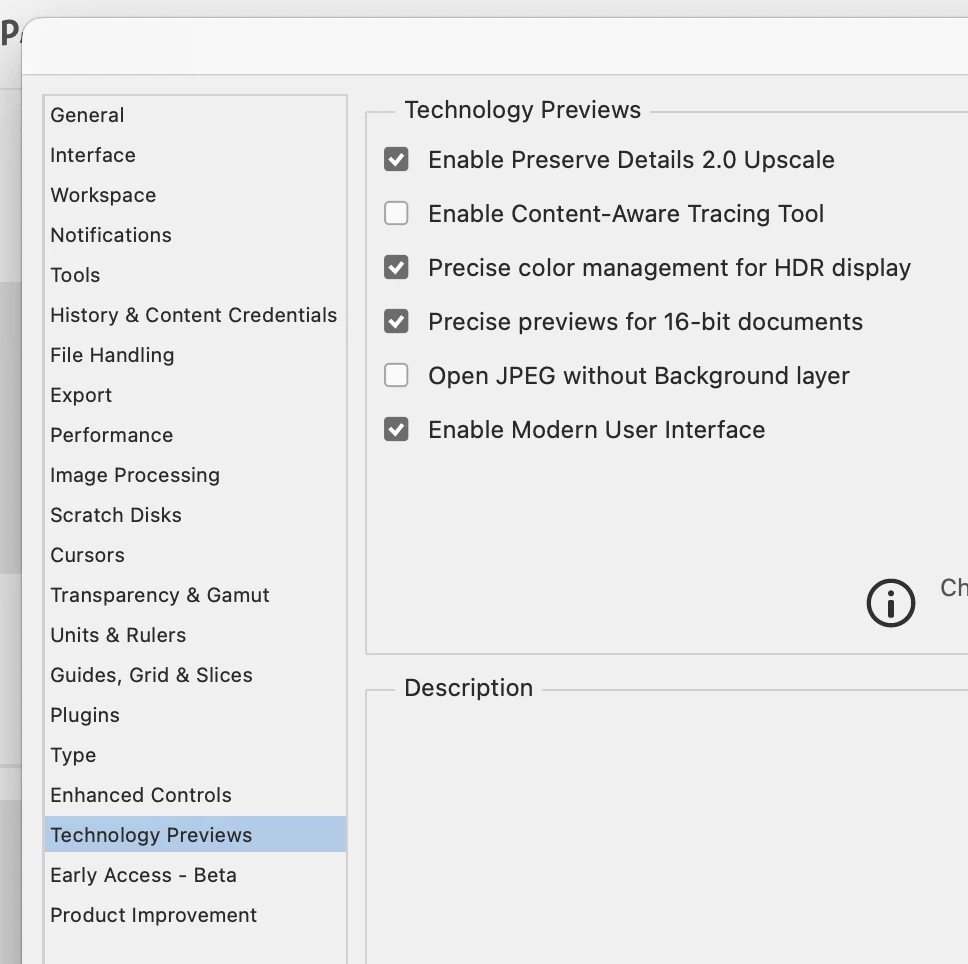
Hi all, please try turning OFF Enable Modern User Interface and see if this solves this issue.


Thanks,

Cory - Photoshop Product Manager

4 replies

Participant
August 30, 2025

Same issues as above, disabled Modern User Interface as Cshubert said and it now works as normal on my end. 

CShubert
Community Manager
CShubertCommunity ManagerCorrect answer
Community Manager
August 25, 2025

Hi all, please try turning OFF Enable Modern User Interface and see if this solves this issue.


Thanks,

Cory - Photoshop Product Manager

lynns41987223
Participant
November 5, 2025

Fix worked perfecetly! THANK YOU

propidle
Participant
August 24, 2025

Exposure sliders (Image>Adjustments>Exposure) does the same and has also lost it's increments. I've rolled back to 26.10...

propidle
Participant
August 23, 2025

I've just downloaded 26.11 and tried to use the Exposure menu in Image>Adjustments>Exposure and the sliders don't seem to be functioning properly or allowing any incremental adjustments aside from +/- 1 - whereas I've now rolled back to 26.10 and the sliders are working again and have the normal small 0.1 / 0.01 increments... 


Is this my user error or a bug?


Picture of the menu working normally in 26.10