




Introducing the Integration of Free Adobe Stock Photos to Photoshop Desktop
We have introduced the Integration of Free Adobe Stock Photos to the Photoshop Beta
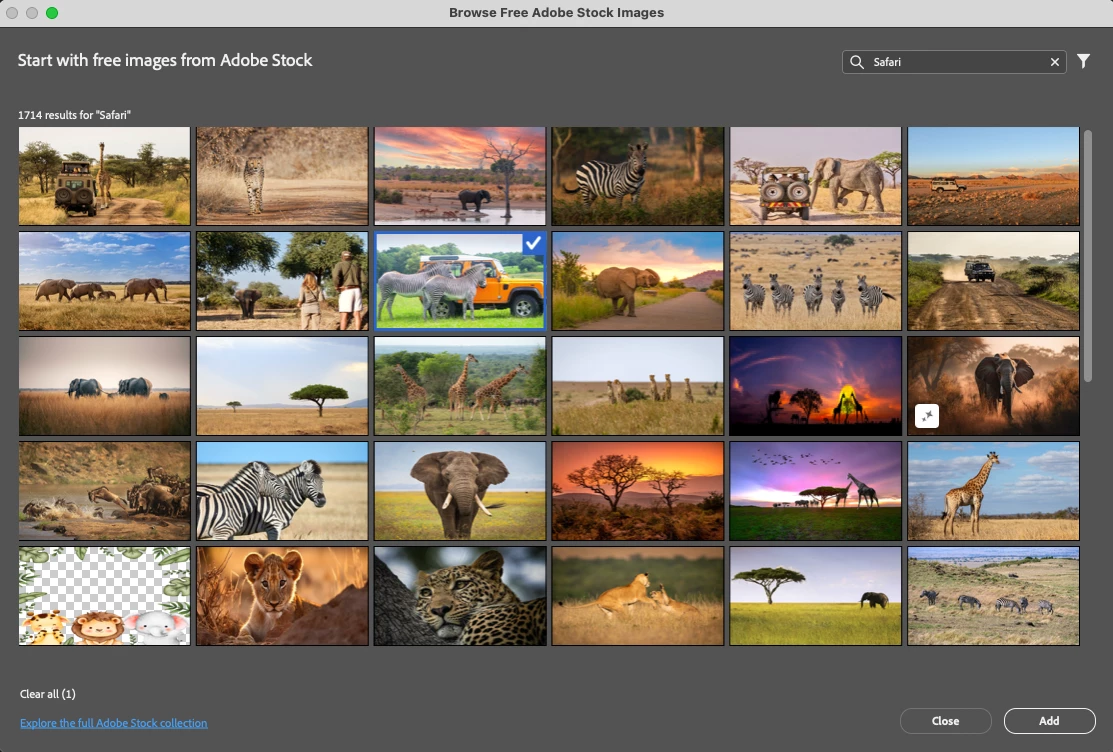
We have introduced the Integration of Free Adobe Stock Photos. You can browse and add curated free Adobe Stock content directly within Photoshop Desktop, outside of the Libraries Panel. This feature addresses the "blank canvas" challenge, helps professionals and creatives save time by eliminating the need to visit the Adobe Stock website, and keeps users focused within their creative workflow.
How to test the feature:
1. An internet connection is required.
2. Access Free Adobe Stock images via the following locations in Photoshop
• File Menu > Place Free Images from Adobe Stock
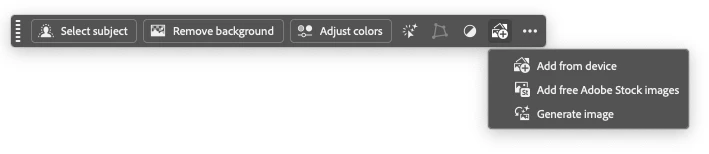
• Create a new file > Contextual Task Bar > Add Free Stock Images
• Select a pixel layer > Contextual Task Bar > Add Images > Add Free Adobe Stock Images
• Toolbar > Add Images > Add Free Adobe Stock Images
3. Add Free Adobe Stock Images dialog appears > Select an image > select the Add button
4. The Stock image should be added as a new layer in the Layers Panel
5. Alternatively, you can enter a search term in the search field to search within the Adobe Stock free collection.

 AdChoices