
Participant
April 17, 2024
Answered

Keyboard shortcuts

  • April 17, 2024
  • 4 replies
  • 590 views

I've established very productive shortcut keys but over recent versions, including all Betas, I've noticed where my shortcut keystroke doesn't "stick" and I have to do it twice or really hammer it to make it jump to the next tool. Sort of defeats the purpose. This is driving me crazy. I have a high caliber Dell PC so have ruled out the issue deriving from the OS generally. Any suggestions? Thank you
This topic has been closed for replies.
Correct answer CShubert

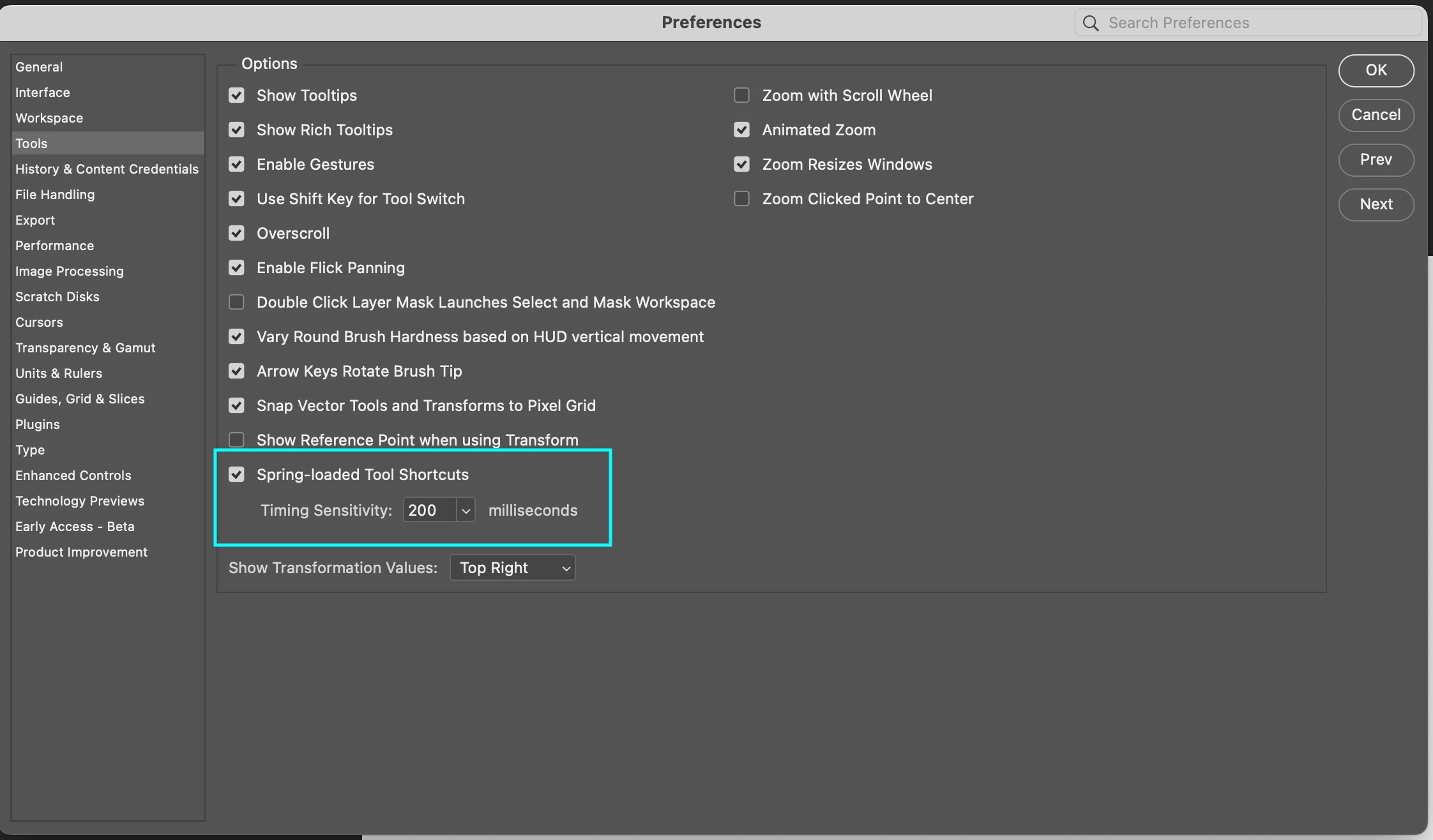
Hi @halatious, as @Trevor.Dennis mentioned, do you see the same keyboard issue with Ps release version as you do with Ps beta?  What are your settings here:


Curious if you have tried changing the springboard keyboard shortcuts time? By default it is set to 200ms which is what it has been for years so if that doesn't work for your workflow, increase the timing or uncheck that option so that spring-loaded keyboard shortcuts are disabled if that fits your workflow.


Thanks,

Cory - Photoshop Product Manager

4 replies

halatiousAuthor
Participant
April 26, 2024

Thank you @CShubert. A springload adjustment may have done the trick in Beta. I'm still testing. Thank you!

CShubert
Community Manager
CShubertCommunity ManagerCorrect answer
Community Manager
April 17, 2024

Hi @halatious, as @Trevor.Dennis mentioned, do you see the same keyboard issue with Ps release version as you do with Ps beta?  What are your settings here:


Curious if you have tried changing the springboard keyboard shortcuts time? By default it is set to 200ms which is what it has been for years so if that doesn't work for your workflow, increase the timing or uncheck that option so that spring-loaded keyboard shortcuts are disabled if that fits your workflow.


Thanks,

Cory - Photoshop Product Manager

Trevor.Dennis
Community Expert
Community Expert
April 17, 2024

I've just across this thread again, so there might be an issue.  Can you confirm that this is happening with the beta version? 


P: Keyboard shortcuts stop working - Adobe Community - 14023659

Trevor.Dennis
Community Expert
Community Expert
April 17, 2024

I'm not sure how this could be caused by the Photoshop code.  It either sees the key(s) pressed or it doesn't.  What keyboard are you using?  So many keyboards are known to have issues like typing double characters. 


Do your shortcuts use modifiers? I'm trying to think how you'd test in another app, but that's not going to work with modifiers.   Do you have, or can you borrow, another keyboard to test?