Answered

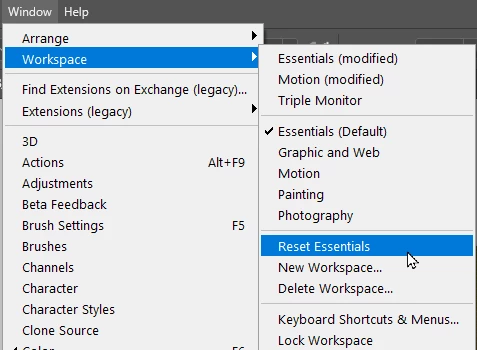
What workspace are you using? Try resetting it?
The default shortcut for the Layers panel is F7. Does that work to restore the panel?
Could another app be applying that shortcut closing it as soon as Photoshop opens?
Have you tried making a custom workspace?
Already have an account? Login
Enter your E-mail address. We'll send you an e-mail with instructions to reset your password.


 AdChoices