
Participating Frequently
August 15, 2023
Question

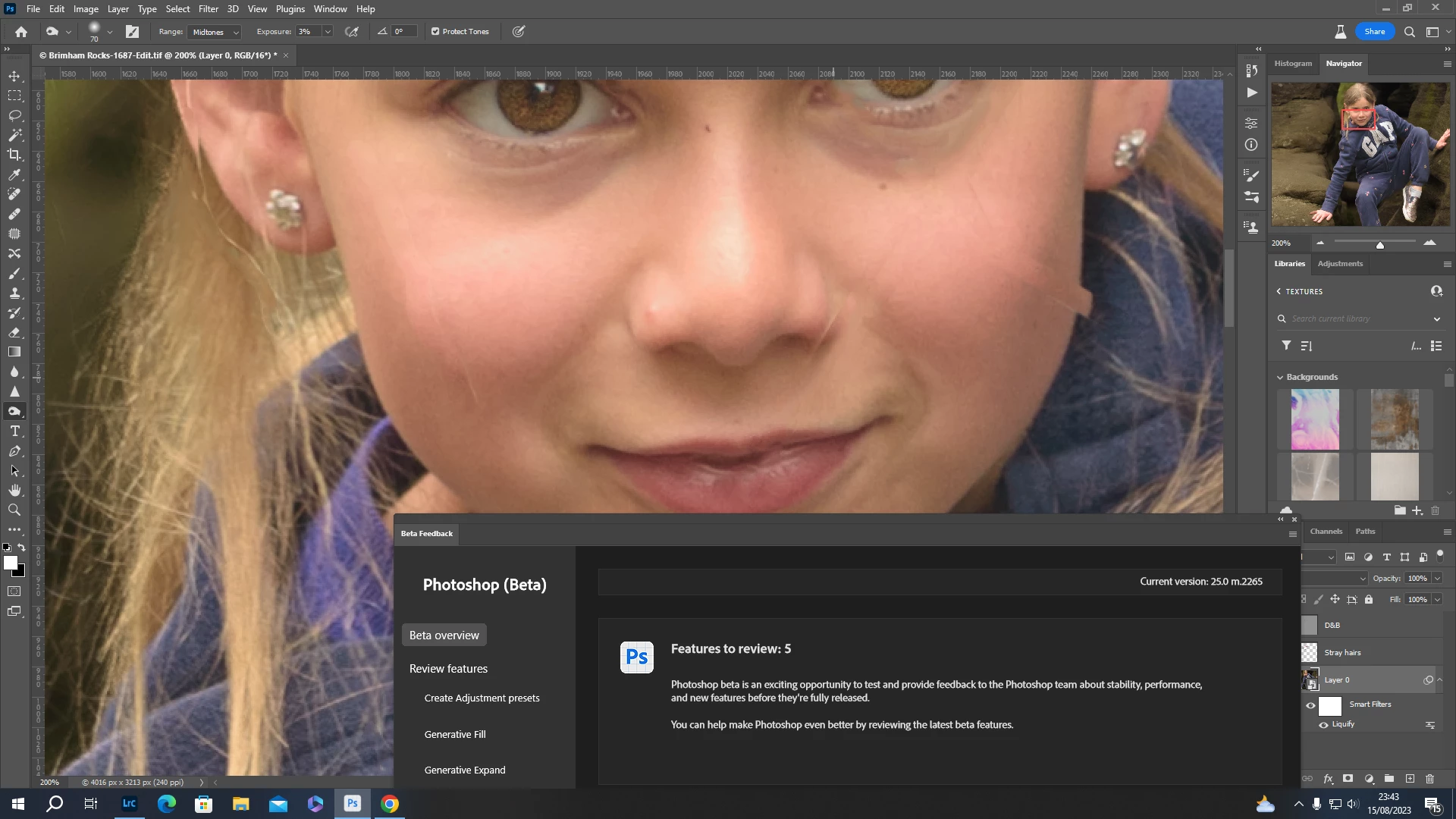
Liquify face tool creates artifacts
  • August 15, 2023
  • 1 reply
  • 182 views

When using the face tool in Liquify, it created some strange looking artifacts that appear on the face, similar to rectangular sticking plasters.You can clearly see this on the edge of the subject's left cheek in this screenshot. There is also a less prominent one on her right cheek.

This topic has been closed for replies.

1 reply

CShubert
Community Manager
Community Manager
August 16, 2023

Hi @dicklloyd 


Try resetting Prefs for the Beta:

/Users/yourname/Library/Preferences/ Photoshop Beta Settings (Mac Ventura)

/Users/yourname/Library/Preferences/Adobe\ Photoshop\ \(Beta\)\ Settings (Mac)
C:\Users\user name\AppData\Roaming\Adobe\Adobe Photoshop (Beta)\Adobe Photoshop (Beta) Settings )Win)

Launch BETA Photoshop While Pressing The Keyboard Shortcut

With Photoshop closed, press and hold Shift+Ctrl+Alt (Win) / Shift+Command+Option (Mac) on your keyboard and then Launch Photoshop the way you normally would.

https://helpx.adobe.com/photoshop/using/preferences.html#Manually 


It may help if we could see your Photoshop System Info. Launch Photoshop, and select Help >System Info...and copy/paste the text in a reply.