
Move tool errors in Photoshop Beta 26.9
Hello,
I'm experiencing some odd errors when using the move tool in Photoshop Beta. Below is the pertinent information regarding version, etc.
Photoshop version: Adobe Photoshop Version: 26.9.0 20250709.m.3143 187b1ee x64
OS and version: Windows 11 Pro 24H2
Issue: When using the move tool on any layer, I receive this pop-up:
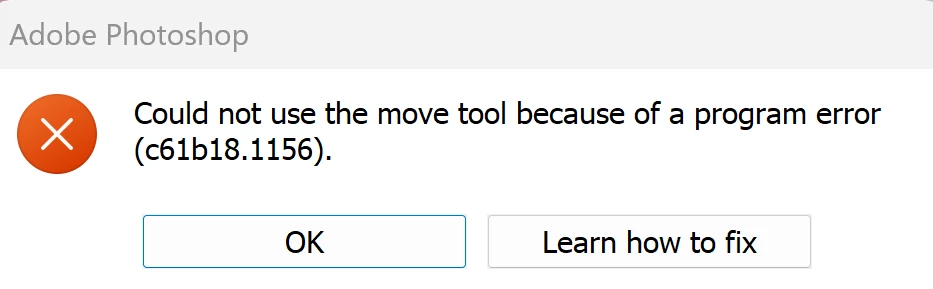
This first started after updating to Photoshop Beta 26.9. The use of the move tool causes the error in the following attempts:
1. Text on a Transparent layer.
2. Text on Fill layer.
3. Auto-select layers and groups enabled and disabled in the move tool options.
4. Rectangle shape, ellipse, and custom shapes on any layer, and also paths.
5. Using Smart Objects and rasterized layers.
6. After resetting Move Tool preferences.
7. After resetting preferences (both inside Photoshop Beta and also holding down Ctrl+Alt+Shift while relaunching) and after rebooting the PC.
10. Rolling back to the previous version of Photoshop Beta to 26.8.1 (although before the update, I didn't get the error pop-up at all).
Doing the above a few times or switching to another tool and back can sometimes allow me to use the tool, but then it happens again after I try to move anything else. Also, if I ignore the pop-up several times by clicking OK, I can move things. But after moving something else, I see the error message again.
Sometimes, on the odd chance I don't get the error, I try to transform anything and grab the corner box or any side, it's like I can't catch it, and then nothing happens. I repeat Control T over and over, and then eventually it works, and no error pops up.
This is hindering my ability to use Photoshop at all. It's taken me a lot of extra time trying to finish any project I'm working on. I hope there's a fix or update soon to help with this problem.


 AdChoices