



NEW! Remove Tool: Brush + Lasso interaction & more!
Remove Tool: Brush + Lasso
Introducing a new interaction for the Remove Tool; brush a closed loop around the element you want to make disappear. The benefit of this simplified interaction is it takes less time and is less error-prone than brushing large objects.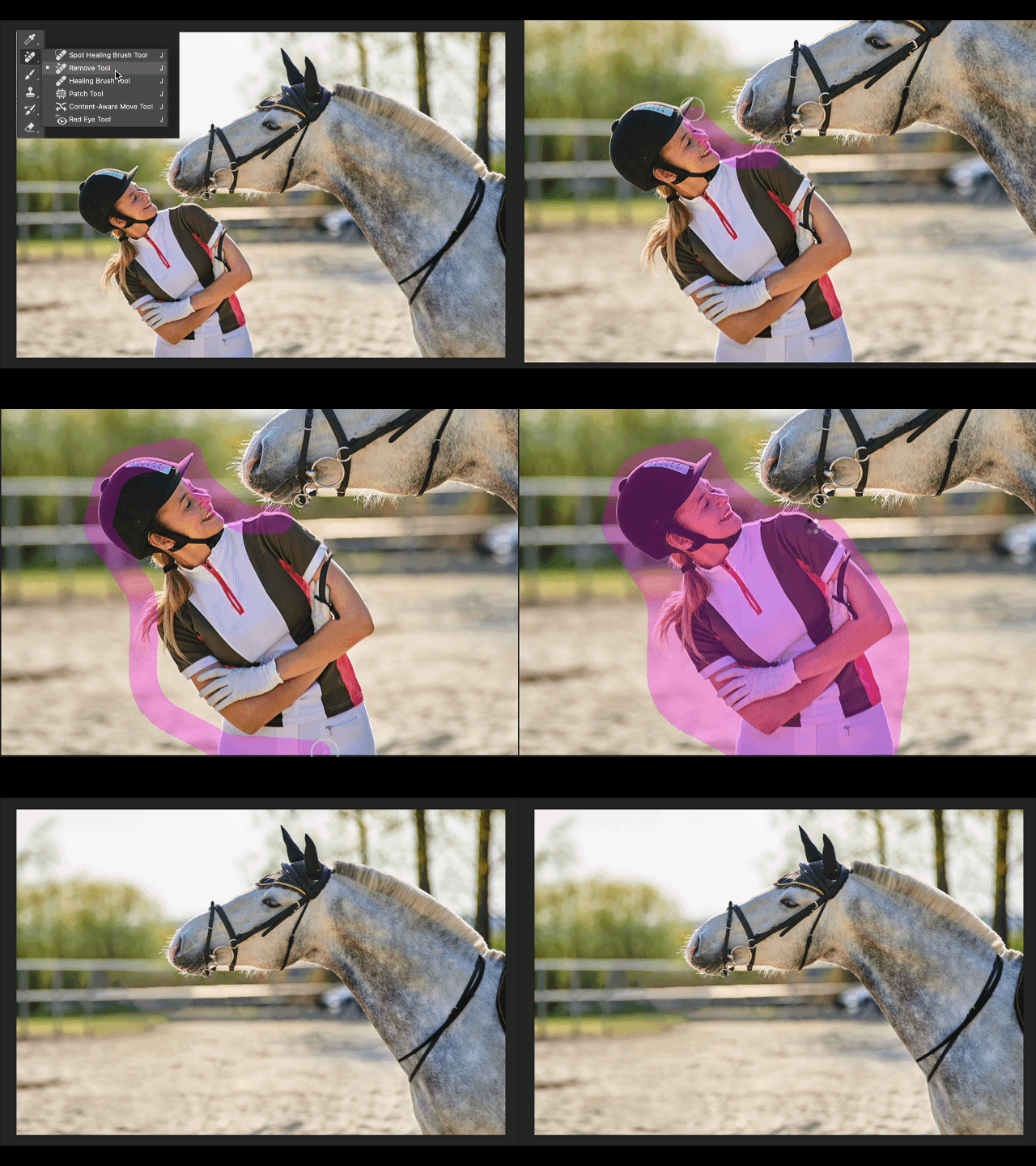
Simply encircle the object they want to remove instead of brushing over the object.
There are no special settings or UI regarding this interaction.
Start: Select the Remove Tool in the toolbar.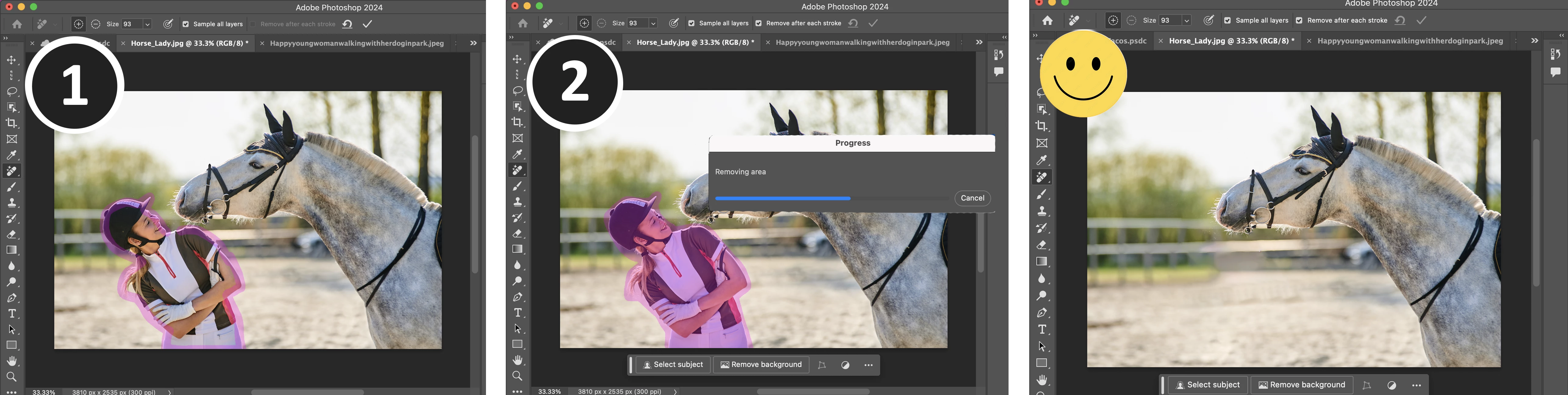
- Brush the perimeter of the object/area you want to remove.
- You do not need to fully connect the endpoints.
- Any content under the brush and within the loop will be removed.
- Mouse/Pen-up.
or click the Apply (checkmark) button in the options bar if multi-stroke is enabled.
- Notice the overlay area fills in automatically.
- This interaction can be used with multi-stroke (Remove after each stroke checkbox) ON or OFF.
Remove Tool: Subtract brushing (Multi-stroke Mode)
Based on your feedback, we've added the ability to subtract/add to the overlay! There is now explicit addition (+) and subtraction (–) modes for the Remove Tool brush.

To utilize addition (+) and subtraction (–) modes:
1. uncheck the [ ] Remove after each stroke option in the Tool Options Bar so that you are in multiple stroke mode.
2. Make a brush stroke to identify an area for removal.
3. Click on the subtraction mode (–) button in the tool options bar to change the tool mode. The standard alt/opt keyboard shortcuts are also available.
Provide Feedback and help shape the Remove Tool
Releasing this amazing new technology as a public beta allows Adobe to hear from you!
Please provide feedback on the overall experience of the Remove Tool, report any bugs, or suggest new features in this thread! You can also provide feedback in the Beta Feedback panel.
- Discoverability... Is this interaction comfortable and familiar? Are there other tools in your digital life that have a similar interaction?
- Endpoint connection gap tolerance… How does it feel?
- Find this easier in some situations than brushing alone? What circumstances is this a better interaction?
Thank you!


 AdChoices