Adobe Employee
September 4, 2023
Question

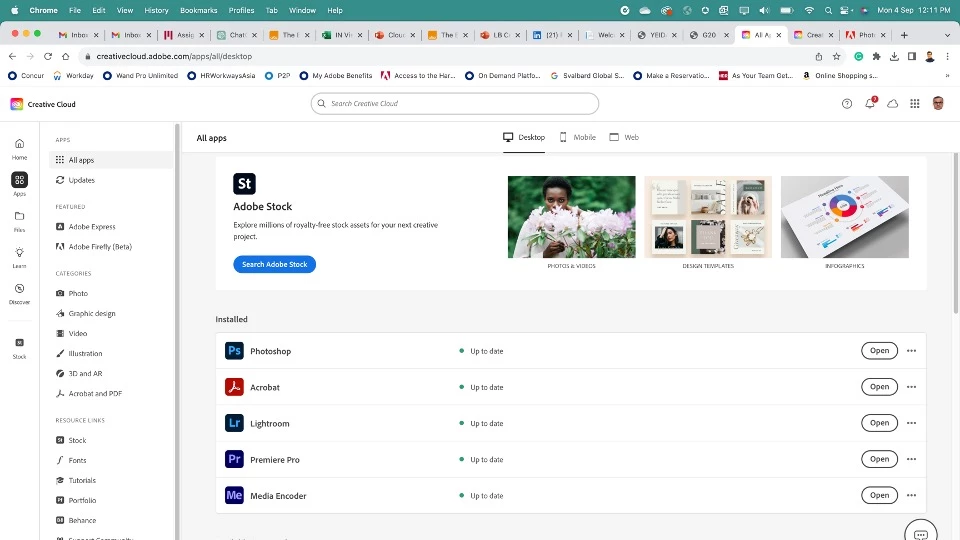
not getting the option in CreaticeCloud Desktop App to install Beta applications

  • September 4, 2023
  • 1 reply
  • 816 views

This topic has been closed for replies.

1 reply

marliton
Community Expert
Community Expert
September 4, 2023

Hi. You need to install the Creative Cloud Desktop app first. After that, you will find the Beta options when you open that app.


Marlon Ceballos
Adobe Employee
September 4, 2023

Desktop App is already installed. Cant see the Beta App options.

marliton
Community Expert
Community Expert
September 4, 2023

Okay, but the screenshot you attached is from the website not of the CC Desktop App. Click on the CC icon with the red point in the upper of the interface and check it. You should see something like this screenshot.


Marlon Ceballos