


Participant
September 4, 2024
Question

OCIO in digital matte painting: colors are different from original

  • September 4, 2024
  • 1 reply
  • 139 views

I am trying to figure out my error.

I create a new OpenColor 32bit file and I place in it a sRGB 8bit image (left in the figure).

I create an 'OpenColorIO Transform' adj layer in clipping mask and I set it as shown in figure (Input: texture_paint sRGB texture; output: aces interchange ACES2065-1). 

(aces2065 is the color profile of the EXR frames I usually use as backgrounds). 

Right: the same image, opened in PS. The colors are different from the original. Darker and with more contrast. Working Space is set to sRGB.

I tried all the profiles you can find in the Input menu. 
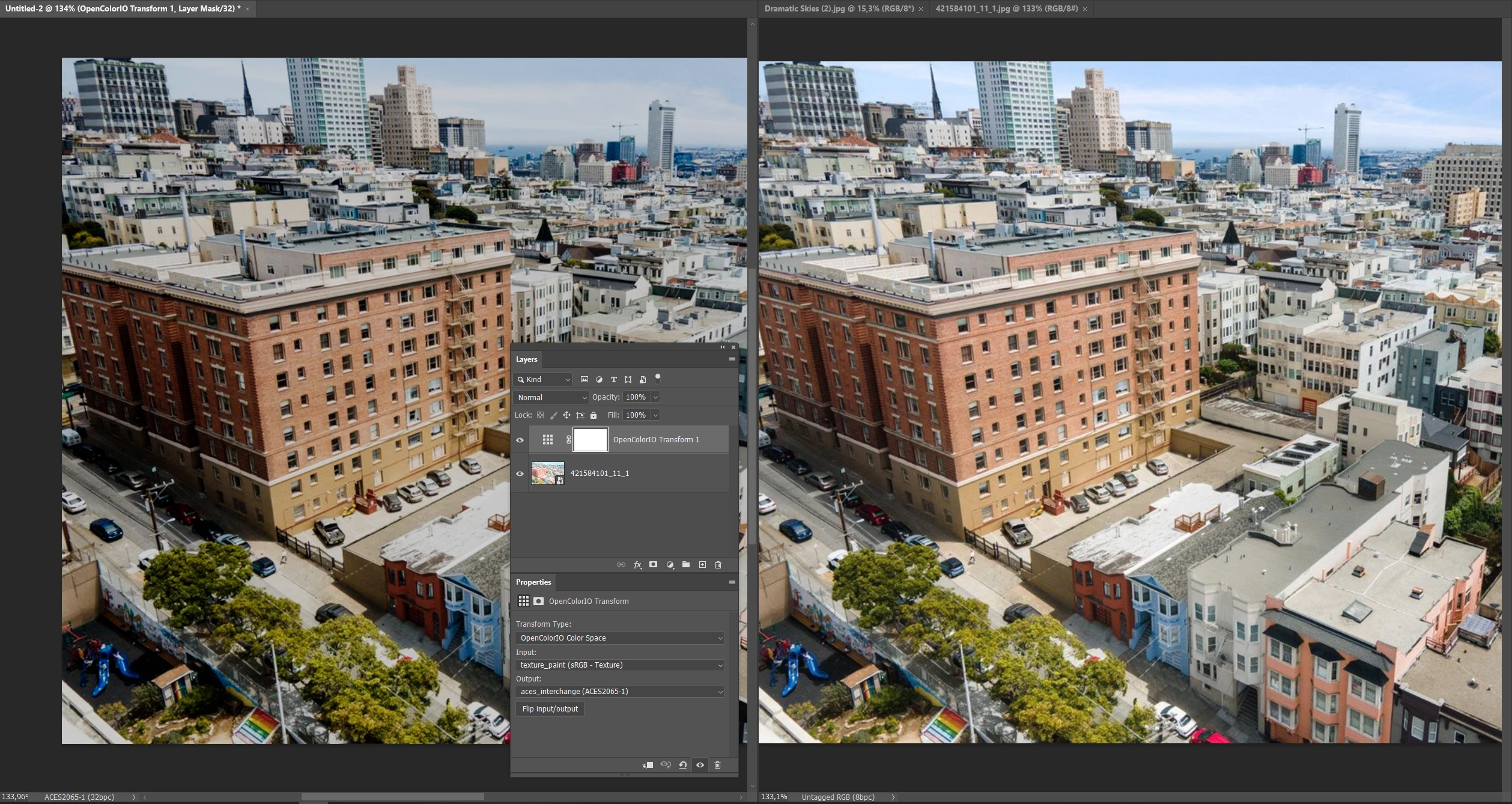


I'd like to have your opinions. Ask me for other details.

cheers 

Lorenzo


1 reply

Adobe Employee
November 12, 2025

Hi, if I understand correctly, you're using a built-in ACES config. Your working space is ACES2065-1 and you've brought an image in as pixels (not a smart object) and you're using an adjustment layer to get from sRGB to ACES2065-1.


A few things to note:

  1. I would generally recommend using ACEScg as the working space, but that's not necessarily a problem.
  2.  If you open the OCIO panel, you most likely are using the ACES SDR 1.0 view, which is going to apply tone mapping to the document pixels, effectively adding the ACES look to your sRGB.
  3.  To remedy this, you would use 'un-tonemapped', or apply corrections (curves perhaps) to compensate.


First thing, I would recommend using the 'Open As OpencolorIO' command to wrap the input image as a smart object. If you already have a document created, you can use 'place image' to place it as a smart object. This way you can select the input colorspace of sRGB from the properites panel for your source image (or right in the OCIO open settings dialog that comes up) instead of having to use an adjustment layer.


As for why the SDR view darkens the image, think about it this way - the SDR view in ACES is designed to take high dynamic range scene referred data and squeeze it into an SDR display. So values well above 1.0 get compressed down to 1.0, and values at 1.0 get compressed a bit lower ~0.624. Well using sRGB->ACES input transform places your sRGB white at ACES 1.0, thus it gets treated as scene data, and not display data. It can be thought of like what the content would look like if you 'filmed' and sRGB screen on set, and then applied the SDR tone mapper. One you bring in non-scene data, you can't really get it to look exactly as expected under all the various ACES tone mappers, as it's designed around scene data, not previously rendered display data. Hope that helps.