
Participant
August 18, 2023
Question

P: Photoshop Beta V 25.0 won't open groups or move layers

  • August 18, 2023
  • 6 replies
  • 1600 views

I opened Photoshop Beta this morning and didn't realize that it auto-updated to v25.0 and showed this error message.
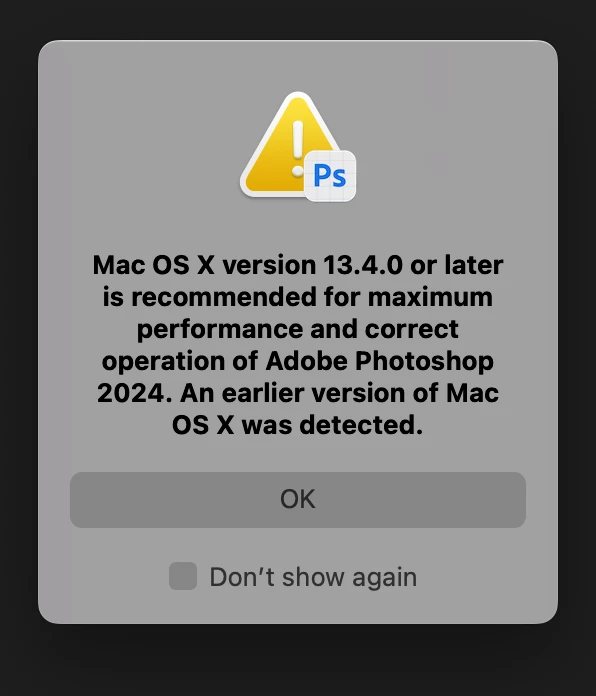
When trying to open groups/folders or move layers around they were stuck so I figured I should revert back to the v24.0 version but Adobe Creative Cloud doesn't give the option to roll back. Normally when you are on CC there should be three dots that open up to show "Other versions" but that's not available for Photoshop Beta.


Is anyone else running into this issue?

This topic has been closed for replies.

6 replies

Caity.psd
Community Manager
Community Manager
August 28, 2023

Hi everyone, can you try updating to today's release, 25.1 and confirming whether the issue persists or is resolved?

Thank you kindly, 

Caity

Participant
August 28, 2023

Hello, I updated to version 25.1, but the problem with the generative fill did not fix, it does not work properly.

Caity.psd
Community Manager
Community Manager
August 28, 2023

@Medina3193206621p4 this is for collapsing and expanding layer groups?

Participating Frequently
August 28, 2023

Is anyone else experiencing this?

Beta apps initially work as expected. At some point (hours later) the app becomes unusable and needs to be restarted.

Some common symptoms:

  • Keyboard commands, like zooming in and out, stop working
  • A group of layers won't open in the Layers panel
  • Unable to select objects

I'm on a 16-inch MacBook Pro (2023) Apple M2 Max, 96 GB, running 13.5 (22G74)

Caity.psd
Community Manager
Community Manager
August 28, 2023

It may help if we could see your Photoshop System Info. Launch Photoshop, and select Help >System Info...and copy/paste the text in a reply.  

Known Participant
August 28, 2023

After updating to Photoshop beta 25.0 Groups in layers panel cant be opened, the layer panel doesnt register the mouse click for opening the group.


Tried to revert back to 24.7 but it keeps showing this incredibly annoying pop up that i should update that cant be dismissed!!!!


MacOS 13.5 (22G74)

Participant
August 28, 2023

Hello. I have the same problem. Can someone please help ? thank you.

Participating Frequently
August 22, 2023

Same issue without the error. Folder groups no longer expand / close on latest Beta version (25).

Same issue  reproduceable 100% both on Win 11 & MacOS M2 Max Ventura 13.5.1. 


CShubert
Community Manager
Community Manager
August 18, 2023

Hi @Aimee28312563tbt2 not sure why you are not seeing them, we see them as expected.  Try logging out and back in to CCD.


Participant
August 18, 2023

I opened Photoshop Beta this morning and didn't realize that it auto-updated to v25.0 and showed this error message.

When trying to open groups/folders or moving layers around they were stuck so I figured I should revert back to the v24.0 version but Adobe Creative Cloud doesn't give the option to roll back. Normally when you are on CC there should be three dots that open up to show "Other versions" but that's not available for Photoshop Beta.

Is anyone else running into this issue?