bobb84053049
Participating Frequently
November 18, 2024
Answered

Photoshop Beta - Adjustment Layers in LAB color not working

  • November 18, 2024
  • 3 replies
  • 562 views

Several adjustment layers, including curves, are not working in the latest Phgotoshop Beta version in the LAB color space.

This topic has been closed for replies.
Correct answer silk-m

There seems to be a problem with the menu, I have requested a fix.
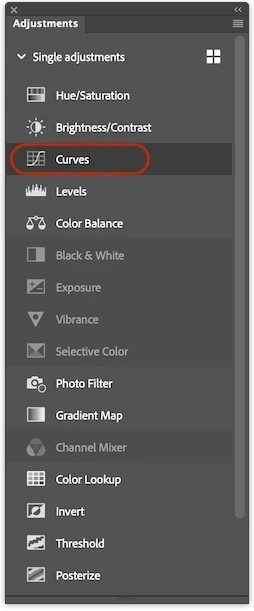
Until then you can add it from the Adjustments panel.

3 replies

silk-m
Community Expert
Community Expert
December 24, 2024

This is fixed in Beta_26.3.0 20241222.m.2915.

Adjustments Layer Menu


Adjustments Panel

This has been a problem for some time, but the display order of the Adjustments Panel Menu and Adjustments Panel List View is not consistent, which makes it difficult to use, so I would like this to be fixed.

--Susumu Iwasaki
silk-m
Community Expert
silk-mCommunity ExpertCorrect answer
Community Expert
November 30, 2024

There seems to be a problem with the menu, I have requested a fix.
Until then you can add it from the Adjustments panel.

--Susumu Iwasaki
ArtWPhoto
Participant
December 20, 2024

thank you!  I found the same issue as I always use the curves layer in lab color when I enhance colors...

Jeff Arola
Community Expert
Community Expert
November 29, 2024

What operating system are you using?


Yes i see this on the Mac side with the latest Photoshop Beta 26.2 m2885