

Emily Nelson
Participant
July 28, 2023
Question

Photoshop Beta download not working

  • July 28, 2023
  • 2 replies
  • 373 views

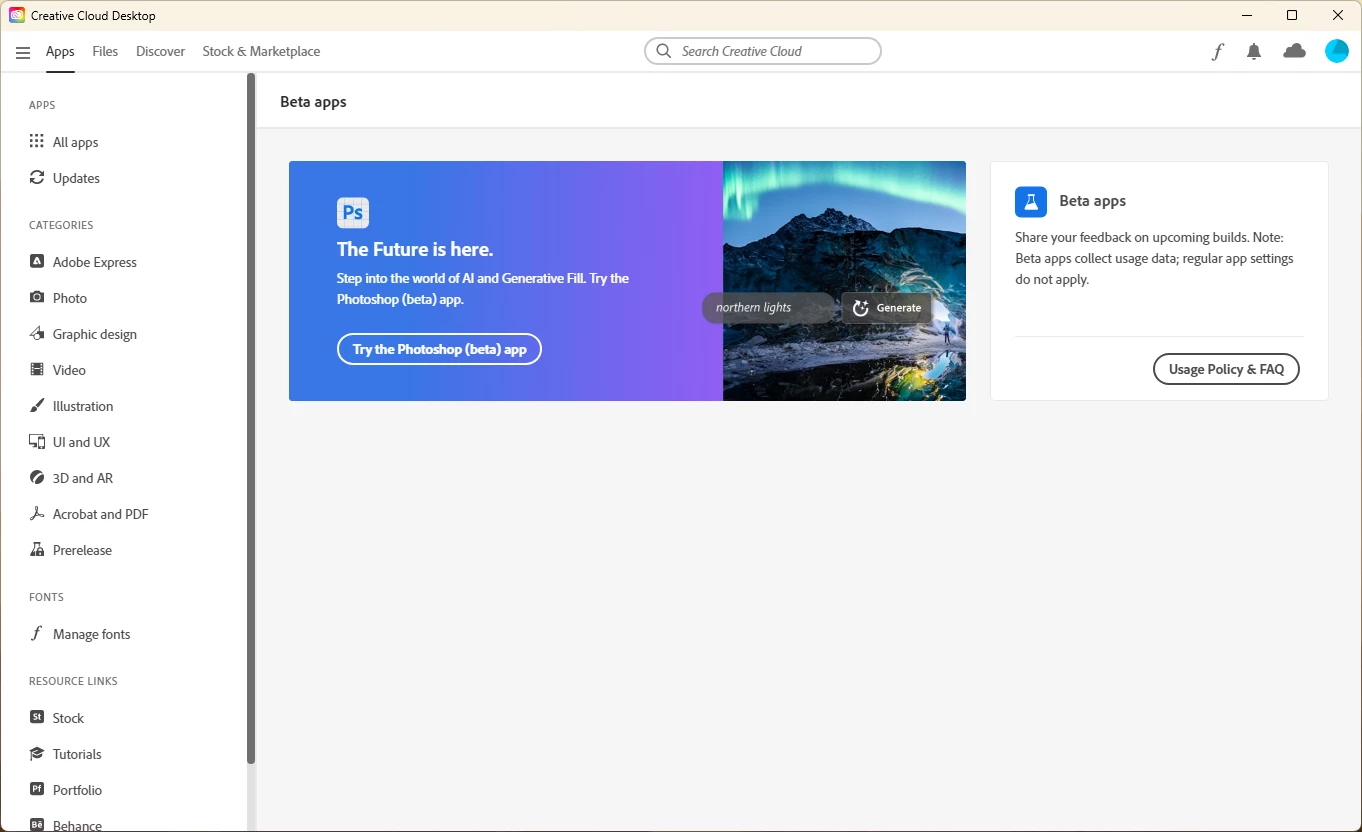
I'm trying to download the Photoshop beta so I can try Generative Fill. I can get to the screen on Creative Cloud Desktop where I ought to be able to download it, but when I do, clicking the "Try the Photoshop (beta) app" button doesn't do anything. Any tips? I'm running Windows and am on an Enterprise account, if that matters.


This topic has been closed for replies.

2 replies

kglad
Community Expert
Community Expert
September 6, 2023

<moved from cc desktop>

Participant
September 6, 2023

Emily,

I'm in the same situation. The button just doesn't activate to download the application. I'm on a Mac with an M2 Max chip running Ventura 13.5. I was able to download it on my old Mac, but have since gotten a new machine. Wondering if the M2 Max chip an issue for me.

Amanda

Emily Nelson
Participant
September 6, 2023

I was able to get it working on my personal laptop, but I still can't get it to work on my work machine. So weird!

kglad
Community Expert
Community Expert
September 6, 2023

@Emily Nelson 


if you're signed into the cc desktop app with the same user id and profile and your work machine meets specs and has no limitations (which would be unusual for a work computer), reset the cc desktop app by making sure it's in the foreground, then press:

Win: Ctrl + Alt + R
Mac: Cmd + Opt + R